Start by considering how the light falls on your cutting area. Choose a panel that can be positioned securely at an angle beside or above your work, with the option to soften the light without your hands obscuring the cut line. A larger panel with diffusion gives you more scope to control shadows; a mini panel takes up less space, but test it as your main light at the actual filming distance. Also check the mounting, power supply and colour settings, and look for any banding in your own video.
Who is this buying guide for?
Makers who need to see shadows along the cut line
You film your hands and gouge close up, and want to keep the cut line visible while still having enough shadow to show the carved relief. Nikon and Canon explain how the size and position of a light source affect shadows in close-up shots.
Makers with limited desk space
You need to fit your lighting, camera and carving work into a small area, or want to be able to pack everything away afterwards.
Makers who want to show ink and paper colours
You also film test prints and want to match your colour settings to the other light in the room. Stated CRI values are manufacturer specifications and don’t guarantee how colours will look in your footage.
What should you look for when buying?
Larger panel with diffusion
Suitable if: you have a permanent filming spot and want to control shadows from your hands and tools across a larger work area.
Bear in mind: you’ll need room for the panel and its mount; a diffuser or softbox makes the setup larger.
Compact battery-powered or camera-mounted panel
Suitable if: you have little space beside your stamp block or want to pack your setup away after use.
Bear in mind: a small panel won’t necessarily provide enough light for the entire work area; check the mounting and battery life too.
| What to consider |
What to look for |
Who should pay particular attention? |
| Cut line and shadows |
Check whether you can position the panel and diffuser separately and mount them securely. |
When I film my hands and gouge close up, I want to keep the cut line visible without flattening the relief with the lighting. Around 33% of consumers give top priority to seeing the cut line and controlling shadows. |
| Space and mounting |
Measure the available space beside and above your work; check whether you need a stand and if one is included. |
With limited room for my camera, carving and lighting, I want to know where the panel can sit securely and whether I can pack the setup away. Around 27% of consumers prioritise space and mounting. |
| Paper and ink colours |
Compare the colour temperature controls and stated CRI for the exact model; take a test shot with a fixed white balance. |
When I film test prints, I want to assess my own paper and ink colours in the video, even with the ambient light in the room. Around 20% of consumers give colour rendering top priority. |
| Light banding and power |
Test with your intended frame rate, shutter speed and dimming setting; check the power supply and included accessories. |
For a longer recording session, I want to keep filming without visible light banding or interruptions caused by a power supply that isn’t up to the job. Around 20% of consumers prioritise uninterrupted recording and power. |
Common pitfalls
-
Focusing on the panel alone
You need to be able to position the panel above or beside your cutting area without getting in the way of your camera or hands. Box contents vary by model and version.
Before you choose, check both the mounting and the exact contents of the box.
You may need a suitable stand, arm or battery if it isn’t included with the version you choose.
-
Assuming a mini light will work as your main light
A stated brightness at a particular distance doesn’t, on its own, tell you how evenly the entire work area will be lit.
Take a test shot at the actual filming distance, with your hands, tools and stamp block in the frame.
-
Treating a high CRI or a ‘flicker-free’ claim as a guarantee
Ambient light and camera settings affect colour and can cause visible light banding.
Record a test clip using your own paper and ink, a fixed white balance and the dimming setting you plan to use. Sony Support explains that changing the shutter speed can reduce flicker; the right setting depends on your camera and light source.
-
Assuming a similar product name means it’s the same version
Ulanzi gives a different maximum colour temperature for the Ulanzi VL49 RGB than the Joybuy product listing does.
Before buying, check the full model name, specifications, power supply and documentation for the exact version. Electrical and electronic equipment covered by the applicable EU rules must carry the required CE marking before it is placed on the EU market; Your Europe and the Dutch government explain this requirement.
Brands to consider
amaran
The P60x is a larger bi-colour panel for a permanent setup where you want to control how the light falls.
- According to amaran, it comes with a softbox, grid, mains power supply and tilting mount.
- According to amaran, battery power requires a separately available D-Tap cable. The manufacturer states 5.070+ lux at 1 metre at 5.600 K; this is under specific test conditions and doesn’t indicate how much light your desk setup will provide.
Godox
The LP400Bi is a bi-colour panel for a fixed or portable setup, with a built-in diffuser panel.
- Godox specifies an adjustable range of 2.800–6.500 K and says the LP400Bi can be powered by NP-F batteries.
- The manufacturer describes the light as soft and even; shadows also depend on the panel’s position and distance.
NEEWER
The NL660 is a bi-colour panel that requires you to choose your own stand, unless you select a version that includes one.
- NEEWER lists a white diffuser, mains adapter, a colour temperature of 3.200–5.600 K and a CRI of at least 96 for the NL660.
- An NP-F550 or NP-F970 battery isn’t included. The ‘NL660 Only’ version doesn’t include a stand.
Elgato
The Key Light Mini is a compact panel with a battery, suited to setups where a larger panel is difficult to position.
- Elgato lists dimensions of 147 × 100 × 17 mm, an adjustable range of 2.900–7.000 K and a 1/4-inch mounting thread.
- According to Elgato, mounting accessories aren’t included. The stated four-hour battery life is at 50% brightness, not every setting.
Ulanzi
The VL49 RGB is a small, rechargeable panel for a cramped setup or one you move around regularly.
- Ulanzi lists magnetic mounting, a 1/4-inch thread and a maximum of 800 lux at 0,5 metres.
- The highest stated colour temperature differs between Ulanzi’s information and the Joybuy listing for the VL49 RGB. Check the exact version before assuming the specifications are identical.
Joybuy products
These product picks are compact, rechargeable LED video lights for a small filming space; check how you can direct the light onto your stamp block for each model.
 No image available
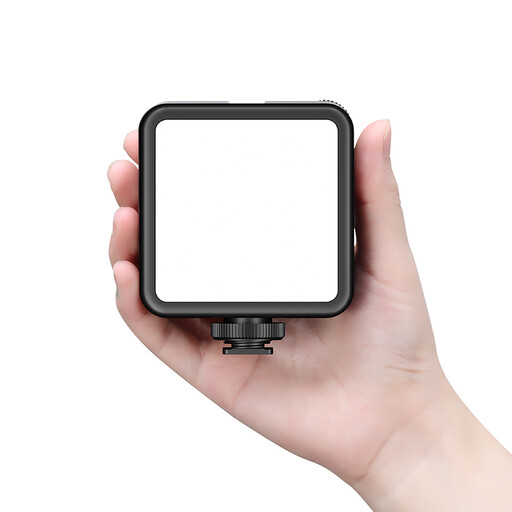
Ulanzi VL81 rechargeable LED video light, black
The built-in cold shoe can be useful when space is limited and you want to attach the light to your camera.
The product description lists an array of 81 LEDs, a built-in battery, USB-C and an integrated cold shoe. Brightness and colour temperature are adjustable. According to the description, ventilation is needed when using the light at full power; avoid prolonged direct exposure to the light and keep the connectors dry.
Before buying, check the CE marking and documentation for the exact version, including the power supply provided.
Joybuy
 No image available
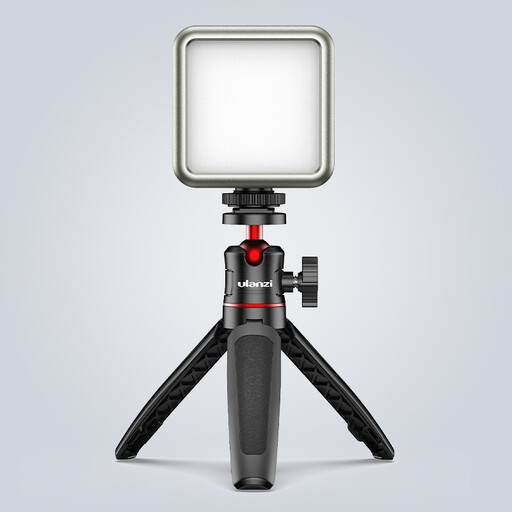
Ulanzi VL49 RGB video light
This small battery-powered light with a magnet may suit a cramped setup; check that its mounting works with the way you film.
The product title lists a 2.000 mAh battery, a magnet on the back and a range of 2.500–9.500 K. Ulanzi lists an upper limit of 9.000 K for the VL49 RGB, so check the details for the exact version. According to the product description, use a standard adapter with a 5 V output and avoid high-voltage fast chargers. The light isn’t designed for damp conditions; avoid using it close to your subject.
Before buying, check the CE marking and documentation for the exact version, including the power supply provided.
Joybuy
 No image available
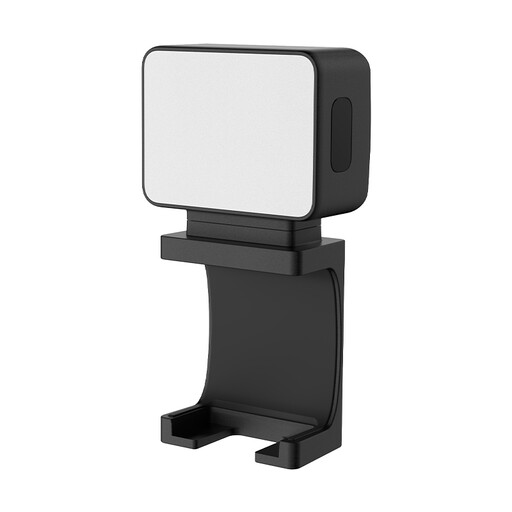
Ulanzi LM001 portable mini fill light
The magnetic mount and 1/4-inch thread give you options for positioning the light on a metal surface, tripod or arm.
The product title lists a 500 mAh battery. The product description states up to 1,5 hours of continuous use per charge; bear this in mind for longer filming sessions.
Before buying, check the CE marking and documentation for the exact version, including the power supply provided.
Joybuy
Frequently asked questions
Where should you position the light if your hands cast a shadow over the stamp?
Try placing the panel at an angle beside or above your work, then check in a test shot where your hands and tools cast shadows. Diffusion can make the light source appear larger; keep enough direction in the light to show the carved relief.
How can you check whether an LED panel causes banding in your video?
Test it with your own camera, intended frame rate, shutter speed and dimming setting. Sony Support explains that changing the shutter speed can reduce flicker; the right setting depends on your camera and light source.
Does the panel come with a tripod or battery?
It depends on the exact version. The NEEWER NL660 Only doesn’t include a stand or an NP-F battery. Elgato says that the Key Light Mini doesn’t come with mounting accessories.
Which safety marking should you look for when buying in the Netherlands?
Electrical or electronic equipment covered by the applicable EU rules must carry the required CE marking before it is placed on the EU market. Check the marking and documentation for the specific version, including the power supply provided; general product information doesn’t prove that an individual listing complies with the rules.
What warranty and cooling-off period apply to an online consumer purchase?
According to ACM ConsuWijzer, statutory consumer rights apply alongside any manufacturer’s warranty if a product doesn’t meet what you could reasonably expect. For a standard online purchase, you generally have up to 14 days after delivery to change your mind; ACM ConsuWijzer lists some exceptions.


