
Maker filming carving details
Wants to keep the carving tool, stamp and moving hands clearly in shot, without a hand constantly obscuring the work. Canon Europe explains how lighting placed close to a subject can cast shadows on it.


Choose a compact battery-powered panel if you want to clear your work surface after filming. A larger panel with a diffuser is a better fit if you want to light the entire carving area and have room for a sturdy setup. Position the light outside the path of your hands, check your footage for banding and consult the product documentation for the exact model. Ondernemersplein explains that the manufacturer applies the CE marking to an electrical appliance that complies with the relevant requirements.
Wants to keep the carving tool, stamp and moving hands clearly in shot, without a hand constantly obscuring the work. Canon Europe explains how lighting placed close to a subject can cast shadows on it.
Wants to remove the light after filming, so pays attention to a suitable mounting option and practical power supply. Mounting options vary by model.
Notices stripes or changes in brightness in their footage and wants to test the light with the camera before making it part of their regular setup.
A good fit if: you’re lighting a small part of the carving area and want to put the light away afterwards.
Bear in mind: a small light source can create sharper shadows. Check that the mount is compatible with your arm, clamp or tabletop tripod.
A good fit if: you want to light your hands and the whole carving area at once, and have enough room for a sturdy setup.
Bear in mind: the panel, support and cable take up more space. Godox attributes its claim of softer shadows to the P260C Pro’s diffuser.
| What to consider | What should you check? | Who is this most important for? |
|---|---|---|
| Shadows and detail | Angle the panel towards the stamp, outside the path of your hands. Try a diffuser if harsh shadows hide details, and assess the result with a test recording. | If I want to film the carving tool and fine cut lines clearly, I position the light and camera so my hand doesn’t block the subject. Around 33% of consumers give visibility of detail and reduced shadows top priority. |
| Space and mounting | Measure the edge of the table and check the connection, arm reach and space for the camera and support. Make sure the exact thread or cold shoe is compatible with your setup. | When I share my work surface, I want to position the light securely and put it away afterwards. Around 25% of consumers prioritise space, mounting and easy storage. |
| Banding in video | Record a test clip using the brightness and camera settings you plan to use. For areas with a 50 Hz mains frequency, Sony suggests shutter speeds of 1/50 or 1/100 second as possible ways to reduce flicker. The results also depend on the light and camera. | If I see stripes in the footage, I want to test the light and camera together before settling on a permanent setup. Around 25% of consumers give stable video recording top priority. |
| Power and recording time | Check the operating time at your preferred brightness, and find out which cable, adapter or external power supply is required for that exact model. | For a long carving session, I want to avoid my recording stopping unexpectedly. With a battery-powered light, operating time depends on the setting you choose. Around 17% of consumers prioritise power and recording time. |
These figures alone won’t tell you whether your camera will capture visible banding or whether your hand will cast harsh shadows over the carving area.
Check the mounting and any diffusion options, then record a test clip at the brightness you plan to use.
Connections and what’s included in the box vary by model. Elgato says mounting accessories are not included with the Key Light Mini.
Check that the thread or cold shoe and the included parts are compatible with your arm, clamp or tabletop tripod.
A larger panel and its support could extend beyond the workspace or take up room to move around.
Measure the available space and decide where the support and cable will go before choosing a larger model.
The P96 is a compact, dimmable bi-colour panel for a small carving area.
The VL81 is designed for a compact setup that’s quick to put together and take down.
The Key Light Mini is a small panel, while the Key Light Air MK.2 is a separate desk light with a clamp.
The P260C Pro is a larger bi-colour panel for a more spacious work area and a sturdy setup.
The PC8 is a small RGB video light for anyone who wants colour effects as well as a work light.
This selection features compact, portable LED video lights for a temporary filming setup. Check that each model’s mount and power supply are suitable for your work surface.
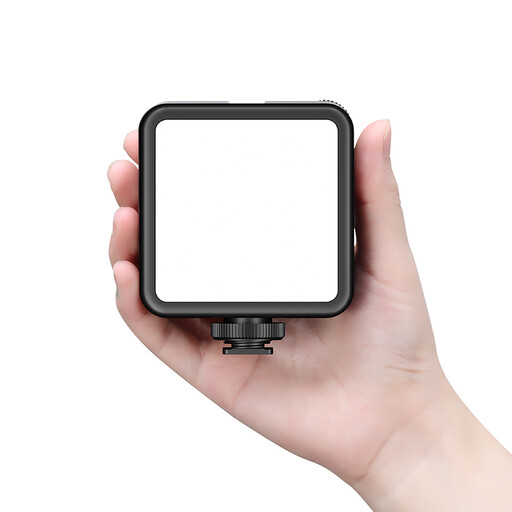 Image unavailable
The rechargeable model could suit a temporary filming setup where you want to clear your work surface afterwards.
Ulanzi lists dimmable brightness, 3200–5500 K and a built-in 3000 mAh battery. According to the manufacturer, the light has a cold shoe and a 1/4-inch thread. Check that these fit your arm or support. The battery capacity doesn’t tell you how long the light will last at your chosen brightness.
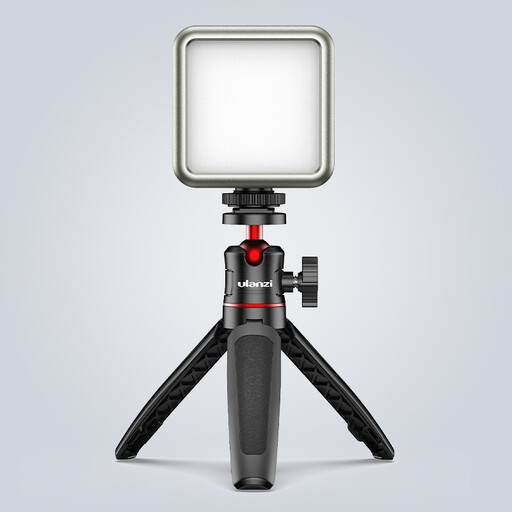 Image unavailable
This compact battery-powered light could work well for a short, portable filming setup. RGB is mainly useful if you also want to create colour effects.
The product name lists dimmable brightness, 2500–9500 K, a 2000 mAh battery and a magnetic back. It doesn’t state how long the light lasts at your chosen brightness. The product information recommends a 5 V adapter and warns against looking directly into the panel from close range.
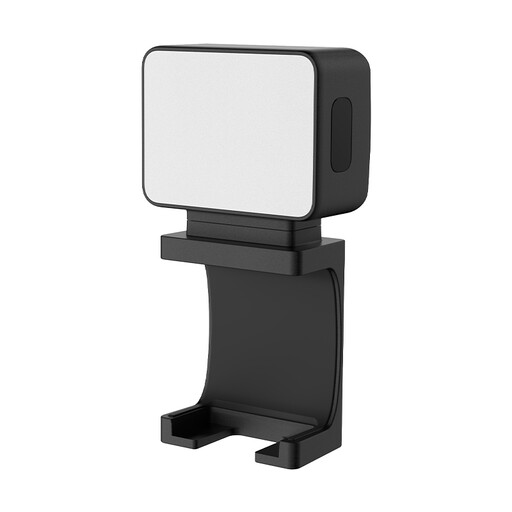 Image unavailable
A portable mini fill light could be a good fit if you’re looking for a small light source for product filming and want to keep the setup temporary.
The product name describes a magnetic model with a built-in 500 mAh battery. Before buying, check how to position the light safely and securely near your camera and work surface.
Angle the light towards the carving area from the side, outside the path of your hand, and review a short recording. A diffuser can soften harsh shadows; check whether one is included with your chosen panel.
Start by testing at the brightness you intend to use. For areas with a 50 Hz mains frequency, Sony suggests a shutter speed of 1/50 or 1/100 second as a possible way to reduce flicker. However, this doesn’t guarantee stripe-free footage with every light and camera.
It depends on the model and package. For example, Elgato says mounting accessories aren’t included with the Key Light Mini. Before buying, check what’s in the box and what power supply is needed for the exact model.
No. According to ACM ConsuWijzer, your statutory warranty lasts for as long as you can reasonably expect the product to last, in addition to any manufacturer’s warranty. If a fault is covered by the statutory warranty, the seller is responsible for providing an appropriate solution.
Check the documentation for the exact model and the relevant product regulations. Ondernemersplein says that the manufacturer applies the CE marking to an electrical appliance that complies with the relevant requirements and draws up an EU Declaration of Conformity. The rules that apply may also depend on the power supply and wireless features.