
Filming puzzles at a fixed table
You want to keep the whole puzzle and your moving hands in shot from a fixed camera angle. So, make sure you also have room for a stable, adjustable lighting setup.


For a permanent puzzle table, choose a panel you can position securely out of shot and use to light the entire work surface. Aim diffused light at the puzzle from an angle, and check the image while your hands are moving. A larger, adjustable panel gives you more positioning options, while a compact battery-powered light takes up less space but may not illuminate the whole table. Manufacturer specifications can’t predict exactly how the light will look on your puzzle in your studio.
You want to keep the whole puzzle and your moving hands in shot from a fixed camera angle. So, make sure you also have room for a stable, adjustable lighting setup.
You want to reduce bright reflections and harsh shadows from your hands, and adjust the angle of the light while setting up. Adobe describes diffused light as a way to soften harsh shadows and strong highlights.
You’re looking for a small, portable light source and want to check whether it will also provide enough light across the whole puzzle table.
Start by checking that the light covers the whole puzzle and consider where the light will sit in relation to your camera and hands. Then check that the power supply, mounting and included accessories suit your setup.
| What to consider | What should you check? | Who is it important for? |
|---|---|---|
| Coverage across the whole table | Check how evenly the light falls across the whole table, and try the angle with a diffuser or softbox. Also record a clip with your hands moving. | I want the puzzle and my hands to stay visible everywhere. Around 36% of consumers prioritise even lighting without distracting shadows or reflections. |
| Colour and flicker | Test the light with your camera at the brightness and colour setting you want to use. Check for colour differences, flicker or banding in the video. | If the puzzle colours need to remain recognisable and I want smooth-looking video, I check how the light and camera work together. Around 29% of consumers give colour and flicker top priority. |
| Positioning and space | Measure the available space around your camera and table, and check the mounting options, tilt range and whether a stand is included with the version you’ve chosen. | With limited space, I want to be able to move the light or position it out of shot without getting in the way of the camera setup. Around 21% of consumers prioritise space and flexibility. |
| Power and accessories | Check the contents and power options for the exact version you’ve chosen. Don’t assume that a battery, adapter or stand is included. | I want to know what I’ll need to use my planned filming setup. Around 14% of consumers make power and essential extra accessories their top priority. |
NEEWER distinguishes between a version that includes just the NL660 panel and one that comes with a stand. If you assume the wrong version’s contents, you may not have a way to mount the panel.
Check the exact version and think about how you’ll position the panel safely out of shot.
Diffused light can soften harsh shadows and highlights, but visible reflections also depend on the angle of the light and the puzzle’s surface.
Try different angles with your puzzle and moving hands before settling on your setup.
A quoted light output figure doesn’t automatically tell you how evenly your entire puzzle will be lit.
Check the measurement conditions in the specifications and assess the whole table in a test recording.
According to Ulanzi, the usable battery life of the Ulanzi VL120 depends on the brightness setting you choose.
Test a full recording at your preferred setting and check how to recharge the light.
The NL660 is a larger bi-colour panel for a fixed table setup that you can adjust to suit your needs.
The P260C Pro is worth considering if you’re looking for a panel with a built-in diffuser and several power options.
The P60x is a bi-colour panel that comes with a softbox, which could be useful if it fits your setup.
The VIJIM VL120 is a compact light worth considering for portable, supplementary lighting.
The products below are compact camera and video lights for a portable or supplementary lighting setup. They aren’t equivalent to a panel for lighting a whole puzzle table, so test their coverage before choosing one for that job.
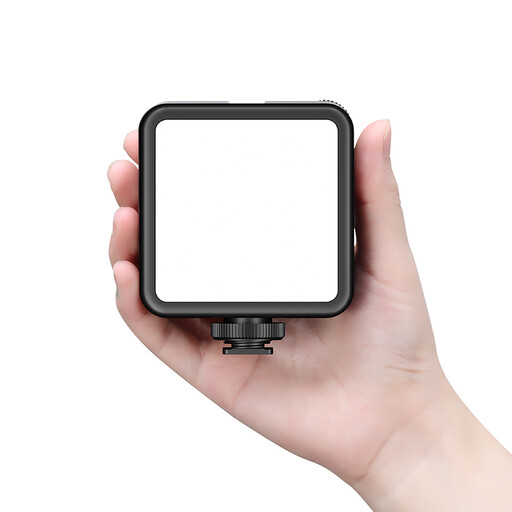 No image available
This handy video light is designed for a portable setup. Check in a test recording whether its beam reaches your puzzle.
The product description lists a zoom lens, a 2000 mAh battery, USB-C, CRI >90, four brightness settings and an adjustable spot and flood beam. Don’t shine the light directly into your eyes from close range for extended periods. According to the product information, use certified USB-C charging cables only.
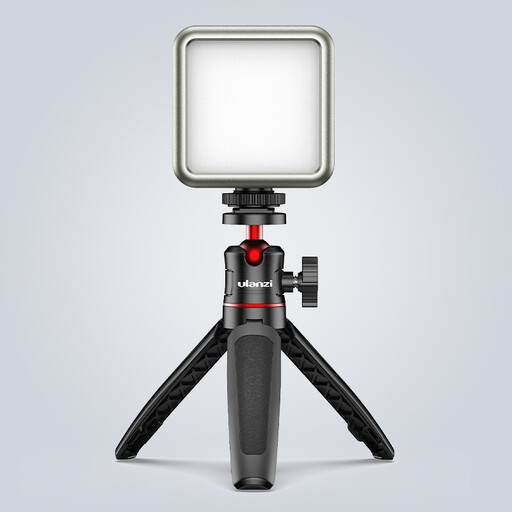 No image available
Its compact design and rear magnet make this worth considering for a small, flexible lighting setup. Test the coverage for your puzzle table.
The product title lists RGB, 2500–9500 K, a 2000 mAh battery and a dimmable light. According to the product information, use a standard 5V adapter and don’t use the device in damp conditions.
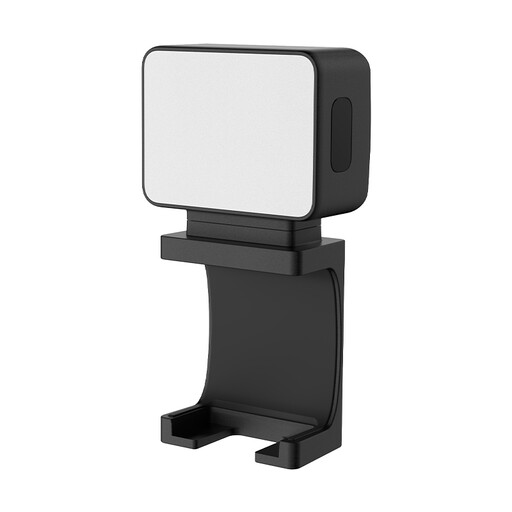 No image available
This mini fill light is a compact option for an extra light source or short recordings. Check separately whether it can illuminate your entire puzzle.
The product description lists a magnetic base, a 1/4-inch thread and a 500 mAh battery. The stated continuous operating time is up to 1.5 hours. Don’t use the light in damp conditions.
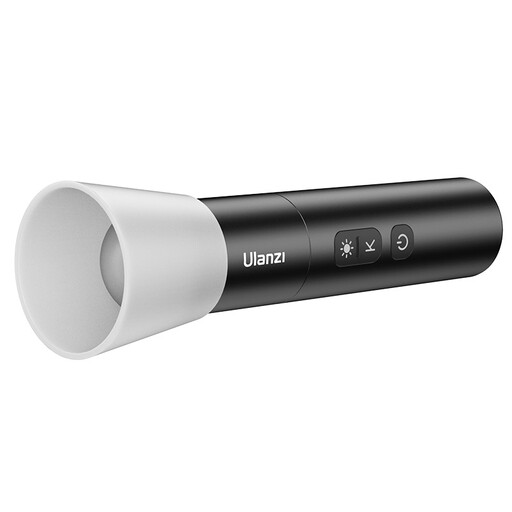 No image available
This handy light is designed for a portable setup. Use a test video to check whether its beam lights enough of the puzzle table.
The product title lists 2000–5500 K, four brightness settings, a 2000 mAh battery and a weight of 187 g. The product description mentions an adjustable spot and flood beam, and warns against shining the light directly into your eyes from close range for extended periods.
Position the panel out of shot and try diffused light from an angle. Film the whole puzzle while your hands are moving, and adjust the angle if pieces disappear into shadow or reflections appear. This is a practical starting point, not a guaranteed result for every puzzle finish.
Record a test video at the brightness you want to use, and check whether your camera offers suitable video settings or flicker reduction. Nikon explains that a mismatch between camera settings and the refresh rate of certain light sources can cause flicker. The right setting depends on the camera and light you’re using.
Check the box contents for the exact version, especially the stand, adapter and any battery. ACM ConsuWijzer explains that, for a consumer purchase in the Netherlands, statutory guarantee applies alongside any manufacturer’s warranty: the product must do what you could reasonably expect from it under normal use, and the seller is responsible for this.
For a standard online consumer purchase in the Netherlands, you generally have a statutory cooling-off period of up to 14 days after delivery. There are exceptions, so check the terms that apply to your specific purchase.
Check which EU rules apply to the specific light and power supply. According to Your Europe, CE marking is required for products covered by harmonised EU rules that require it. The manufacturer then assesses the product’s conformity and applies the marking. A CE logo isn’t an independent performance test.