
Teacher who appears on camera
You mainly teach by talking to the webcam and want your face to be evenly lit, without harsh shadows or backlighting from a window. Logitech warns that light behind the teacher can make the subject look dark.


If you mainly teach with your face on camera, choose a diffused, dimmable panel that you can position well beside or above the camera. At a small desk, the mounting and power supply matter; for demonstrations outside the frame, you’ll also need to consider the direction and coverage of the light. Before choosing, check that the mount and power supply are included with the exact version and will work with your workspace.
You mainly teach by talking to the webcam and want your face to be evenly lit, without harsh shadows or backlighting from a window. Logitech warns that light behind the teacher can make the subject look dark.
You have little room for a floor stand and need to check that the clamp, height, cable and power supply will work with your workspace. Elgato gives specific desk-thickness and mounting-height measurements for the Key Light Air MK.2.
You regularly show objects or work outside the frame and need to be able to adjust the direction and coverage of the light. Godox and NEEWER describe panels for setups where the light can be positioned independently of the desk.
First decide what the panel needs to light: your face, a small desk area, the whole teaching space or materials outside the camera frame. Then choose a mounting option and power supply to suit your setup.
| What to consider | What should you check? | Who is this important for? |
|---|---|---|
| Soft light on your face | Check the diffusion and dimming options, and the panel’s position in relation to your camera and window. Assess the result in your webcam image. | If I mainly teach by talking, I want my face to look evenly lit on camera without backlighting making it dark. Around 36% of consumers give face lighting top priority. |
| A good fit for a small desk | Measure the edge of your desk and check the clamp size, height and cable route. For the Key Light Air MK.2, Elgato specifies a desk thickness of up to 6 cm and a mounting height of 60–88 cm. | If my desk has little free space, I want to know whether a clamp will fit and where the panel will sit above or beside the screen. Around 29% of consumers prioritise desk compatibility. |
| Power for the whole lesson | Check which power supply is included, what USB-C output is required and whether a battery can last for the length of your lesson. Elgato specifies at least 30 W for the maximum setting of the Key Light Air MK.2; according to Ulanzi, the Ulanzi VL49’s run time depends on the brightness setting. | For a long lesson, I want a reliable power supply, so I don’t have to recharge halfway through or turn down the brightness unexpectedly. Around 21% of consumers put lesson duration first. |
| Light for demonstrations | Decide where you’ll show materials, what type of mount you’ll need and whether you want to move the light around or use it as fill light. | If I show objects or work outside the frame, I want to be able to direct the panel at them without moving my webcam setup. Around 14% of consumers give demonstration lighting top priority. |
A brightness rating alone doesn’t tell you how soft or even the light will look on your face. Elgato also states that the Key Light Air MK.2’s maximum brightness depends on the power supply.
Check the diffusion, positioning and dimming options, as well as the conditions under which the brightness was measured. Only compare figures if they’re based on the same measurement method.
Elgato requires a suitable USB-C power supply for the maximum setting. The NEEWER RGB660 PRO II reviewed does not include a stand or the NP-F batteries mentioned.
Compare what’s in the exact package with the power supply and mount you already have.
A suitable USB-C adapter, battery or stand may be an additional purchase. Check which accessories your setup requires.
The Ulanzi VL49 is a compact panel for portable or supplementary lighting. A small panel isn’t automatically suitable for lighting both your face and the demonstration area.
First decide whether you only want to light a small detail, or whether you need to light your face and a larger part of the teaching area.
Logitech describes Litra Glow as a compact desk light for video and streaming. It’s worth considering if the teacher is the main subject on camera.
The Key Light Air MK.2 is designed for a fixed desk setup, with a clamp and adjustable colour temperature.
The P260C Pro is an adjustable panel worth considering if you want to light materials or a larger work surface as well as your face.
The RGB660 PRO II is a panel with adjustable white light and RGB features, suitable for use as a standalone key or fill light.
The VL49 RGB is a small battery-powered panel worth considering for portable or supplementary lighting.
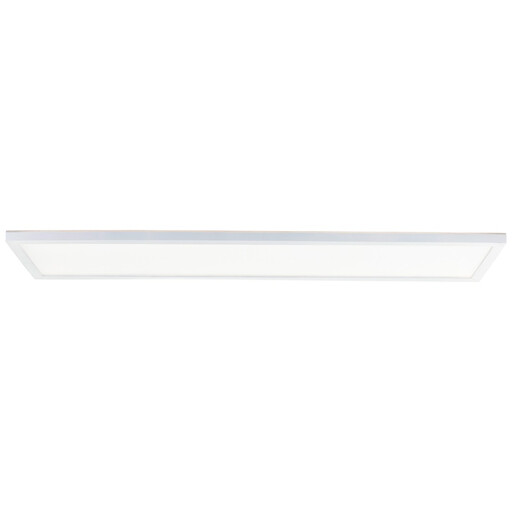
This panel is designed for a fixed ceiling-mounted setup in a home studio.
 No image available
Suitable for a fixed ceiling-mounted setup if you’re looking for general lighting for a home studio.
The panel measures 96 × 25 cm, is dimmable and has an adjustable colour temperature of 3000–6500 K. It’s designed for surface mounting on the ceiling and, according to the specifications, does not swivel.
Before buying, check that the version on offer carries the required CE marking.
Don’t position yourself with a bright window directly behind you on camera: Logitech warns that backlighting can make the subject look dark. Try soft light in front of you or at an angle beside your face, then assess the result in your own webcam image.
No, RGB isn’t necessary for basic face lighting. According to NEEWER, the RGB660 PRO II offers white-light settings of 3200–5600 K as well as RGB. Choose RGB only if coloured light is genuinely part of your teaching setup.
Check which power supply is included and test whether the chosen brightness setting will last for the whole lesson. Elgato links the Key Light Air MK.2’s maximum brightness to the available USB-C power; Ulanzi states that the VL49’s battery life depends on the brightness setting.
CE marking is compulsory for electrical products; the Netherlands Food and Consumer Product Safety Authority lists lamps as electrical appliances. CE marking does not automatically prove that a product has undergone compulsory independent testing. Check the marking on the version on offer and follow the instructions for use.
For an ordinary online consumer purchase, you generally have 14 days from delivery to change your mind, subject to exceptions. You’re also entitled to a legal guarantee if the product fails to meet reasonable expectations under normal use; in that case, the seller must offer an appropriate solution. A manufacturer’s guarantee does not replace this legal right.