Choose a larger panel with a diffuser if you have a permanent filming spot; a compact, rechargeable panel is easier to put away. Then compare the adjustable colour temperature, power supply and exact kit contents, and record a test video with your own camera. Specifications alone can’t predict how skin tones, shadows or banding will look in your room.
Which panel is right for you?
Creator who wants to show make-up colours
You show shades and finishes close to the camera and want to be able to check the colour settings and white balance in the room where you film. NEEWER, SmallRig and Nikon describe colour settings and white balance features that are relevant here.
Creator with a permanent filming spot
You film your face from roughly the same spot each time and can make room for a panel, diffuser and mount. NEEWER’s and Godox’s panel and diffuser options are worth comparing for a permanent setup like this.
Creator with limited storage space
You need to put your lighting away after every shoot, so you want to compare the size, mounting options and battery power. SmallRig, MOJOGEAR and Ulanzi offer different types of products to compare on these points.
What should you look for when choosing?
First, decide where you can position the camera, your face and the light. Then compare the colour settings, mounting options and power supply, and test your setup with a short recording.
| What matters when buying? |
What should you check? |
Who will find this important? |
| Skin tone and make-up colour |
Compare the colour temperature of the exact model and test the white balance with the lighting you’ll use while filming. |
If I show make-up shades close to the camera, I want to be able to match the colour using my white balance and check the result. Around 26% of consumers say colour rendering is their main concern when buying. |
| Shadows on your face |
Consider the panel size, diffuser and positioning. Film from where your camera will actually be placed. |
When I’m explaining details around the eyes, cheeks and jawline, I want to see how the light falls across my face. Around 21% of consumers prioritise useful light across the whole face. |
| Kit contents and accessories |
Check whether a mount, stand, adapter, cable and any battery are included with the specific version. |
If I don’t already have a suitable mount, I want to know in advance which parts I’ll need to film. Around 21% of consumers say the complete kit and required parts are their main concern when buying. |
| Space, mounting and power |
Check the dimensions, compatible mount, cable routing and stated battery life at the power level you’ll use. |
If I need to put everything away after filming, I’m looking for a light that suits the space I have and the way I’ll power it. Around 16% of consumers prioritise space, mounting and power. |
| Banding or flicker in your footage |
Record a test using the dimming level, camera mode and shutter settings you actually plan to use. |
If I want to avoid banding in my footage, I want to test the light and camera together in my own setup. Around 16% of consumers say banding or flicker is their main concern when buying. |
Common buying mistakes
-
Assuming a panel comes with everything you need to film
Kit contents can vary between versions. The Godox P260C Pro manual says that a light stand is sold separately; with the NEEWER NL660, whether a stand is included depends on the version you choose.
Check the full model and kit name, then compare the contents with the mounting and power equipment you already have.
Depending on the version, you may still need a stand, a suitable mount or an optional battery.
-
Treating the VL49 and VL49 RGB as the same model
Ulanzi says the standard VL49 has a fixed colour temperature of 5500 K, while the VL49 RGB offers adjustable white light and RGB functions.
Check the full model name and listed features, not just the ‘VL49’ label.
-
Assuming a stated CRI or light output guarantees how footage will look
A specification doesn’t account for your room lighting, white balance, distance and possible banding in your footage all at once.
Record a short test video in your intended filming spot and check skin tones, shadows and any banding before you film a full tutorial.
Brands worth comparing
NEEWER
The NL660 is a larger bi-colour panel worth comparing for a permanent filming spot.
- NEEWER says the NL660 has a colour temperature of 3200–5600 K and comes with a diffuser.
- The version without a stand doesn’t include a light stand, and NP-F batteries aren’t included. Check which kit you’re looking at.
Godox
The P260C Pro is a bi-colour panel with a built-in diffuser, designed for a setup with a separate mount.
- Godox lists a colour temperature of 2800–6500 K for the P260C Pro.
- Godox says its diffuser design produces softer light; this hasn’t been independently tested for a student bedroom. The manual says the light stand is sold separately.
SmallRig
The P96 is a compact, rechargeable option for a small or temporary setup.
- SmallRig lists 2700–6500 K, CRI >95, a cold shoe mount and a built-in battery.
- Record a test at your chosen distance to see whether this small panel is powerful enough to be your main light.
MOJOGEAR
The Lumi Bicolor LED Light 12W Medium is a rechargeable bi-colour panel with kit contents listed for each product.
- MOJOGEAR lists 2500–9000 K, CRI ≥96, a built-in battery and an included cold shoe mount.
- The listed kit doesn’t include a light stand. Check that the included mount suits your desk and setup.
Ulanzi
The VL49 and VL49 RGB are different compact, rechargeable panels for a portable setup.
- Ulanzi says the standard VL49 has a fixed colour temperature of 5500 K, while the VL49 RGB offers adjustable white light and RGB functions.
- The model names look similar, but the versions aren’t interchangeable. Check which lighting settings you need.
Compact LED video lights on Joybuy
These Joybuy product picks are compact LED video lights for a small, portable filming setup. Check that the included kit and mount suit your camera and the space you have available.
 No image available
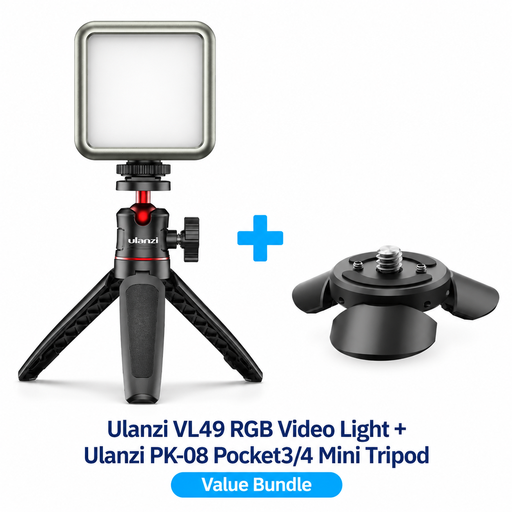
Ulanzi VL49 RGB LED video light with PK-08 mini tripod kit for DJI Osmo Pocket 3/4
This compact light is a good option if you want to put your lighting away after filming.
Ulanzi says the VL49 RGB offers adjustable white light and RGB functions. The bundle includes a PK-08 mini tripod for compatible DJI Osmo Pocket setups; check that the mount suits your camera.
Check that the item offered has a CE mark before buying.
Joybuy
 No image available
Ulanzi VL81 rechargeable LED video light, black
This compact, rechargeable model suits a filming spot where you want to put the light away after use.
The product description lists an adjustable colour temperature of 3200–5600 K, a built-in rechargeable battery and a cold shoe mount.
Check that the item offered has a CE mark before buying.
Joybuy
Frequently asked questions
How do I set up an LED panel to show make-up colours accurately?
Where possible, match the panel’s white light to the lighting you’ll use during your tutorial, then check the white balance and colours in a test recording. Mixed lighting can look different on camera from how you expect.
Will I always need a stand and a separate battery for a panel?
No, it depends on the model and version. With the NEEWER NL660, whether a stand is included depends on the kit you choose, and the optional NP-F battery isn’t included. The SmallRig P96 and MOJOGEAR Lumi Bicolor Medium have built-in batteries, according to their manufacturers. Also check how to mount the panel safely.
What can I do if my footage has banding?
Record another test using the dimming level, camera mode and shutter settings you plan to use for your tutorial. Canon explains that some LED light sources can cause banding in footage when used with an electronic shutter; this doesn’t mean it will happen with every panel.
Does an LED video panel need a CE mark in the Netherlands?
Yes. According to the Netherlands Food and Consumer Product Safety Authority, CE marking is compulsory for electrical products offered for sale in the Netherlands. Check the mark on the item you intend to buy; general information about a model doesn’t confirm that every item offered has the mark.


