
Photographer of glossy cards
You want to keep text, edges and finishes visible without a patch of light reflecting across the card. Adobe and Nikon explain how the direction and diffusion of light affect reflections.


When photographing glossy trading cards, the direction and diffusion of the light matter more than simply having a high light output. Choose a compact panel if space is limited, a panel with a diffuser if you want to control reflections, or two adjustable panels if you want to light each side separately. Also check the mounting, power supply and CE marking for the exact version you’re considering.
You want to keep text, edges and finishes visible without a patch of light reflecting across the card. Adobe and Nikon explain how the direction and diffusion of light affect reflections.
You want to set up and pack away the lighting quickly. Choosing between a camera mount, stands or a desk clamp affects how much space the setup takes up. SmallRig, Neewer and Elgato describe these different mounting options.
You want to be able to repeat the brightness and colour temperature settings across a series of shots. Godox and Neewer describe adjustable lighting settings; Canon Europe mentions a tripod as a way to achieve consistent product photos.
Suitable if: you’re lighting a small area and want to clear the shared table quickly. According to SmallRig, the SmallRig P96 has a built-in battery and a cold shoe mount.
Bear in mind: even a small, directly visible light source can reflect in a glossy card. Think about how you can angle the light beside or above the card before setting up.
Suitable if: you have room to position the light beside the camera and want to control reflections through its direction and diffusion. Godox lists a removable diffuser for the LDX50Bi.
Bear in mind: the larger panel and its mounting need more workspace. Godox notes that the optional battery is sold separately.
Suitable if: you want to position a light on both sides of the card and have enough space to do so. According to Neewer, the Neewer NL-192AI set includes two panels and two stands.
Bear in mind: two stands take up more room. Test both angles of incidence, as an extra light source can also create an extra reflection.
| What to consider | What should you check? | Who should pay particular attention? |
|---|---|---|
| Reflections and legibility | Check whether you can position the panel and diffuser separately. Take a test photo of a glossy card. | If I photograph holographic or glossy cards, I want to be able to read the text and details without distracting reflections. Around 36% of consumers say controlling reflections is their top priority. |
| Consistent colour and exposure | Compare the colour temperature range, dimming controls and any memory settings. Keep the camera settings and ambient light the same. | For a series of card photos, I want to be able to repeat the lighting settings so that differences in those settings don’t make the images unnecessarily inconsistent. Around 29% of consumers prioritise consistent colour and brightness. |
| Space and mounting | Measure the available space and check whether the version includes a table mount, cold shoe mount or separate stands. | At a shared workbench, I want to be able to set up and pack away the complete lighting setup easily. Around 21% of consumers are particularly concerned about the space required and the mounting. |
| Power and run time | Check the power supply, adapter and any separate battery for the exact version, as well as the position of the power socket. | If cables get in the way of my workspace, I want to know whether the light can run on battery power and whether the run time suits my needs. Around 14% of consumers prioritise power options and run time. |
A powerful panel can still show up as a distracting reflection on a card. Light output figures are only directly comparable when measured at the same distance.
First consider the direction, diffusion and space available. Test the setup with a glossy card before making your choice.
What’s in the box and how the light is powered vary by model and version. You may need to buy a battery, adapter or mounting accessory separately.
Check the contents listed for the exact version being offered before deciding what you’ll need for a complete setup.
Some models require you to buy a compatible battery separately. Check whether you’ll also need an adapter and mounting accessories before using the light.
A stated manufacturer’s warranty period doesn’t, by itself, determine how long your legal rights against the seller apply.
Keep your proof of purchase and the product description. If a product develops a fault sooner than you’d reasonably expect during normal use, contact the seller.
The NL-192AI range is worth considering if you’re looking for two panels with separate stands.
The LDX50Bi is an option if you’re looking for a larger bi-colour panel with a removable diffuser.
The P96 is a compact option for short sessions, with a suitable camera mount or additional mounting accessories.
The Key Light Air MK.2 is worth considering for a workspace where a desk clamp will fit.
This selection includes compact photo and video lights for flexible card photography setups; not all models are LED panels. For the exact version, check the mounting, power supply, included accessories and CE marking.
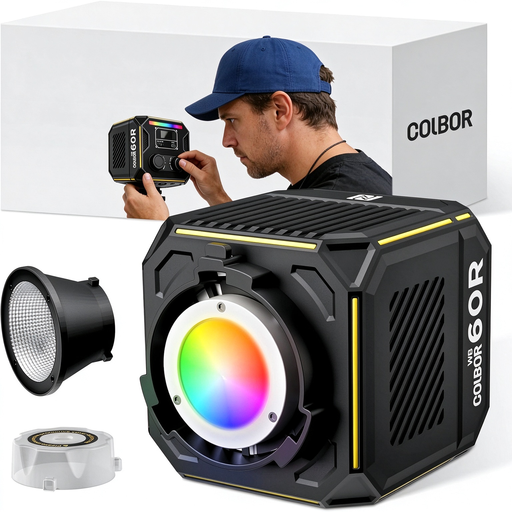 No image available
Could suit a portable card photography setup where you want to adjust the light colour; this is a COB video light, not an LED panel.
The product description lists a built-in 59 Wh battery and Bi-Color and Full Color, with a range of 2700–6500 K. For battery use, the description specifies a 60 W PD charger (20 V/3 A) and the included USB-C to USB-C cable.
Check the power supply and CE marking for the version on offer.
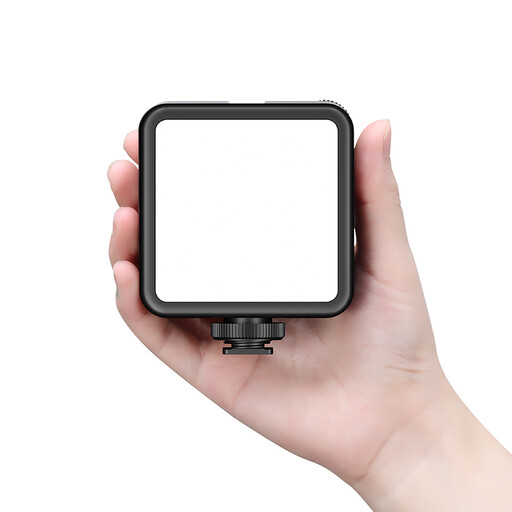 No image available
Could suit you if you want a compact light that’s easy to move or can be attached to a suitable camera mount; it’s not specifically an LED panel.
The product description lists a built-in battery, USB-C charging, a cold shoe mount and the ability to stack lights. The stated colour temperature range is 3200–5600 K, with continuously adjustable brightness and colour temperature.
Check the included accessories and CE marking for the version on offer.
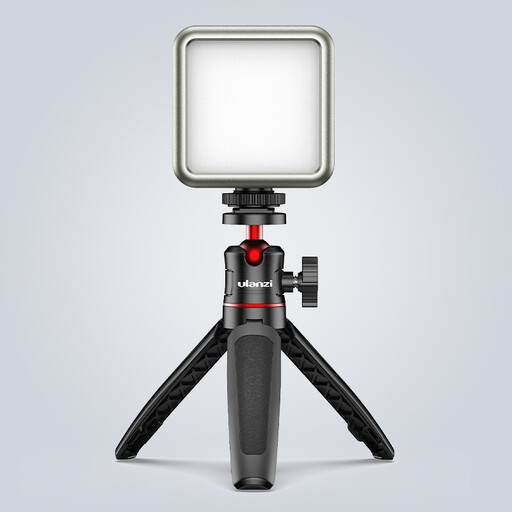 No image available
Could suit small product shoots where you want to position a compact light around the card; this is a video light, not specifically an LED panel.
The product name specifies RGB, dimmable brightness, a built-in 2000 mAh battery and a range of 2500–9500 K. It also mentions a magnet on the back.
Check the mounting and CE marking for the version on offer.
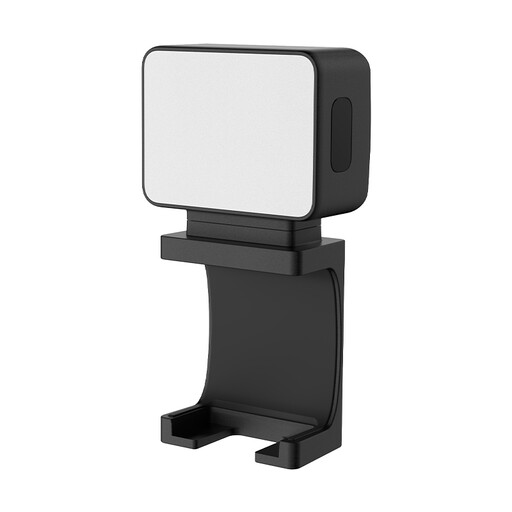 No image available
Could suit you if you want to position a small photography light flexibly; this model is described as a mini fill light, not an LED panel.
The product description lists a built-in 500 mAh battery, a magnetic mount and a 1/4-inch thread.
Check which mounting accessories are included and the CE marking for the version on offer.
Not necessarily. A diffuser softens the light, but you can also move the panel or camera. Check a test photo to see whether the reflection obscures any important details.
Check that the clamp or stand fits securely, that cables can be kept out of the workspace, and that you can put the light and camera back in the same place each time. Also check which accessories actually come with the version you choose.
According to ACM ConsuWijzer, you have a legal guarantee in addition to any manufacturer’s warranty. If a product develops a fault sooner than you could reasonably expect during normal use, the seller may have to resolve the issue. For online consumer purchases, you’ll usually also have a 14-day cooling-off period after delivery; terms and exceptions apply.
The Netherlands Food and Consumer Product Safety Authority states that CE marking is required for electrical consumer products. Check the marking on the version on offer; which EU rules apply also depends on the product version and its power supply.