
Interviewer who wants to capture both voices
You want to be able to hear both the questions and the story clearly on playback. Speaking History and the UCLA Library recommend a second microphone if the interviewer also needs to be clearly audible.


For a seated interviewee, one wired lavalier microphone may be enough, provided your recording device supports the connection. If you also want the interviewer’s questions to come through clearly, it’s best to use two microphones; Speaking History and the UCLA Library recommend using a second microphone for this. Choose a portable recorder or wireless kit if your recording setup or the freedom to move around calls for one, and test beforehand that you can hear both voices clearly on playback.
You want to be able to hear both the questions and the story clearly on playback. Speaking History and the UCLA Library recommend a second microphone if the interviewer also needs to be clearly audible.
You’re mainly recording one person’s story at home and want a simple connection. A wired lavalier microphone could work if it connects to your phone or recorder and the cable stays out of the way.
You want to preserve a long recording carefully. Consider the recording format, storage and power supply, as well as how you’ll transfer the files after the interview.
| What to consider | What should you check? | Who is this important for? |
|---|---|---|
| How clearly the interviewee can be heard | Check the microphone’s position and make a test recording in the room where you’ll be having the conversation. Listen for clothing rustle and background noise. | If I mainly want to hear the interviewee’s story clearly, I’ll pay attention to positioning and make sure their clothing won’t rub against the microphone. Around 36% of consumers rank clear speech from the interviewee as their top buying concern. |
| Recording both voices | Check how many microphones are included and whether your recording device can record both voices. Play back a test conversation. | If I want to hear both the questions and answers clearly later, I’ll check that both people can use a microphone. Around 29% of consumers prioritise capturing both voices. |
| Connecting to your device | Check the input and power requirements of your phone or recorder, and whether the microphone you’ve chosen — or any adapter you may need — is compatible. | If I want to keep using my existing phone or recorder, I’ll first find out what type of microphone input it has. Around 21% of consumers put compatibility with their recording device first. |
| Recording and keeping your files | Check the recording format, storage and power supply for the planned interview length, as well as how you’ll transfer the files. | If I want to keep or edit a long interview later, I’ll want to know in advance how recording, storage and file transfer work. Around 14% of consumers give preserving the recording their highest priority. |
Putting a microphone on the interviewee won’t automatically make the interviewer’s questions just as easy to hear.
Check how many microphones the kit includes and test a conversation with both speakers before recording the interview.
TRS and TRRS connections aren’t automatically interchangeable. The RØDE Lavalier GO also needs a suitable microphone input with plug-in power.
Compare the connection and power requirements of the exact microphone you’re considering with the specifications of your phone or recorder.
An extra file won’t stop clothing rubbing against the capsule or a microphone being positioned incorrectly.
Make a test recording in the room where you’ll be having the conversation and play it back before the interview begins.
RØDE offers wired lavalier microphones for different inputs, as well as wireless kits with multiple microphones.
The Zoom F2 combines a portable recorder with an included lavalier microphone, making it a self-contained option for recording one speaker.
The DJI Mic 2 is available with one or two transmitters; the two-transmitter version is the one to consider if both people need their own microphone.
According to Shure, the Shure MoveMic Two Receiver Kit includes two microphones and a receiver.
These product picks focus on wireless microphone setups for interviews with two people. Check that each version connects to your recording device.
 No image available
The version with two transmitters could work if both people need a microphone. Check that the receiver connects to your recording device.
 No image available
This version could work for an interview with two speakers. Check that the USB-C connection is compatible with the device you want to record on.
 No image available
The product title specifies a Type-C interface. Check that it’s compatible with your recording device and that one microphone is enough for the number of voices you want to record.
 No image available
The title specifies two microphones and a Type-C interface. Check that your recording device works with this connection.
 No image available
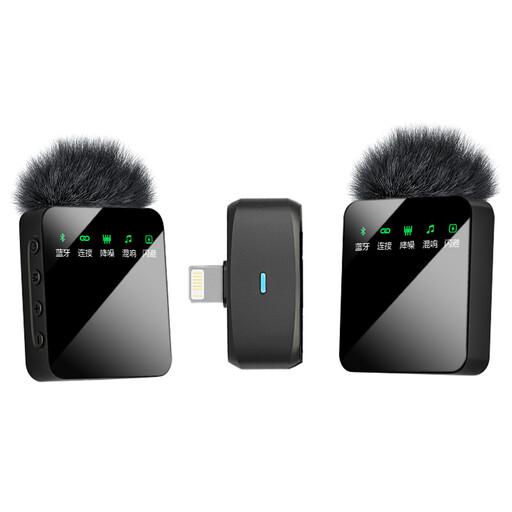
The product title specifies two microphones and an iOS version. Check that it’s compatible with your device and recording setup.
Not necessarily. If only the interviewee wears a microphone, your questions may sound quieter. It’s best to use two microphones when both voices matter, and to play back a test conversation beforehand. Speaking History recommends using two microphones for the interviewer and interviewee.
Attach the microphone so that clothing doesn’t rub against the capsule, then record a short conversation in the room where you’ll be conducting the interview. Listen for clothing rustle, echo, background noise and how clearly you can hear both voices. The East Midlands Oral History Archive warns against contact between the microphone and clothing.
Check whether you need a compatible adapter, an extra microphone, batteries or storage; this depends on the kit and the recording device you already have. Also check how you’ll transfer and store the files after the conversation.
An audio recording that identifies someone may contain personal data. The Dutch Data Protection Authority says that, in most cases, you need permission to publish other people’s personal data publicly; whether this applies to a particular publication depends on the circumstances. So, discuss with the interviewee beforehand what the recording will be used for and whether it will be shared.