What should you look for?
Wired lavalier microphone for a phone or computer
A good fit when: the speaker stays seated and the connection is compatible with the recording device.
Trade-off: the cable limits movement. With just one microphone on the speaker, interview questions may be recorded more quietly.
Lavalier microphone with a body-worn recorder
A good fit when: you want to record without connecting to a phone and save files on location.
Trade-off: you’ll need a second microphone or recorder to capture the interviewer separately. Check the memory card and batteries in advance.
Two-channel wireless kit
A good fit when: the speaker and interviewer each wear a microphone or need to move around.
Trade-off: check how many transmitters and lavalier microphones are included in the version you choose, and which recordings are actually saved.
Start by choosing what matters most to you, then check that the complete recording set-up suits your device and interview.
| Concern |
What should you check? |
Who is this important for? |
| Clear speech in an untreated room |
Clip the microphone around the lapel, avoid contact with fabric and play back a test recording on location. |
When I’m recording a speaker in a reverberant room, I want to position the microphone close to their voice and avoid clothing rustle. Around 36% of consumers put clear speech first. |
| Connection to the recording device |
Check the device port, microphone input, any adapters required and whether the test recording is using the external microphone. |
When I’m recording on my phone, I want to make sure the plug, adapter and recording app all work together. Around 29% of consumers prioritise a connection that’s compatible with their device. |
| Recording both speakers |
Check the number of microphones and transmitters in the exact version, and test each voice separately. |
When I want to keep both my questions and the answers, I need a suitable recording for both voices. Around 21% of consumers make this their top priority. |
| Recording a long session |
Create a test file, check that recording is active and play back a clip before the interview. |
When an interview would be difficult to repeat, I want to check before and during the session that recording is continuing and being saved. Around 14% of consumers prioritise reliably saving the session. |
Joybuy products
These Joybuy picks are wireless clip-on microphones for interview recording. Connections and versions vary, so check which model suits your recording device and whether you need one or two microphones.
 No image available
Verbex K31Pro-Black dual wireless clip-on lavalier microphone
The product name describes a wireless clip-on model with two microphones, magnetic attachment and compatibility with iOS and Type-C.
View at Joybuy
 No image available
Verbex K9-Black wireless mini microphone
The product name mentions interview recording and a Type-C interface. Check that the connection is compatible with your device and recording app.
View at Joybuy
 No image available
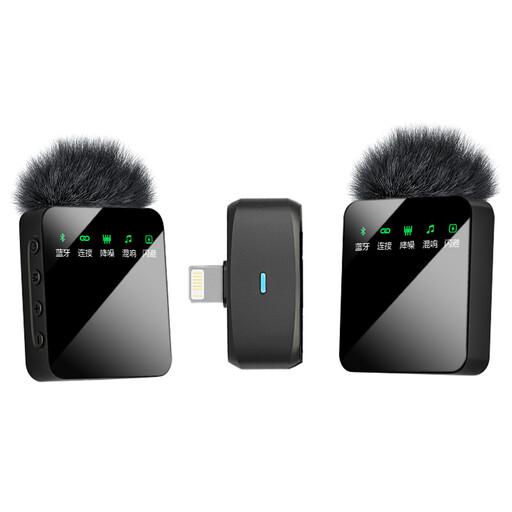
Verbex ST5 dual wireless lavalier microphone
The product name describes a wireless version with two microphones and an iOS interface.
View at Joybuy
 No image available
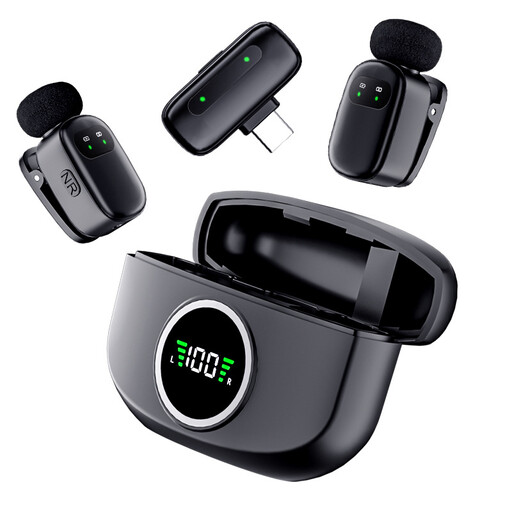
Verbex K21 dual wireless lavalier microphone
The product name describes a version with two microphones and a Type-C interface. Check that it’s compatible with your recording device before buying.
View at Joybuy
 No image available
Verbex ST5 single wireless lavalier microphone
The product name describes a single microphone with a universal interface. You’ll need additional equipment to use a separate microphone for both the speaker and interviewer.
View at Joybuy
Frequently asked questions
Do I need to treat the room acoustically first?
Not necessarily, but choose the quietest spot available and test your recording there. A lavalier close to the speaker may pick up less echo than a tabletop microphone placed further away, but hard surfaces and background noise will still be audible.
Where should I attach the microphone?
Attach the microphone around the lapel and make sure the capsule or cable doesn’t rub against clothing. Ask the speaker to talk normally, play back a short test and check the questions too if you want to record both voices.
What extra equipment might my set-up need?
Depending on the set-up you choose, you may need a suitable adapter, a second microphone or recorder, a memory card or batteries. Check what’s included and test the complete recording set-up with your own device before the interview starts.
Can I record and publish an oral history interview in the Netherlands?
Agree with the speaker in advance how the interview will be recorded, stored and accessed. If the GDPR applies to the processing of identifiable personal data, you’ll need a lawful basis and must provide information, as explained by the Dutch Data Protection Authority. Consent is one possible lawful basis, but it isn’t automatically the only one. Personal or household use only may be exempt, but that exemption doesn’t automatically apply to wider publication.


