
Speaker with background noise in a flat
You’re recording an introduction with sounds such as ventilation or outdoor noise in the background. RØDE recommends placing the microphone close to the sound source and away from distracting noises.


Start by positioning the microphone close to the speaker, then make a test recording where you plan to record. RØDE says the Wireless Micro’s noise reduction is mainly designed to tackle continuous background noise; sudden sounds, such as a slamming door, won’t simply disappear. Choose a wired microphone if you’ll be staying in one place and the connection is compatible, a wireless one if you want freedom to move, or a set with two transmitters if both the interviewer and guest need to be heard separately.
You’re recording an introduction with sounds such as ventilation or outdoor noise in the background. RØDE recommends placing the microphone close to the sound source and away from distracting noises.
You’ll both be speaking and don’t want to rely on a single microphone placed at a distance. DJI offers sets with one or two transmitters, so check how many transmitters are included in the version you choose.
You want to record without connection issues. The RØDE smartLav+ has a TRRS plug, while the Lavalier GO has a TRS plug, so check which input your recording device has.
A good fit if: you’ll be speaking in one place and can connect the cable to your recording device.
Bear in mind: the cable limits your freedom to move, and TRS and TRRS plugs aren’t interchangeable.
A good fit if: you want to move around while speaking or don’t want a cable running to your phone or camera.
Bear in mind: charge the transmitter and test the connection and recording app beforehand; noise reduction won’t solve every sudden noise.
A good fit if: the interviewer and guest both need their own microphone.
Bear in mind: check that the set includes two transmitters, and remember to charge and attach both.
| What to consider | What should you check? | Who is this more important for? |
|---|---|---|
| Clear speech | Check that you can attach the microphone close to your mouth, then listen to a test recording with the background noise from your flat. | If my main priority is making sure my voice is clear above the background noise in the flat, I consider both microphone placement and how it sounds in the room itself. Around 33% of consumers say clear speech is their main concern. |
| Recording two voices | Check that the set includes two transmitters and that both voices can be recorded on your device. | If both the interviewer and guest need to be heard separately, I want a microphone for each of them. Around 27% of consumers rank recording two speakers as their top buying priority. |
| Connection to your device | Note the type of phone or camera you have, and check the plug, receiver and compatibility with your recording app. | If I want to record directly on my own phone or camera, the connection needs to work with my setup. Around 20% of consumers put device compatibility first. |
| Recording backup | Check whether the version you’ve chosen offers internal recording, then make a test to see if you can find the file. | If I want to be able to recover a failed or incorrectly configured recording, I check whether the version offers an internal backup. Around 20% of consumers say recording security is their top concern. |
According to RØDE, the Wireless Micro’s noise reduction is designed to tackle continuous background noise, rather than sudden loud sounds.
Make a test recording where you plan to record, and assess both how clear your voice sounds and how natural it sounds.
A set with one transmitter won’t record both speakers separately. DJI offers the Mic 2 with either one or two transmitters.
Check exactly what’s included before buying, and decide whether the interviewer and guest each need their own microphone.
The RØDE smartLav+ has a TRRS plug, while the Lavalier GO has a TRS plug. A separate receiver is required for certain devices and apps when using the Shure MoveMic Two.
Before choosing a version, check the input, app and exact contents of the set for your recording setup.
The range includes wired lavalier microphones and wireless systems for phones, cameras and multiple speakers.
The Mic 2 range includes different set configurations for one or two speakers wearing microphones.
The Blink500 B2+ is a wireless system with connections for a range of recording devices.
MoveMic Two is designed for two wireless lavalier microphones that can work with supported phone apps.
These product picks include wireless sets for one speaker and sets with two transmitters for an interview introduction.
 No image available
The version with two transmitters is suitable for an introduction featuring two speakers recorded separately.
The product name lists 2 TX, 1 RX and a charging case.
 No image available
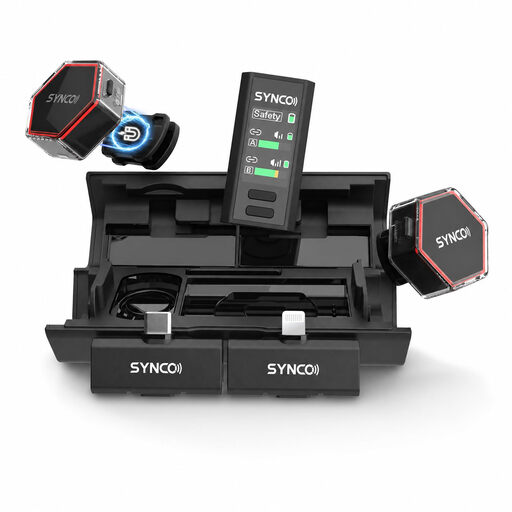
This set is designed for an introduction with two speakers and, according to the product name, includes receivers for cameras and smartphones.
The product name lists two microphones, a camera receiver, a smartphone receiver and a charging case.
 No image available
The product name describes this wireless lavalier microphone as suitable for use with iPhone, Android and cameras.
 No image available
With two transmitters, this version is designed for an introduction where each of two speakers uses their own microphone.
The product name lists USB-C and 2 TX + 1 RX.
 No image available
This version with one transmitter is suitable for an introduction narrated by one person.
The product name lists internal 32-bit float recording and noise reduction. The set includes one transmitter and one receiver.
Place the capsule close to your mouth, making sure your hair or clothing doesn’t cover the microphone. Listen to a short recording where you plan to record. If possible, move away from the source of distracting noise, as background sounds may still be audible.
Choose a set with two transmitters if the interviewer and guest both need to be recorded separately using their own microphones. Check what’s included and whether both voices can be sent to your recording device.
Not always. According to the Dutch Authority for Digital Infrastructure, wireless microphones usually don’t require a licence, provided you use the correct frequency band and follow the conditions of use. Some frequency bands do require a licence, so check the frequency of the set you choose and the relevant conditions. Frequency use isn’t an issue with a wired microphone.
Not necessarily. According to the Dutch Data Protection Authority, online publication of personal data usually requires a legal basis under the GDPR; consent is one possible basis. Whether an exception applies depends on the purpose and the specific publication, so discuss it with the interviewee.
For an online purchase by a consumer in the Netherlands, ACM ConsuWijzer says you’ll generally have a statutory 14-day cooling-off period after delivery, although exceptions apply. A product must also work as you could reasonably expect during normal use; if it doesn’t, the seller must offer an appropriate solution. Check the terms of purchase and keep your product and order details.