
Speaker in a reverberant space
You want to record clear speech without assuming a microphone will fix the room’s acoustics. Shure recommends considering the distance from the microphone to the speaker, so make a test recording at the location.


For commentary recorded from a fixed position, a wired lavalier microphone is a sensible choice if it’s compatible with your recording device. Choose a wireless option if you want to move around or record two speakers. Position the microphone close to the speaker and make a test recording: Shure explains that a microphone won’t improve a room’s acoustics, so don’t rely on noise cancellation to eliminate reverberation.
You want to record clear speech without assuming a microphone will fix the room’s acoustics. Shure recommends considering the distance from the microphone to the speaker, so make a test recording at the location.
You’re recording in one place and are looking for a wired connection. Sennheiser, RØDE and Shure describe different connection options; check exactly which connection and microphone support your phone offers.
You want to move around or record two speakers, and need to weigh the freedom of wireless against managing batteries, a receiver and the connection. DJI describes a Mic 2 bundle with two transmitters and one receiver for recording two speakers.
First decide whether you’ll be staying in one place or moving around. Then check the connection and test how clearly speech comes through in the room where you’ll be recording.
| What to consider | What to look for when buying | Who is this important for? |
|---|---|---|
| Speech clarity and reverberation | Check that you can attach the microphone close to the speaker, and make a test recording at the location. | If clear speech is my priority, I want to position the microphone close to my voice and hear what the room sounds like first. Around 40% of consumers say speech clarity is their top priority. |
| Connection to the recording device | Check the exact microphone input, device support and whether you need an adapter. TRS, TRRS and USB-C are different connection types. | If you want to use a phone, camera or recorder you already own, getting the right connection is especially important. Around 30% of consumers put device compatibility first. |
| Freedom of movement and number of speakers | Decide whether you’ll be walking while speaking and how many transmitters you need; check what’s included in the bundle you choose. | If I want to walk around or record two voices, the set needs to suit that setup. Around 20% of consumers say freedom of movement or the number of speakers is their top priority. |
| Recording for the full session | Check the power supply, the entire recording setup and whether the device offers internal recording. Assess the stated battery life only in light of the test conditions provided. | If you want to complete the recording and keep the files safe, focus on the full recording setup. Around 10% of consumers put recording reliably throughout the session first. |
Reverberation is reflected sound; a microphone won’t change the room’s acoustics. So noise cancellation on its own is no reason to expect reverberation to disappear.
Attach the microphone close to the speaker and listen to a test recording made at the location first.
The microphones reviewed use different connections, including TRS and TRRS. Having the same plug diameter doesn’t mean a microphone is electrically compatible with your device.
Check the exact input and plug standard on your recorder, camera or phone. Also check whether you need a suitable adapter or transmitter.
DJI describes Mic 2 bundles for one or two speakers; what’s included varies by bundle.
Decide how many people will be speaking at the same time, then check how many transmitters are included in the bundle you’ve chosen.
The Lavalier GO is a wired 3.5mm TRS microphone for compatible recorders and the Wireless GO series.
The XS Lav USB-C offers a wired USB-C connection for speech recordings with compatible mobile devices and computers.
The MVL is designed for close-miked speech with compatible mobile devices via 3.5mm TRRS.
The V.Lav is a wired lavalier microphone for a range of compatible 3.5mm microphone inputs.
Mic 2 is a wireless recording option; DJI describes bundles for one or two speakers.
These Joybuy products are wireless lavalier microphones available in versions with one or two microphones. Before buying, check that the connection and bundle contents suit your recording device and setup.
 No image available
An option if you’re considering a wireless setup with two transmitters.
Bundle: 2 TX, 1 RX and Charging Case.
 No image available
An option if you’re looking for a wireless set with two microphones.
The product title mentions a magnetic clip-on and iOS and Type-C interfaces; check which connection is right for your recording device.
 No image available
An option if you’re considering a wireless lavalier microphone with a Type-C interface.
The product title mentions a Type-C interface; check that your recording device supports it.
 No image available
An option if you’re looking for one wireless microphone and the stated iOS interface is compatible with your device.
Single-mic version; check the connection and whether your recording app supports it.
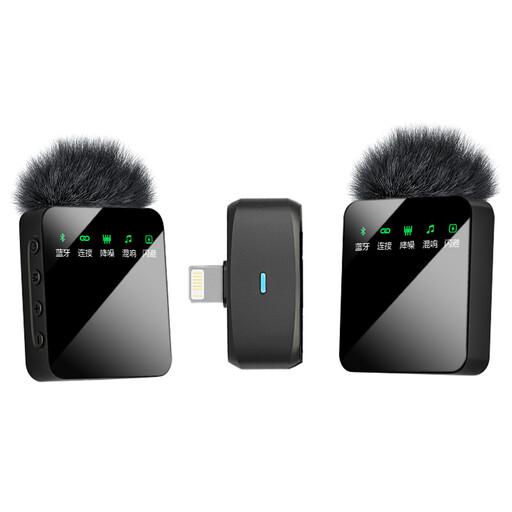 No image available
An option if you’re considering a wireless setup with two microphones and the stated iOS interface.
Dual-mic version; check that the interface works with your recording device.
No, don’t assume that noise cancellation will fix reverberation. Shure explains that a microphone won’t improve a room’s acoustics. Position it close to the speaker and check the sound with a test recording at the location.
First, check the microphone input on your recorder, camera or phone. The RØDE Lavalier GO uses 3.5mm TRS, the Shure MVL uses 3.5mm TRRS and the Sennheiser XS Lav USB-C uses USB-C. Also check that your recording app is using the connected microphone.
Before you start, check the power supply or battery charge, the microphone attachment and the entire recording setup. Use DJI’s stated battery life as a comparison only under the test conditions provided, not as a guarantee of recording time at your location.
That depends on the specific museum’s terms and conditions, and on what you want to record and publish. For example, the Rijksmuseum has its own conditions for filming; these don’t automatically apply to other museums. If you process other people’s personal data, the Dutch Data Protection Authority says you need an applicable legal basis under the GDPR. You may also need separate rights to use copyright-protected material belonging to others.
No. The Dutch Authority for Digital Infrastructure publishes frequencies on which wireless microphones may be used without a licence, subject to certain conditions. Check the frequency of your chosen set against the applicable conditions; without this information, it’s not possible to establish whether a specific system complies.