What should you look for?
Start with the microphone’s distance and position, then choose a connection that suits your recording device. If you’ll be moving while reading, factor in clothing noise and the extra steps involved in recording wirelessly.
| What to consider |
What should you check? |
Who should pay particular attention? |
| Clarity and room reverberation |
Make a short test recording with the microphone close to your voice, then listen back where you plan to read aloud. |
If I’m reading in an untreated room, I want my words to be clear without expecting a microphone to fix the room’s acoustics. Around 36% of consumers prioritise speech clarity over room reverberation. |
| Movement and clothing noise |
Test the clip and cable with the clothes you’ll be wearing; move around and turn during your test recording. |
If I’m gesturing or moving while reading aloud, I want to prevent fabric or the cable from rubbing against the capsule. For around 28% of consumers, freedom of movement without rustling comes first. |
| Connection to your equipment |
Check that your phone, recorder or transmitter has the right TRS or TRRS input, and whether you need a suitable adapter. |
If I want to use my existing phone or recorder, I want to know in advance whether the microphone will connect to it. Around 22% of consumers make easy connectivity their top priority. |
| Quiet and loud passages |
Record a test with both quiet and loud text, then check the recording level and recording app. |
If my reading shifts from a whisper to loud passages, I want to be able to hear both clearly on playback. For around 14% of consumers, capturing these changes in volume is their main concern. |
Joybuy products
This selection of Joybuy products features wireless lavalier and clip-on microphones. Check the connection and microphone configuration listed for each model. For wireless use, also check the relevant frequency requirements with the Dutch Authority for Digital Infrastructure.
 No image available
Verbex K31Pro-Black Dual Lavalier Microphone, iOS and Type-C
The wireless clip-on design may suit a reading where you’ll be moving around; check that the connection works with your recording device.
The product name lists two microphones and compatibility with iOS and Type-C interfaces.
View at Joybuy
 No image available
Verbex K9-Black Wireless Mini Lavalier Microphone, Type-C
This wireless lavalier may suit a recording where you want freedom to move; first check which connection you need.
The product name lists a Type-C interface.
View at Joybuy
 No image available
Verbex K9-Black Single-Mic Wireless Mini Microphone, iOS
This version may suit a mobile recording with one microphone; check that the listed iOS interface works with your device.
The product name lists a wireless mini microphone with one microphone and an iOS interface.
View at Joybuy
 No image available
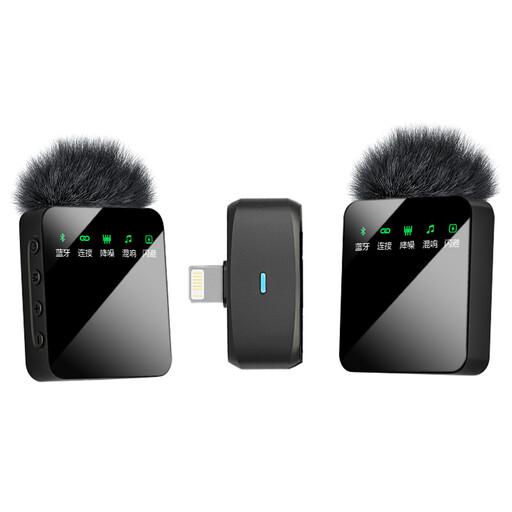
Verbex ST5 Dual-Mic Wireless Lavalier Microphone, iOS
This wireless version may suit a reading where you want to move around; check that the connection is compatible with your recording device.
The product name lists two microphones and an iOS interface.
View at Joybuy
Frequently asked questions
Can a lavalier microphone remove the reverberation from my room?
No, a lavalier microphone won’t fix the room’s acoustics. Placing the microphone close to your voice can improve the balance between direct speech and reflections. Make a test recording where you plan to read aloud; Shure explains why microphone distance and positioning matter.
Where should I clip the microphone when reading aloud?
Start by placing it high on your chest, then check with the clothes you’ll be wearing to make sure fabric or the cable isn’t rubbing against the capsule. For the Shure MVL, the manual specifically recommends a distance of 15–25 cm from your mouth; don’t treat this as a fixed guideline for every lavalier.
Will every lavalier with a 3.5 mm plug work with my phone?
No, check your phone’s input and whether you need an adapter. Shure describes the MVL as suitable for compatible TRRS connections or a suitable CTIA-compatible adapter, while RØDE specifies the Lavalier GO as a TRS model.
What should I do if the microphone doesn’t work properly after purchase?
For a consumer purchase in the Netherlands, the seller is responsible for the statutory guarantee if the product doesn’t meet what you could reasonably expect. The Netherlands Authority for Consumers and Markets (ACM) lists repair or replacement, and sometimes a refund, as possible remedies. Online purchases generally also come with a 14-day cooling-off period after delivery, subject to statutory exceptions.
Can I use a wireless microphone in the Netherlands without a licence?
According to the Dutch Authority for Digital Infrastructure, a licence is generally not needed if you use an authorised frequency range and comply with its conditions. Some frequency bands do require a licence, and the available frequencies can vary by location. Check the microphone’s frequency version before assuming which rules apply.


