What should you look for in a lavalier microphone for an audio drama?
First, count how many voices need their own microphone at the same time. Then check the connection and decide whether a cable gives performers enough freedom to move during the scenes.
| What to consider |
What should you check? |
Who should pay particular attention? |
| Number of voices at the same time |
Count the performers speaking at once; check the number of transmitters and the recording channels available. |
If two pupils speak at the same time, I want to know whether each has their own transmitter. For more simultaneous roles, I also need to plan the recording channels. Around 37% of consumers say the number of voices recorded at once is their main concern. |
| Connection to the recording device |
Note the exact model of phone, computer or recorder, then check the plug, any adapter needed and the recording app. |
I want to connect the microphone to the device already set up for recording, without having to guess which input will fit. Around 27% of consumers prioritise compatibility with their existing device. |
| Freedom to move during the performance |
Decide whether performers will move around; for a wireless set, check what’s included and make a test recording in the planned locations. |
If performers move around the classroom, I want them to have room to move without overlooking the preparation involved in pairing and charging. Around 18% of consumers give freedom of movement top priority. |
| A straightforward setup |
Check the complete combination of microphone, compatible input or adapter, any battery and the number of recordings made at the same time. |
For scenes with one speaker at a time, I want a simple connection and to know in advance which components I’ll need. Around 18% of consumers value a simple setup for one person most. |
Wireless recording products from Joybuy
These Joybuy products are wireless microphone sets for recording with a mobile device or camera, depending on the version. Pay particular attention to the number of transmitters and the connection, and check that they match the equipment you use in the classroom.
 No image available
RØDE Wireless Micro, set with two microphones
The set name specifies two microphones, for a recording where two performers need a microphone at the same time.
The product name mentions a camera receiver, a USB-C smartphone receiver and a charging case. Check that your chosen recording app works with the connection.
View at Joybuy
 No image available
Moman MS1X(C), 2TX and 1RX, USB-C
This version is described as being for USB-C Android phones and includes two transmitters for recording two performers.
The product information specifies a 2.4GHz system. Check that this version works with your recording device and app.
View at Joybuy
 No image available
Moman MC1X(A), Lightning, 2TX and 1RX
This version is described as being for iPhone and iPad devices with Lightning and includes two transmitters for two performers.
Check that the exact device and recording app you use work with this connection.
View at Joybuy
 No image available
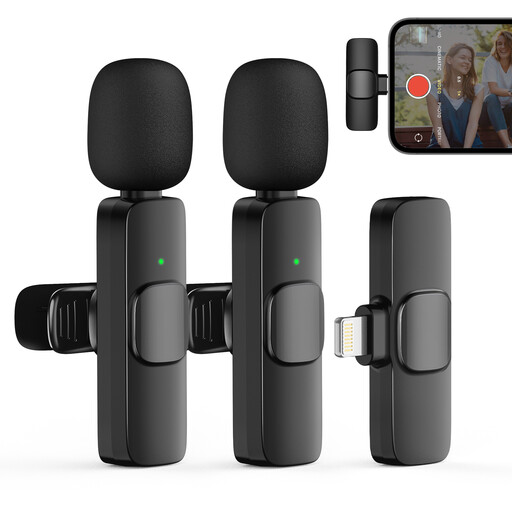
Moman CP1XA, 2TX and 1RX
The product name specifies two transmitters, and this version is described as being for iPhone and iOS devices.
Check the connection and compatibility with your exact device before using the set for your recording.
View at Joybuy
 No image available
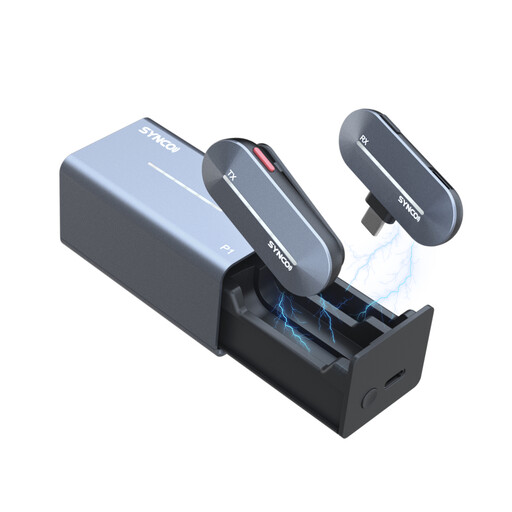
SYNCO P1T, Type-C
This version is described as being for Android devices with Type-C. Check the connection on the device you want to record with.
The product information specifies a 2.4GHz system and a charging case. Check what’s included to make sure it has the number of microphones you need.
View at Joybuy
Frequently asked questions
Is one lavalier microphone enough for an audio drama?
Yes, if you record one speaker at a time and edit the scenes together afterwards. If two performers each need their own microphone at the same time, check that the set really includes two transmitters. For a larger cast, first work out how many voices need to be recorded separately at once.
Where should you attach the microphone, and what should you check before the lesson?
For theatre, Shure recommends positioning the microphone high on the chest and paying attention to clothing and cable noise. Make a short test recording with the clothing and setup you’ll be using. If you have a wireless set, check the pairing and battery charge too.
Will a 3.5 mm lavalier microphone automatically work with any phone or wireless transmitter?
No. It depends on the connections on the microphone and device. The RØDE smartLav+ uses TRRS for compatible smartphone inputs; RØDE specifies a TRRS-to-TRS adapter for using it with a Wireless GO II transmitter. Check which connection your exact device requires.
What about the warranty and additional equipment?
Consumer purchases in the Netherlands are covered by the statutory guarantee. According to the Government of the Netherlands, the retailer is your point of contact if a product is faulty. Also check which adapters, batteries or extra transmitters your recording setup needs. If the school is buying as an organisation, you cannot automatically assume that consumer rights apply in the same way as business contract terms.
Can the school record and share pupils’ identifiable voices?
According to the Dutch Data Protection Authority, the school needs an appropriate GDPR legal basis to process identifiable audio recordings and must inform pupils and parents. Consent is one possible legal basis, but it is not automatically the right basis for every classroom recording. If consent is used, a child under 16 cannot give it validly on their own. Whether a particular audio drama can be recorded and shared depends on its purpose, the legal basis and how widely it is distributed.


