Start with a screen size that keeps the smallest game areas easy to see from every seat, then consider viewing angles and reflections in your room. According to the Consumentenbond, OLED TVs generally have wider viewing angles, while LCD TVs can often be bright; check the specifications of the particular model. Only factor in 120 Hz and VRR if your TV, device and game actually support these features.
Who is this for?
Four players on one screen
You split the screen into game areas and want everyone to be able to follow the text, corners and other racers from their seat. Nintendo Netherlands says that Mario Kart 8 Deluxe supports up to four players on a split screen in TV mode.
A group spread around the room
Not everyone sits directly in front of the TV. So, compare viewing angles and reflections from the seats at the sides, as well as screen size. The Consumentenbond describes OLED TVs as generally having wider viewing angles than LCD TVs.
Console and PC racers who also play solo
You want to match gaming features to what your device and the specific game support. PlayStation Support says that 120Hz output requires support from both the TV and the game.
What should you look for?
Large LCD or mini-LED TV
A good fit if: the group mainly sits in front of the screen, and screen size or visibility in a bright room is a priority.
Consider: LCD TVs generally have narrower viewing angles than OLED TVs. A large screen alone does not guarantee that the picture will remain clear from the side.
Large OLED TV
A good fit if: players sit at an angle to the screen and visibility from different positions matters. The Consumentenbond says OLED TVs generally have wider viewing angles.
Consider: in a bright room, compare reflections and brightness too. A general characteristic of OLED is not a measurement of the specific model.
| Consideration |
What to check before buying |
Who is this important for? |
| Game area visibility |
Compare screen size, viewing distance and available space using a racing image that shows the same number of players. |
If I race with several players, I want to be able to follow the small game areas from my seat; around 36% of consumers put this first. |
| Side-on visibility |
Assess the specific screen from the seats at the sides, using the lighting you have at home. |
If we sit around the room, I want to be able to follow the picture from an angle too; around 29% of consumers give side-on visibility top priority. |
| Gaming output and signal |
Check that the game and device support the feature, and confirm the HDMI port in use and the TV settings. |
If I want to use features such as 120 Hz or VRR, my specific combination of game, device and TV must support them; around 21% of consumers prioritise these gaming features. |
| Use and placement |
Compare the energy labels of the specific models on the same basis and check the dimensions to make sure the TV will fit. |
If I mainly want to know what a TV means for running costs and my room, I want to factor in energy use and placement; around 14% of consumers put total running and purchase costs first. |
Common buying pitfalls
-
Confusing eight wirelessly connected racers with eight game areas on one TV
Nintendo Netherlands distinguishes between up to eight players in local wireless multiplayer and up to four players on a split screen in Mario Kart 8 Deluxe.
Before choosing a TV, check how many players your specific game supports on one system and one screen.
A larger group may need a different gaming setup or extra game systems.
-
Judging every seat from directly in front of the TV
A large screen diagonal does not guarantee that the picture will remain clear from the side. According to the Consumentenbond, LCD TVs generally have narrower viewing angles than OLED TVs.
Compare models from the seats furthest to the side, using the lighting you’ll have while playing.
-
Assuming 144 Hz means 144 frames per second in every race
Output depends on what your device and the game support; a stated panel refresh rate does not mean every game will use it.
Check the game output, the HDMI port in use and the TV settings together.
-
Confusing an extended warranty with your statutory rights
ACM ConsuWijzer distinguishes between commercial warranties and statutory rights. The appropriate solution depends, among other things, on what you could reasonably expect from the product.
Check what an additional contract actually covers and remember that your existing statutory rights still apply.
Brands to consider
The features mentioned apply to the specific product ranges and models below; they are not an assessment of the entire brand.
TCL
The C7K range in the Netherlands includes the 75C7K, a QD mini-LED TV with a native refresh rate of 144 Hz, according to TCL.
- The 75-inch size may be worth considering if there’s plenty of space for shared game areas.
- The stated specifications are not independent measurements of viewing angle or input lag. Assess the model from the seats at the sides.
LG
According to LG, the OLED77C5ELB is a 77-inch 4K OLED TV, for anyone comparing a large screen with the general viewing angle characteristics of OLED.
- The manufacturer lists a 77-inch screen and 4K resolution.
- A general characteristic of OLED is not a viewing angle measurement for this model. Check the warranty terms for the version you choose too.
Philips
According to Philips, the 65OLED810/12 combines a 65-inch OLED screen with Ambilight and VRR up to 144 Hz.
- These features may be useful if the 65-inch size suits your room.
- A 65-inch screen has less physical space for game areas than a larger screen. Check visibility in your setup; the viewing angle description is a manufacturer claim.
Sony
Sony specifies the K-65XR75M2 BRAVIA 7 II as a 65-inch LCD TV with 4K120 support.
- According to Sony, VRR is supported on HDMI 3 and 4, while ALLM is supported on all four HDMI inputs.
- Check which HDMI port you’re using when connecting your devices. The stated viewing angle feature is not an independent test of visibility from different seats.
Samsung
In the Netherlands, Samsung offers, among other models, the 75-inch QN1EF Neo QLED mini-LED TV.
- This model is an LCD alternative to compare for screen size and how it performs in your actual seating setup.
- Don’t assume its port features or viewing angle performance are the same as those of other Samsung TVs; check the specifications for this exact version.
Joybuy TVs for shared racing
This Joybuy selection focuses on large TVs for shared racing. Compare the screen size with your seating positions and check gaming features for each TV, device and game combination.
 No image available
TCL 75T8D QLED QD-Mini LED 4K TV
The 75-inch screen gives you plenty of space to compare game areas with your seating setup.
The product name lists QLED, QD-Mini LED, 4K, 144 Hz VRR and FreeSync Premium. Check that your device and game support the features you want.
View at Joybuy
 No image available
METZ 86MQE8000Z 86-inch QLED 4K TV
The 86-inch size is worth comparing if you want plenty of room for shared game areas.
The product name lists QLED, 4K, 144 Hz, HDMI 2.1 and FreeSync Premium.
View at Joybuy
 No image available
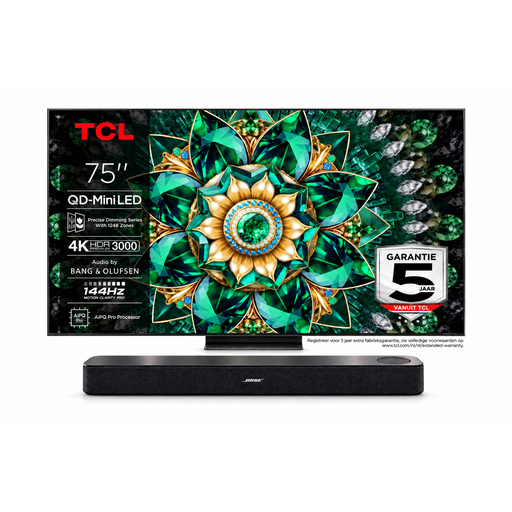
Bose Lifestyle Ultra Soundbar + TCL 75Q7C 75-inch 4K Mini-LED TV
This bundle pairs a 75-inch TV with a soundbar; compare the screen size with the space available for your group.
The product name lists 4K, Mini-LED and 144 Hz. According to the product description, a compatible source and settings are required for 144 Hz operation.
View at Joybuy
 No image available
iFFALCON 75U75A 75-inch 4K QLED TV
The 75-inch screen gives you plenty of space to compare with your seating positions and game areas.
The product name lists 4K QLED and 144 Hz; the product description also mentions VRR Game Accelerator. Check that your game and device are supported.
View at Joybuy
 No image available
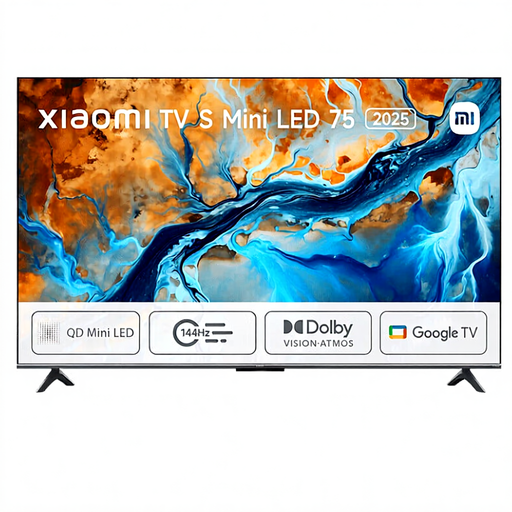
Xiaomi TV S 2025 75-inch 4K Mini-LED TV
The 75-inch size can help you compare the space for shared game areas with the viewing distance and room available.
The product name lists Mini LED, 4K and 144 Hz.
View at Joybuy
Frequently asked questions
Can eight players play Mario Kart 8 Deluxe in split-screen on the same TV?
No. Nintendo Netherlands says that up to four players can play on a split screen in TV or tabletop mode. The maximum of eight applies to local wireless multiplayer, not to eight game areas on one screen.
Do I automatically need a 120Hz TV for four players?
No. The number of game areas does not determine the output refresh rate supported by a game. PlayStation Support says that 120Hz output only works with a TV and game that support 120 Hz; check your device settings too.
How do I connect a Nintendo Switch 2 for TV play?
Nintendo Netherlands explains that you should connect the Switch 2 dock to the TV using an Ultra High Speed HDMI cable. According to Nintendo, the HDMI cable supplied with the original Switch is not suitable; also use a power supply that meets the Switch 2 requirements.
Does a two-year manufacturer’s warranty mean that the warranty period in the Netherlands is a maximum of two years?
No. ACM ConsuWijzer distinguishes between manufacturer’s or seller’s warranties and statutory rights. A product must meet what you could reasonably expect under normal use; the appropriate solution and expected lifespan are not fixed in advance for every television.
What information is shown on a TV energy label?
According to the European Commission, the energy label for electronic displays includes energy information for SDR and HDR, as well as screen diagonal and resolution. Compare the label for the specific model.


