
Vandaag of morgen in huis

Kwaliteit gegarandeerd

Welkomstaanbiedingen ontgrendelen: GRATIS bezorging | Tot 80% korting | Gratis 30 dagen JoyPlus-proefperiode
Download de app
A large mouse mat gives you more room to move, protects your desk and keeps your keyboard and mouse on the same surface. However, a larger size is not automatically more practical. A mat may be too small for your setup, move around while gaming or be difficult to clean.
For people working from home, office professionals and gamers in the Netherlands, three pitfalls are particularly important:
First, measure the available area of your desk. Take monitor stands, cables, a laptop stand and the space your arms need into account.
A mouse mat for keyboard and mouse is usually around 80 to 100 cm wide. The Trust Benya XXL Desk Pad measures 90 x 43 cm. This provides room for a laptop, keyboard and mouse, while leaving space for everyday accessories.
An extended mouse mat measuring around 90 x 40 cm will often fit beneath a standard keyboard and mouse. Do check the depth, though: a 43 cm mat can quickly reach the edge of a shallow desk.
Gamers who play with low sensitivity make larger horizontal movements. A large gaming mouse mat or 3XL model prevents you from constantly having to lift and reposition the mouse. According to the product details, the Razer Gigantus V2 3XL is approximately 1.2 metres wide and 55 cm long. Before buying, check that your desk genuinely has this much space available.
Not everyone has a large desk. A smaller mat may be a better fit if you work on a laptop or have limited free space. So do not just look for terms such as XXL; always check the exact length, width and thickness in centimetres.
A smooth surface can feel comfortable for everyday use and fast mouse movements. A woven textile surface often provides a different feel and may suit users looking for more control. The right choice depends on your mouse, sensitivity settings and personal preference.
According to the product information, the Sony NZONE Mat-F has a polyester surface, a thickness of 6 mm and dimensions of 480 x 400 mm. Sony describes the model as suitable for fast movements and precise stopping. These are claims from the brand’s product description; your experience may vary depending on your mouse and settings.
A thicker gaming mouse mat can make unevenness in the desk less noticeable. On the other hand, a raised edge may be noticeable if you regularly move your wrist or forearm across the mat.
Stitched edges can help prevent fraying. The Sony NZONE Mat-F is described as having a low-profile edge and precision stitching. According to the product details, the Razer Gigantus V2 3XL instead has unstitched edges. This can create a smooth transition, but requires careful handling around the edges.
A non-slip mouse mat should be placed on a clean, dry and flat surface. Rubber or a similarly textured underside can help limit movement, but no base will work properly if dust, crumbs or moisture get between the mat and the desk.
This is especially important with a large mat: the larger the surface, the more disruptive it is if one corner lifts or the mat shifts while you are gaming.
These terms do not mean the same thing. A water-repellent mouse mat can slow down the absorption of liquid temporarily, but that does not mean you can submerge the product or leave it wet for a long time.
According to the product information, the Sony NZONE Mat-F has a water-repellent coating. The Baseus Mouse Pad Frosted Gray is described as waterproof and stain-resistant, with a double-sided PU leather surface. For both products, wipe up spilled liquid immediately and follow the care instructions.
A vegan leather desk mat, such as the Trust Benya, is easy to wipe clean with a slightly damp cloth. However, Trust also states that the product is not waterproof. Knowing the difference helps avoid disappointment when dealing with coffee or soft-drink stains.
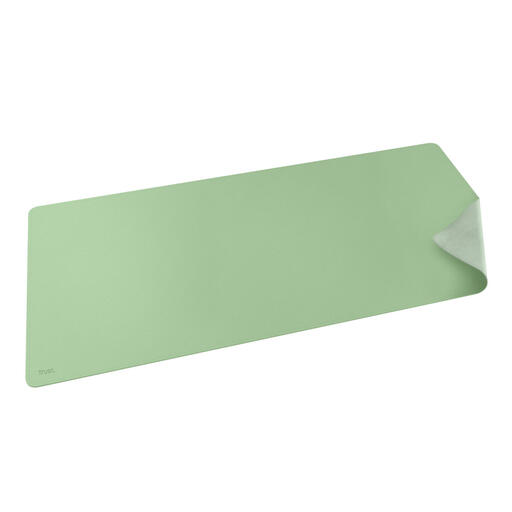
Why it suits this profile: Measuring 90 x 43 cm, it is suitable for a simple home workstation with a laptop, keyboard and mouse. The vegan leather finish also suits a desk used every day.
The exact dimensions prevent you from relying on the XXL label alone. The rubber underside is designed to limit movement, and the surface can be wiped clean.
90 x 43 cm; smooth surface; rubber non-slip base; vegan leather according to the product description.
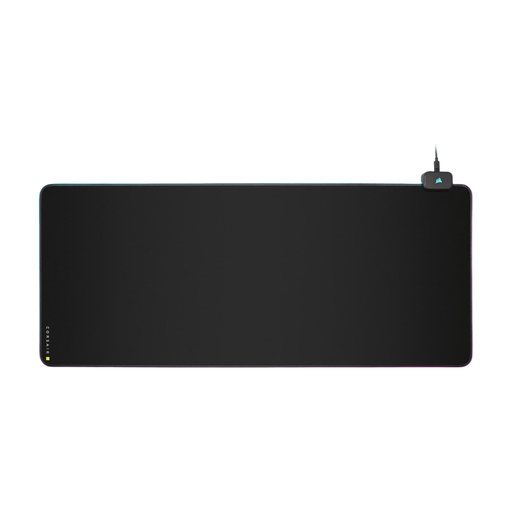
Why it suits this profile: This model combines a 93 x 40 cm surface with RGB lighting and two built-in USB ports. It is well suited to an extensive gaming setup with several peripherals.
The dimensions are clearly stated, so RGB is not confused with a larger working surface. The USB connection works via a USB cable, so you will need a suitable port.
93 x 40 cm; three RGB zones according to Corsair; two USB ports; 4 mm rubber base.
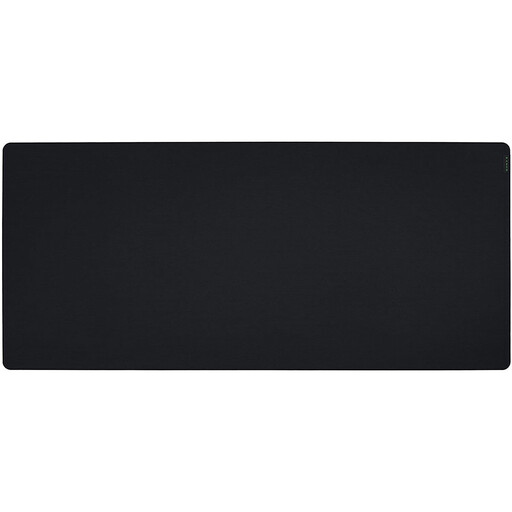
Why it suits this profile: This extra-wide mat is designed for players who need plenty of room to move, for example when using low mouse sensitivity during long gaming sessions.
The stated dimensions make it clear that this is not a compact mouse mat. The rubber base and microfibre construction are intended to provide stable use, but your desk still needs to be large enough.
Approximately 1.2 m wide; 55 cm long according to the product specification; non-slip base; suitable for wide mouse movements.
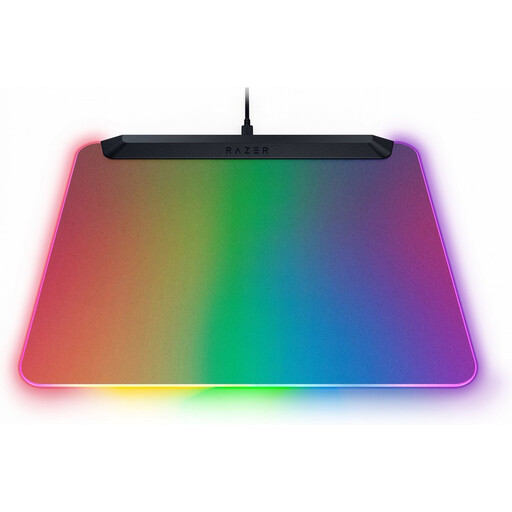
Why it suits this profile: This model is designed for a compact gaming space where lighting, tracking and USB connectivity matter more than having room for a keyboard.
The 360 x 278 mm dimensions show that this is not an extended mouse mat. You are choosing it specifically for RGB and a compact playing surface, rather than maximum desk coverage.
15 customisable lighting zones according to Razer; USB-C cable; micro-textured surface; non-slip base.
We have compiled a complete, up-to-date list of products that fully meet these strict selection criteria and the applicable European safety regulations.
Unroll a new mat on a flat, clean desk and give the material time to flatten out. With some models, placing books on the corners temporarily can help. Do not use harsh cleaning products and follow the manufacturer’s instructions.
For a fabric surface, regularly wiping it with a slightly damp cloth is usually sufficient. An electric RGB mouse mat should be disconnected before cleaning. Allow the surface to dry completely before reconnecting the USB cable.
Also protect the mat from heat, sharp objects and hard folding. Particularly with models featuring rubber, foam, USB connections or lighting, incorrect care can damage the mat or its electronics.
For a keyboard and mouse, a width of approximately 80 to 100 cm is often practical. Measure your desk and check the depth too. For low mouse sensitivity, a 3XL mat of around 120 cm may be a better fit, provided you have enough space available.
An RGB mouse mat usually works via USB and draws power from your computer or a suitable power source. Its main benefits are lighting and, in some cases, additional USB ports. If all you want is a stable surface, a model without lighting is simpler and does not require a cable.
Replacing it is advisable when the surface is visibly worn, the edges start to come loose, the underside no longer grips properly or the mouse moves irregularly. Its lifespan depends on usage, material, cleaning and exposure to moisture or heat. Also check the seller’s statutory guarantee and any additional terms and conditions.
