
Rhythm gamer who puts timing first
Wants to follow fast-moving notes clearly on a large screen, so compares input lag and motion handling at their usual refresh rate. RTINGS describes input lag and pixel response time as separate characteristics.


Start with a screen size that’s easy to take in from your playing distance, then compare input lag and motion handling at the refresh rate your PC or console can actually output. A large 4K IPS screen could suit you if you want sharp detail and versatility; OLED is an alternative if motion matters, and you’re also happy to consider panel care and warranty terms. As RTINGS explains, a stated pixel response time is no substitute for an input lag measurement.
Wants to follow fast-moving notes clearly on a large screen, so compares input lag and motion handling at their usual refresh rate. RTINGS describes input lag and pixel response time as separate characteristics.
Wants plenty of screen space without losing clarity or an overview at their usual viewing distance, so considers screen size, resolution and desk space together.
Wants to play rhythm games and use other applications on a PC or console, and checks which resolution and refresh rate their equipment and connections can support.
First, choose a size and resolution that are comfortable to view in your gaming space. Then check timing, your system’s output and the considerations involved in long-term use separately.
| What to consider | What should you check? | Who should give this more weight? |
|---|---|---|
| Timing and moving notes | Compare independent input lag measurements at the refresh rate you play at, and also look at motion blur and overshoot. | If timing is my top priority, I want to know how latency and motion perform at my own settings; around 33% of consumers focus mainly on timing. |
| Overview and sharpness | Compare the screen’s dimensions and resolution with your viewing distance and available desk space; your PC also needs to handle the chosen output. | If I want to see the whole note track on a large screen, viewing distance and sharpness both matter; around 27% of consumers put having a clear overview first. |
| Connections and refresh rate | Check the port, cable, settings and output of your PC or console for your chosen resolution. A dual-mode setting may use a lower resolution. | If my PC or console needs to deliver the right combination of resolution and Hz, I check the entire connection; around 20% of consumers prioritise compatibility. |
| Long-term use | For OLED, compare the care features and warranty terms for the exact model; check the monitor’s EU energy label for energy information. | If you’re considering long gaming sessions and running costs, you’ll also want to know what panel care and terms apply; around 20% of consumers put long-term use first. |
GtG and MPRT describe pixel behaviour; input lag is the time between receiving a signal and displaying the image. These are not interchangeable measurements.
Compare input lag separately at the refresh rate you actually play at, and assess motion artefacts too.
The maximum refresh rate doesn’t tell you which combination of resolution and refresh rate your game and connected device will actually output. For example, ASUS specifies 4K at 165 Hz or Full HD at 330 Hz for the XG32UCWG.
Before treating a high Hz specification as the deciding factor, check the output of your game and device, as well as the port you’ll use, for your chosen resolution.
With rhythm games, fixed interface elements can remain on screen for long periods. Panel care and warranty terms are therefore relevant when choosing OLED; care features don’t prove that burn-in is impossible.
Compare the features and terms of the exact OLED model with an IPS alternative, and follow the manufacturer’s usage instructions.
The M32U is a 31.5-inch 4K IPS model worth considering if you’re comparing large screens for PC and console gaming.
The UltraGear 32GS95UV-B is a 31.5-inch 4K OLED model with a maximum refresh rate of 240 Hz, according to LG.
The AGON PRO AG326UD is a 31.5-inch 4K QD-OLED model with a stated maximum refresh rate of 165 Hz.
The AW3225QF is a curved 32-inch 4K QD-OLED model, so you can also consider the shape of the screen.
The ROG Strix OLED XG32UCWG is a large OLED model with two stated resolution and refresh rate combinations.
This selection includes large 31.5- to 32-inch gaming monitors with 4K OLED or QD-OLED, and QHD resolution options. Compare the stated refresh rate, resolution and connections with the output of your own PC or console.
 No image available
A good option to compare if you want a large 4K QD-OLED screen and need to match its potential refresh rate to your own setup.
31.5 inches, 4K UHD, QD-OLED and 165 Hz. The product information lists HDMI 2.1 and DisplayPort 1.4a. It advises against displaying static images at high brightness for long periods and recommends using the OLED care features.
 No image available
An option to compare if you’re looking for a large 4K OLED screen with a high potential refresh rate.
31.5 inches, 3840 × 2160, OLED and 165 Hz. The product information lists FreeSync Premium Pro. With OLED, bear in mind that static game elements may remain on screen for long periods, and check the warranty terms for the exact model.
 No image available
A good option if you want to compare a large IPS screen with QHD resolution and a stated high refresh rate against 4K models.
32 inches, IPS, QHD (2560 × 1440) and 180 Hz. The product information lists Adaptive Sync, G-SYNC compatibility and FreeSync, as well as height, swivel and tilt adjustment. QHD isn’t 4K resolution.
 No image available
An option if you’re weighing up a 32-inch QHD screen with a stated 180 Hz refresh rate against a 4K model.
QHD (2560 × 1440), 180 Hz, HVA panel and a curved 1500R screen. The product information lists Adaptive Sync, tilt adjustment and VESA mounting. QHD has a different resolution from 4K.
 No image available
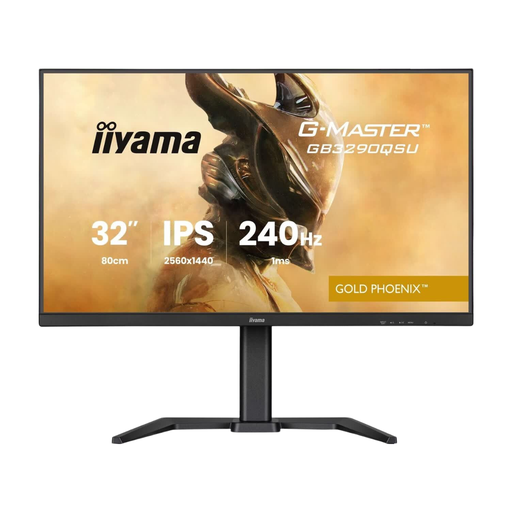
A good option if you want to compare a large QHD screen with a stated 240 Hz refresh rate and don’t necessarily need 4K.
31.5 inches, QHD (2560 × 1440) and 240 Hz. The product information lists FreeSync Premium and VRR. The resolution is QHD, not 4K.
No. Pixel response time and input lag describe different aspects of how a display performs. Dell lists 0.03 ms GtG for the AW3225QF, while Gigabyte lists 1 ms MPRT for the M32U; neither figure is, by itself, an input lag measurement. Compare input lag at the refresh rate you play at, and also look at motion blur and overshoot.
Check which resolution and refresh rate your PC or console actually outputs, and position the screen so you can see the whole note track. On a dual-mode model, you may need to choose a lower resolution for a higher refresh rate; for example, ASUS specifies 4K at 165 Hz or Full HD at 330 Hz for the XG32UCWG.
Check the care features and warranty terms for the exact model. For the XG32UCWG, ASUS describes a feature that turns the screen black when it’s not in use to reduce the risk of burn-in. This is a manufacturer’s description of a model-specific feature, not a guarantee that burn-in can’t occur.
Compare the EU energy label for the exact monitor; the European Commission describes the scale for electronic displays as A to G. For a faulty product, the Dutch government says the retailer is your point of contact for a solution. Any additional warranty doesn’t replace your statutory rights.
For distance purchases, you’ll often have a 14-day cooling-off period, but there are exceptions. The Dutch government explains this period; before buying, check which terms apply to your specific order.