Who might want a large monitor for point-and-click games?

Players who read a lot of text

You want to make out dialogue, inventory items and small clues clearly from your usual viewing distance. RTINGS.com notes that text clarity depends on more than resolution; how clear text looks can also vary from person to person.

Players who care about atmosphere

You prioritise dark scenes and contrast, while also considering the room’s lighting and menus that stay on screen for a long time. RTINGS.com highlights the risk of burn-in with OLED when the same elements remain on screen for extended periods.

Players considering ultrawide

You want extra horizontal space and check whether each of your favourite games supports 21:9. Display Ninja compares the height of a 34-inch 21:9 screen with that of a 27-inch 16:9 screen, so a larger diagonal does not automatically mean larger dialogue.

What should you look for when buying?

Buying concern What should you check? Who is it for?
Readability and detail Test text and small in-game details from your usual viewing distance. RTINGS.com emphasises that text clarity is not determined by resolution alone. I want to read dialogue and small clues clearly without constantly moving closer. Around 36% of consumers prioritise readability.
Contrast and room lighting View the screen in similar ambient lighting to your usual setup. RTINGS.com points to the risk of OLED burn-in from static elements left on screen for long periods; also check the terms for the exact model. I often play in a dark room and want to make out scenes clearly, but I also bear in mind that menus can stay on screen for a long time. Around 29% of consumers prioritise contrast and room lighting.
Suitable aspect ratio Check 21:9 for each game and compare the physical screen height. Display Ninja describes a 34-inch 21:9 screen as roughly the same height as a 27-inch 16:9 screen. I want a wider gaming view, but only if my games make use of it. Around 21% of consumers prioritise a suitable aspect ratio.
Running costs and aftercare Compare the EU energy labels for the exact models and check who the seller is. The European Commission explains the energy label for electronic displays; according to the Dutch government, the seller is your point of contact if a product is faulty. I want to compare energy information in advance and know who to contact if the monitor is faulty. For around 14% of consumers, running costs and aftercare are their main buying concerns.

Common buying mistakes

  • Looking only at the screen size

    A larger screen does not automatically mean larger dialogue. Display Ninja compares a 34-inch 21:9 screen with a 27-inch 16:9 screen, which is roughly the same height.

    Compare screen height, resolution and how text looks from your viewing distance, and check 21:9 support for every game you want to play.

  • Making a high refresh rate your main criterion

    A high Hz figure alone says nothing about how readable dialogue is or whether the aspect ratio suits point-and-click games.

    Assess text, detail, room lighting and game support first, then compare refresh rates.

  • Choosing OLED without considering how you use it

    RTINGS.com highlights the risk of OLED burn-in when the same static elements remain visible for extended periods. A protective feature does not eliminate this risk.

    Weigh the benefits for dark scenes against how long menus or other static images stay on screen, and read the warranty terms for the exact model.

  • Confusing the manufacturer’s warranty with your statutory rights

    In the Netherlands, there is no fixed statutory warranty period. According to the Dutch government, the seller must provide a solution if a product is faulty.

    Check who the seller is and whether an additional warranty genuinely adds anything to the cover you already have.

Brands and models to compare

LG

The LG UltraGear 32GR93U-B is a large 16:9 IPS model to compare if 4K detail and an adjustable stand matter to you.

  • LG Netherlands lists this model as 31.5 inches, with 3840 × 2160 pixels, up to 144 Hz, and height, tilt and pivot adjustment.
  • These details describe this model and are not an independent assessment of the entire UltraGear range.

AOC

The AOC CQ32G4VE is a large, curved 16:9 VA model to consider if QHD resolution suits your needs.

  • AOC lists this model as 31.5 inches, with 2560 × 1440 pixels and up to 180 Hz.
  • At the same screen size, this resolution has fewer pixels than the 3840 × 2160 of the LG 32GR93U-B, so check how readable your own games are.

Alienware

The AW3225QF is a curved 31.6-inch 4K QD-OLED model to compare if dark scenes and deep blacks are important to you.

  • Dell lists this model as having 3840 × 2160 pixels and a 240 Hz refresh rate.
  • RTINGS.com highlights the risk of OLED burn-in from static elements left on screen for extended periods. The high refresh rate is not a proven requirement for point-and-click games.

MSI

The MAG 341CQP QD-OLED is a 34-inch ultrawide option if the games you play support 21:9.

  • MSI lists a resolution of 3440 × 1440 pixels and a refresh rate of 175 Hz. MSI also names OLED Care 2.0 as a feature designed to address the risk of burn-in.
  • A protective feature does not prove that the risk disappears. Check the warranty terms for the version you are considering.

Samsung

The Odyssey G7 G70D, model LS32DG702EUXEN, is another 32-inch 4K IPS model to compare with other large screens.

  • Samsung Netherlands lists this version as having a Fast IPS panel and a 144 Hz refresh rate.
  • These are specifications for this version, not an independent comparison with other brands.

Joybuy products for point-and-click adventures on a large screen

This selection focuses on large 4K monitors with VA or QD-OLED panels. Check how readable your games are from your usual viewing distance, whether your favourite games support your preferred aspect ratio, and whether your PC can handle the resolution you choose.

Philips 32E1N1800LA monitor

Philips 32E1N1800LA 32-inch 4K VA monitor

An option to compare if you want to view dialogue and small details on a large 16:9 screen.

32 inches; VA panel; 3840 × 2160 pixels; 60 Hz; 16:9.

The product title lists 2× HDMI, DisplayPort and tilt adjustment.

View at Joybuy

CRUA CR320QB 32-inch curved 4K monitor

CRUA CR320QB 32-inch curved 4K VA monitor

An option if you want to compare a large curved 4K screen for your gaming setup.

32 inches; VA panel; 3840 × 2160 pixels; 3000R curvature; HDR10.

View at Joybuy
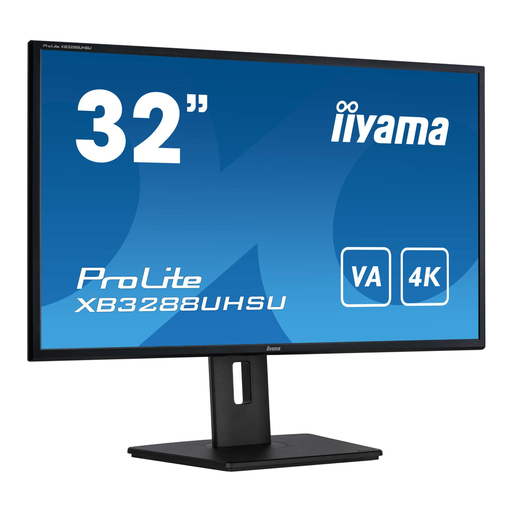
iiyama ProLite 32-inch VA 4K monitor

iiyama ProLite 32-inch VA 4K monitor

An option if you want to combine large text and detailed images with an adjustable viewing position.

32 inches; VA panel; 3840 × 2160 pixels. The product description lists a height-adjustable stand with pivot function.

View at Joybuy

MSI MAG 322UP QD-OLED E16 31.5-inch 4K monitor

MSI MAG 322UP QD-OLED E16 31.5-inch 4K monitor

An option to compare if dark scenes matter to you; also consider how long menus or other static images will stay visible.

31.5 inches; QD-OLED; 3840 × 2160 pixels; 165 Hz. The product title also lists USB-C.

RTINGS.com highlights the risk of OLED burn-in from static elements left on screen for extended periods.

View at Joybuy

Dell UltraSharp U3226Q 32-inch 4K QD-OLED monitor

Dell UltraSharp U3226Q 32-inch 4K QD-OLED monitor

An option to compare if you are looking for a large 4K screen with a QD-OLED panel and want to factor in dark scenes.

32 inches; 3840 × 2160 pixels; 120 Hz; QD-OLED.

RTINGS.com highlights the risk of OLED burn-in when the same static elements remain on screen for extended periods.

View at Joybuy

Frequently asked questions

Does a monitor for point-and-click games need to have a 240 Hz refresh rate?

No, 240 Hz is not a general requirement for this genre. Assess text, detail, screen size and aspect ratio first. The 240 Hz refresh rate of the Alienware AW3225QF is a model specification, not a proven requirement for playing point-and-click adventures.

How can you set up a large screen so dialogue is easy to read?

Adjust the viewing distance and screen position to suit your setup, then test the text size in the games you actually play. LG Netherlands lists height, tilt and pivot adjustment for the 32GR93U-B; check the adjustment options available on the specific version of each monitor.

How can you compare energy use, and what should you do if your monitor is faulty?

Compare the EU energy labels for the exact models rather than assuming a particular running cost. According to the Dutch government, the seller is your point of contact for statutory guarantees if a product is faulty in the Netherlands; there is no fixed statutory warranty period.

Do you have a cooling-off period when buying online in the Netherlands?

When you buy online from a business, the Dutch government says you generally have a 14-day cooling-off period. Check the terms that apply to your purchase; the Dutch government’s guidance on distance selling does not apply in the same way to purchases from a private individual.
