
Players who want to read fine details
You view lots of text, menus and map details on one large screen, and want to weigh up resolution, scaling settings and readability.


Choose a 32-inch 4K monitor if fine map details and text on a large 16:9 screen are your priorities. A 34-inch ultrawide is a better fit if you mainly want a wider horizontal view and your games support 21:9 well. OLED may suit you if its panel characteristics matter to you and you’re prepared to follow the care guidance when fixed interface elements remain on screen for long periods. Also match the resolution and refresh rate to your PC, and check that the game interface is easy to read from your viewing distance.
You view lots of text, menus and map details on one large screen, and want to weigh up resolution, scaling settings and readability.
You’re mainly looking for a wider horizontal view and want to check in advance whether your favourite games and desk setup are suited to 21:9.
You often play with the same interface elements on screen and want to take screen settings, panel type, energy information and care requirements into account.
A good fit if: you want a large screen in a standard width and fine details matter to you. LG lists a 32-inch IPS panel with 3840 × 2160 pixels for the 32G810SA-W.
Trade-off: the higher resolution places different demands on your PC’s video output; text and apps may need custom scaling settings.
A good fit if: a wider horizontal view is your top priority and your main games display well in 21:9. MSI lists a 34-inch panel with 3440 × 1440 pixels for the MAG 342CQRF E20.
Trade-off: check the aspect ratio for each game and measure whether you have enough desk width.
A good fit if: a large screen in a standard width matters more than the finer details of 4K. Philips lists a 31.5-inch QHD screen with 2560 × 1440 pixels for the 32M1C5500VL/00.
Trade-off: at roughly the same screen size, QHD has fewer pixels than 4K; assess the interface from your usual viewing distance.
A good fit if: you want to give OLED picture characteristics serious consideration and are happy to follow the care requirements. AOC lists the AG326UD as a 31.5-inch QD-OLED model with 4K resolution.
Trade-off: prolonged static images can cause burn-in on OLED screens; AOC makes the stated burn-in cover subject to a care requirement.
| Consideration | What to look for when buying | Who is this important to? |
|---|---|---|
| Readable text and map details | Compare the native resolution and test the scaling for both the operating system and the game interface. Microsoft Support explains scaling settings for text and apps in Windows. | If I want to read small menus and map details clearly, resolution and scaling come first for me; around 36% of consumers say readability is their top buying priority. |
| Wider horizontal view | Check 21:9 support in your main games and measure the desk space available. | If I want more room across the game map, width matters most to me; around 29% of consumers prioritise map width. |
| PC, connections and refresh rate | Compare your PC’s video outputs with the inputs and the resolution and Hz specifications of the exact monitor model. | I want my PC to handle the chosen resolution and refresh rate; around 21% of consumers give PC and connection compatibility top priority. |
| Long sessions and static images | For OLED, read the care and burn-in conditions, and check the energy information for the exact model. | If fixed interface elements stay on screen for a long time, I want to consider care and screen setup; around 14% of consumers put these kinds of usage considerations first. |
A 31.5-inch and a 32-inch monitor can have different resolutions, so screen size alone doesn’t tell you how much detail small text will show.
Compare the resolution and test how readable your game interface is from your usual viewing distance.
A 21:9 specification doesn’t prove how an individual game displays its map or interface.
Check 21:9 support for each game before choosing ultrawide over 16:9.
AOC makes the stated burn-in cover for the AG326UD subject to a screen-care requirement. Static images remain a consideration during prolonged use.
Read the terms for the exact model and use the recommended protective features.
An additional warranty isn’t the same as your statutory protection for a product that is fit for purpose. The Government of the Netherlands states that there is no fixed statutory guarantee period in the Netherlands.
Compare the additional cover with your existing rights before paying for it.
The UltraGear 32G810SA-W is an example of a large 32-inch 4K IPS screen.
The MAG 342CQRF E20 is an example of a 34-inch ultrawide model with Rapid VA.
The Evnia models mentioned here show both a large 16:9 screen and a 34-inch ultrawide.
The AGON PRO AG326UD is an example of a 31.5-inch 4K QD-OLED monitor.
This selection includes large 16:9 screens from QHD to 4K, a 34-inch ultrawide and a 31.5-inch QD-OLED model.
 No image available
An option if you’re looking for a large 4K screen for management games and want to consider a curved panel.
32 inches; 3840 × 2160; VA panel; 3000R curvature; HDR10 and Adaptive Sync, according to the product description.
 No image available
A 34-inch ultrawide option if you’re looking for a wider horizontal view; check that each game displays properly in 21:9.
34 inches; 3440 × 1440; 240 Hz; KVM switch. The product description also lists height and tilt adjustment, FreeSync Premium and PiP/PbP.
 No image available
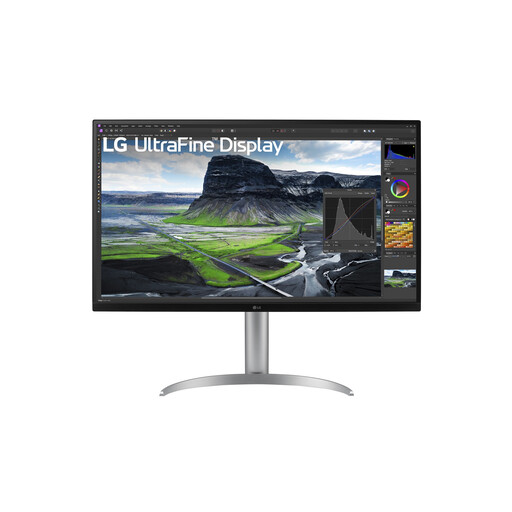
A large screen in a standard width for anyone who wants 4K detail and values an adjustable viewing position.
31.5 inches; 3840 × 2160; 16:9; IPS Black. The product description lists a height-adjustable stand and pivot function.
 No image available
A 32-inch QHD option if a large 16:9 screen matters more than the extra pixel detail of 4K.
32 inches; 2560 × 1440; IPS; 180 Hz. The product description lists height adjustment, swivel and tilt.
 No image available
An option if you want to combine 4K resolution with a QD-OLED panel on a large screen.
31.5 inches; 3840 × 2160; QD-OLED; 165 Hz; FreeSync Premium Pro. Prolonged static images can cause image retention or burn-in on OLED screens; take this model’s protective features and care requirements into account.
No. The 32-inch 4K model mentioned here has more pixels than the 31.5-inch QHD model, but text size also depends on scaling settings and the game interface. Microsoft Support explains scaling settings for text and apps in Windows; test the game’s own settings separately.
In Windows, select the correct external display and check the recommended resolution and preferred scaling. Then check which refresh rates are available through the PC connection you’re using.
According to ASUS, prolonged static images can cause image retention or burn-in on an OLED screen. Keep the chosen model’s protective features enabled and read its specific care and warranty terms. AOC makes the stated burn-in cover for the AG326UD subject to a care requirement.
According to the Government of the Netherlands, online purchases from a business usually come with a 14-day cooling-off period; exceptions and the type of seller may be relevant. You’re also entitled to a product that is fit for purpose. The Government of the Netherlands states that there is no fixed statutory guarantee period in the Netherlands.
Compare the energy class and stated consumption on the EU energy label and in EPREL for the exact models, using the applicable display mode. The European Union states that energy labels for products covered by the rules must also be visible in online shops.