
The detail-focused puzzle player
You want to make out text, patterns and small clues clearly, so screen size and resolution are important points to compare. Tweakers’ Dutch buying guide discusses the option of choosing a larger screen.


For puzzle adventures on a large screen, a 32-inch 16:9 monitor is a practical choice for both PC and console. A 34-inch ultrawide is better suited to PC games that support 21:9. Tweakers says ultrawide is less suitable for console gaming, so check your device and games before choosing that aspect ratio. OLED or QD-OLED is an alternative if contrast matters, but also consider panel care and how often game elements remain static on screen for long periods.
You want to make out text, patterns and small clues clearly, so screen size and resolution are important points to compare. Tweakers’ Dutch buying guide discusses the option of choosing a larger screen.
You’re considering ultrawide for more horizontal screen space and checking whether your puzzle games support 21:9. BenQ lists this aspect ratio for the MOBIUZ EX3410R.
You’re looking for a large screen for your console and checking which resolution, refresh rate and aspect ratio your device and games actually support. For example, PlayStation explains how to test 1440p output on the PS5.
Start with the aspect ratio and whether it works with your device, then compare sharpness, desk space and panel type. Tweakers says ultrawide is less suitable for console gaming. PS5 output can also vary depending on the settings and connected screen.
| Buying concern | What should you check? | Who is this for? |
|---|---|---|
| Text and clue clarity | Compare screen size and native resolution. Check whether your PC can handle the game settings you want. | I want to make out small text and clues clearly on a large screen. Around 33% of consumers put sharpness first. |
| Console compatibility | Check the HDMI specifications for the exact model, along with your console’s and game’s output settings. | I want to know whether the screen and game support the output I want from my console. Around 27% of consumers prioritise console compatibility. |
| Screen width and desk space | Check that your games support 21:9 and measure whether the screen, including its stand, will fit on your desk. | If my PC games support 21:9, I want more horizontal screen space. Around 20% of consumers prioritise a wider view. |
| Contrast and panel care | Compare panel types and read the care settings and terms for the exact model. | I pay attention to the panel in dark scenes and want to know how to look after the screen. Around 20% of consumers put contrast and panel care first. |
A 21:9 screen won’t automatically give you a wider game view. Tweakers says ultrawide is less suitable for console gaming.
Check the aspect ratio of your own games and your console’s video output before choosing a model.
The maximum refresh rate can vary by input. BenQ lists up to 144 Hz via DisplayPort and 120 Hz via HDMI for the EX3410R. Your device and game also affect the output.
Check the specifications for each input and test the mode you want with your own device.
MSI describes OLED Care 2.0 as a feature that reduces the risk of burn-in, not as a guarantee that the risk is eliminated.
Read the care settings and terms for the exact model, especially if game interfaces stay on screen without moving for long periods.
The MOBIUZ EX3410R is an example of a 34-inch 21:9 monitor for PC players considering ultrawide.
The Dell G3223Q and Alienware AW3225QF are examples of large 4K screens with different panel types.
The MAG 341CQP QD-OLED is an example of a 34-inch ultrawide OLED monitor for PC use.
The AGON PRO AG326UD is an example of a 31.5-inch 4K QD-OLED monitor.
This selection includes three 31.5- or 32-inch screens and a 34-inch option for anyone looking for a wider view. Check the connections on each model and make sure your games support the aspect ratio you choose.
 No image available
An option if you want to view small visual clues on a large screen.
QD-OLED; 165 Hz; 0.03 ms; USB-C.
The product description advises avoiding static images at high brightness for long periods and using OLED care features to reduce the risk of image retention.
 No image available
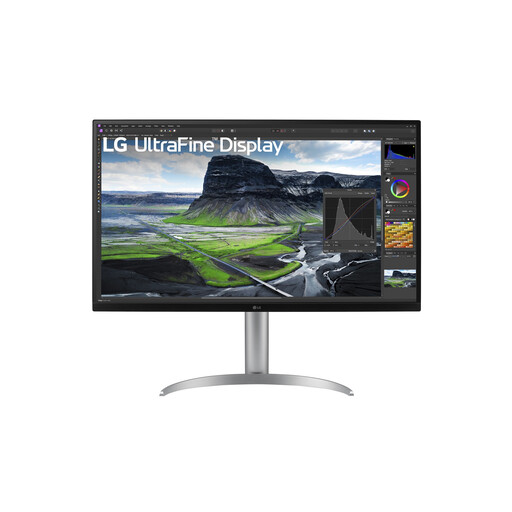
A large 4K screen for comparing text and clues on a spacious display.
31.5 inches; 3840 × 2160 pixels; 4K Ultra HD; LED.
 No image available
A 32-inch gaming monitor to consider if you’re looking for a large screen for puzzle adventures.
IPS panel; 180 Hz.
 No image available
An option for PC players looking for more horizontal screen space. Check the aspect ratio of your own games before relying on it.
34 inches; 3440 × 1440 pixels; Wide Quad HD; LCD; 180 Hz.
On your PS5, go to Settings > Screen and Video > Video Output. PlayStation explains how to test 1440p output at 60 Hz, 120 Hz and VRR. For 120 Hz output, both the screen and the game must also support that mode.
Not always. BenQ lists up to 144 Hz via DisplayPort and 120 Hz via HDMI for the EX3410R. Check the specifications for each input on the exact model, as well as your device’s output.
Compare the information on the EU energy label and consult EPREL for model details. The European Commission says the label for electronic displays also includes information about use in HDR mode.
For a typical online consumer purchase in the Netherlands, you generally have a statutory 14-day cancellation period from delivery, subject to exceptions and conditions. ACM ConsuWijzer explains how this works. Check the seller’s information before placing your order.
No. ACM ConsuWijzer states that you have statutory warranty rights as well as any warranty offered by the seller or manufacturer. The seller is responsible for ensuring that the product meets reasonable expectations under normal use. There is no fixed statutory warranty period that applies to every product.