
Competitive PC trainer
You practise on fast-moving targets and want to know how input lag and motion clarity perform at the refresh rate your PC can achieve.


For reaction training on a large screen, don’t choose based on refresh rate alone. Match the size and resolution to what your PC or console can handle, and compare input lag and motion clarity at the settings you actually use. A 32-inch QHD LCD offers a different balance from a 4K screen or OLED, so check the connections and the conditions for prolonged use with static images too. RTINGS treats input lag and response time as separate properties.
You practise on fast-moving targets and want to know how input lag and motion clarity perform at the refresh rate your PC can achieve.
You want to view training footage clearly on a large screen, and use that same screen for games where resolution and image quality matter too.
You’re looking for a large screen for a console and want to check which resolution, 120Hz output and VRR your console, game and monitor support together.
Compare monitor options only once you know which resolution and refresh rate your device can handle. A quoted response time isn’t a measurement of input lag, as RTINGS explains.
Choose this option when: a large training image and a high quoted refresh rate matter more to you than 4K detail. Dell Netherlands specifies a 31.5-inch screen, 2560 × 1440 pixels and 240 Hz for the AW3226DM.
The trade-off: the resolution is below 4K; Dell also quotes different GtG response times for different settings.
Choose this option when: you also want detailed images on a large screen alongside reaction training. Philips Netherlands specifies a 31.5-inch 4K IPS screen at 144 Hz for the Evnia 32M2N6800M/01.
The trade-off: check whether your PC or console can output the required 4K resolution at your chosen refresh rate; 144 Hz alone tells you nothing about input lag.
Choose this option when: you’re looking for a large 4K screen with a quoted refresh rate of 240 Hz. ASUS ROG Netherlands and Samsung Netherlands describe the PG32UCDM3 and G81SF respectively as 4K QD-OLED models.
The trade-off: ask about the panel care features and warranty terms for prolonged use with static images. A quoted response time of 0.03 ms is not a measured input lag.
Choose this option when: you want to switch between a higher resolution and a higher quoted refresh rate. LG Netherlands specifies 4K at 240 Hz or Full HD at 480 Hz for the 32GS95UE-B.
The trade-off: the 480Hz mode uses Full HD, not 4K. LG Netherlands marks this model as discontinued, so its specifications don’t mean it’s currently available.
| What to consider | What should you check? | Who should pay particular attention? |
|---|---|---|
| Input lag and motion | Compare measurements at the resolution, refresh rate and setting you use; look at input lag and response time separately. | If I’m training on fast-moving targets, I want to know how input lag and motion clarity perform with my settings. Around 40% of consumers prioritise response speed and motion clarity. |
| Size and detail | Check the visible screen diagonal, resolution and viewing distance; also consider whether your device can handle your chosen resolution. | I want to see the training image clearly on a large screen and retain enough detail for other games. Around 30% of consumers prioritise a large, sharp image. |
| PC or console compatibility | Check the supported resolution, refresh rate and VRR for your device, game, connection and cable. | If I’m training on my existing PC or console, I want to know which screen mode my equipment and game support together. Around 20% of consumers prioritise compatibility with their device. |
| Prolonged use | For OLED, check the panel care features and warranty terms for the exact model; compare the energy label for the specific version. | If I often use a static training image, I want to know which care features and terms apply. Around 10% of consumers prioritise prolonged use and aftercare. |
Input lag and response time describe different properties. A quoted GtG figure may also apply only to a specific setting; Dell, for example, lists different values for each mode on the AW3226DM.
Where possible, compare independent measurements at the resolution and refresh rate you use, and check which setting the manufacturer’s figure applies to.
The achievable refresh rate also depends on the connected PC or console and the game. PlayStation describes 120Hz output for games that support this refresh rate.
Check the output mode of your own device before choosing a monitor based on its maximum refresh rate.
For the LG 32GS95UE-B, LG Netherlands specifies 4K at 240 Hz and Full HD at 480 Hz.
Check the resolution and refresh rate for each mode, and confirm whether the model is available.
According to the Dutch government, your right to a product that works properly remains in place alongside any manufacturer’s warranty or extra warranty you buy.
Check what additional cover a warranty provides and which terms apply to the specific panel.
Dell describes both a 31.5-inch QHD AW3226DM at 240 Hz and a different model, the 31.6-inch 4K QD-OLED AW3225QF at 240 Hz.
According to Philips Netherlands, the Philips Evnia 32M2N6800M/01 is a 31.5-inch 4K IPS monitor with a quoted refresh rate of 144 Hz.
ASUS ROG Netherlands describes the PG32UCDM Gen3 (PG32UCDM3) as a 31.5-inch 4K QD-OLED monitor at 240 Hz.
Samsung Netherlands describes the Odyssey OLED G8 G81SF version, LS32FG812SUXEN, as a 32-inch 4K QD-OLED monitor at 240 Hz.
LG Netherlands specifies a Dual-Mode for the 32GS95UE-B, offering 4K at 240 Hz or Full HD at 480 Hz.
This selection includes large gaming monitors with QHD or 4K displays. Check the listed specifications for each model, and make sure your PC or console can handle your preferred resolution and refresh rate.
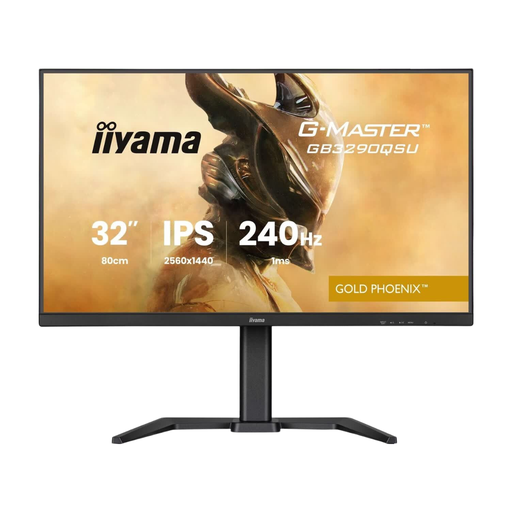 Image unavailable
Ideal if you’re looking for a large QHD training image.
31.5 inches; 2560 × 1440 pixels; Quad HD LED monitor.
 Image unavailable
Ideal if you’re looking for a curved gaming monitor with a high quoted refresh rate.
240 Hz; quoted response time 0.4 ms; KVM switch.
 Image unavailable
Ideal if you’re looking for a 32-inch IPS screen with a quoted refresh rate of 180 Hz.
32 inches; IPS; 180 Hz.
 Image unavailable
Ideal if you’re looking for a curved QHD screen with a high refresh rate.
32 inches; 1500R; 2560 × 1440 pixels; 165 Hz; Adaptive Sync.
 Image unavailable
Ideal if you’re looking for a large 4K OLED screen for gaming and other uses.
31.5 inches; 3840 × 2160 pixels; 4K Ultra HD; OLED.
No. RTINGS describes input lag as the time between receiving a signal and the image appearing on screen; GtG response time is a different screen property. Compare separate measurements at the setting you use.
Go to Settings > Screen and Video > Video Output to check which HDMI device is connected, then enable 120Hz output for games that support 120 Hz. PlayStation also provides options there to check 1440p output and VRR.
If you often display the same training image, check the panel care features and warranty terms for the exact model. ASUS lists OLED Care Pro for the PG32UCDM3 to help reduce the risk of burn-in; this doesn’t mean burn-in is impossible.
According to the Dutch government, you’re entitled to a product that works properly and should contact the seller if there’s a problem; the Netherlands has no fixed statutory warranty period. In many cases, online purchases from a business come with a 14-day cooling-off period. This is separate from your rights if a product is faulty.
The European Commission states that energy labelling rules also cover computer monitors. Use the label and specifications for the exact version to compare monitors; don’t estimate energy use based on panel technology alone.