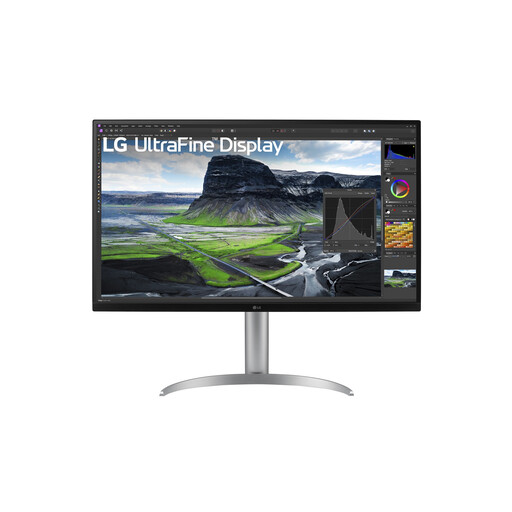
Who is a large monitor suitable for?

Solo players of text- and card-based games

You want to be able to read the rules, cards and board elements from where you usually sit. Screen size, resolution and the ability to scale the game interface matter more than achieving the highest possible refresh rate. The game modes listed on Wingspan’s Steam page and the product specifications from LG and Philips illustrate these use cases.

Playing together on one screen

You want other players to be able to follow the board from where they’re sitting. So consider the viewing angle and layout, and check whether the game you choose supports split-screen or local multiplayer. Wingspan’s Steam page lists these game modes for that title; this doesn’t automatically apply to other games.

Shared PC and gaming setup

You also use the monitor for other games or devices. Compare the connections and panel type with how you’ll use it, and bear in mind the risk of prolonged static images with OLED. LG, Philips and ASUS publish model specifications for examples of these different screen types.

What should you look for when choosing?

Large 4K IPS monitor

A good fit if: you want to view cards and plenty of board details at a desk, or have other people watching from beside you.

Bear in mind: whether your computer can handle the resolution you want, whether the game interface scales comfortably and whether the monitor will fit on your desk. 144 Hz is a model specification, not an established requirement for turn-based games.

Large OLED screen

A good fit if: you want to use the monitor for other games or HDR content as well as board game adaptations.

Bear in mind: the risk of burn-in if fixed game elements remain on screen for long periods. ASUS describes protective features, but they don’t eliminate the risk; also check the exact model specifications.

Large screen with a lower resolution

A good fit if: your computer’s capabilities or preferred settings matter more than maximum image detail.

Bear in mind: a lower resolution means fewer pixels for cards and small text on a large screen. Try the games you play from the viewing distance you intend to use.

What to consider What should you look for? Who should give this more consideration?
How easy cards and board details are to read Consider screen size and resolution together. If possible, test a representative game from your viewing distance and with your preferred interface scaling. If I want to read cards and small text from where I sit, I look at both the resolution and the game’s scaling options. Around 33% of consumers say readability is their top priority.
Viewing the same board together Check the viewing angle, space for the stand and visibility from each seat. For each game, check whether split-screen or local multiplayer is available. When several of us play around one screen, I want everyone to be able to follow the board and the game to support the way we play. Around 27% of consumers prioritise being able to watch together.
Connecting to your existing devices Compare the outputs on your PC or games console with the monitor’s inputs and the display settings you want to use. If I want to connect my existing devices, I need to know whether the ports and preferred settings are compatible. Around 20% of consumers make device compatibility their first consideration.
Cost and prolonged static images Weigh a higher refresh rate against your other games. For OLED, check the maintenance features and warranty terms for the exact model. If I leave fixed game elements on screen for a long time or want to keep the overall cost down, I consider these points before choosing a panel type. Around 20% of consumers prioritise cost or prolonged static images.

Common buying mistakes

  • Choosing based on screen size alone

    A large screen doesn’t guarantee that cards and small text will be easy to read. Resolution, viewing distance and the game interface all play a part.

    Compare screen size and resolution together, and try a game you actually want to play.

  • Assuming a high refresh rate is essential for board games

    The monitors mentioned have high refresh rates, but the information on turn-based board game use doesn’t establish a minimum.

    Prioritise readability and connections first. Consider a higher refresh rate mainly if you play other games where it’s relevant.

  • Assuming OLED protection guarantees there’ll be no burn-in

    ASUS identifies burn-in as an OLED risk and describes features designed to reduce it. These features don’t eliminate the risk.

    Read the instructions and warranty terms for the exact model, and consider how long fixed game elements will remain on screen.

Brands to compare

LG

The UltraGear 32GR93U-B is an example of a large, flat 4K IPS gaming monitor.

  • LG lists a 31.5-inch screen, 3840 × 2160 pixels, up to 144 Hz, two HDMI inputs and height adjustment for this model.
  • These specifications don’t tell you how large or readable text in a particular board game will be from your viewing distance.

Philips

The Evnia 32M1N5800A/00 is another example of a large 4K IPS panel.

  • Philips lists a 31.5-inch screen, 3840 × 2160 pixels and 144 Hz for this model.
  • Assess how cards and game text look with the games and viewing distance you intend to use the monitor for.

ASUS

The ROG Strix OLED XG32UCWG is an example of a large 4K OLED option for mixed use.

  • ASUS’s specifications page lists a 31.5-inch WOLED panel and 3840 × 2160 pixels.
  • ASUS identifies burn-in as an OLED risk. The product page gives conflicting information about the dual-mode refresh rates, so confirm the exact mode for the variant on offer.

Gigabyte

The MO32U24 is a 31.5-inch 4K QD-OLED model featured in Tweakers’ gaming monitor guide.

  • Gigabyte lists 3840 × 2160 pixels and up to 240 Hz for this model.
  • Being included in a general gaming monitor guide doesn’t mean the extra refresh rate is needed for digital board games.

Monitors at Joybuy

These Joybuy product picks cover large monitors for digital board game adaptations, with a focus on displaying detail, viewing together and use alongside other games.

Philips 32E1N1800LA 32-inch 4K UHD monitor

Philips 32E1N1800LA 32-inch 4K UHD monitor

The combination of a 32-inch screen and 4K resolution is worth considering if you want to view cards and board elements on a large screen.

  • VA panel
  • 3840 × 2160 pixels, 60 Hz
  • 300 cd/m²
  • Two HDMI ports and DisplayPort
  • Tilt adjustment; speakers listed
View at Joybuy

CRUA CR320QB 32-inch curved 4K monitor

CRUA CR320QB 32-inch curved 4K monitor

The curved 32-inch screen may suit a setup where you view a large board from one seat.

  • VA panel, 3000R curvature
  • 3840 × 2160 pixels
  • HDR10 and Adaptive Sync listed
  • 100% sRGB listed
View at Joybuy
LG 32UQ850V-W 31.5-inch 4K Ultra HD monitor

LG 32UQ850V-W 31.5-inch 4K Ultra HD monitor

The 31.5-inch screen and 4K resolution make this model worth comparing if you want to see lots of game elements on a large screen.

  • 3840 × 2160 pixels
  • 4K Ultra HD LED
View at Joybuy
MSI MAG 322UP QD-OLED E16 31.5-inch 4K UHD gaming monitor

MSI MAG 322UP QD-OLED E16 31.5-inch 4K UHD gaming monitor

This QD-OLED model is worth comparing if you’ll also use the monitor for other games; bear in mind the risk of prolonged static images.

  • 31.5 inches, 3840 × 2160 pixels
  • 165 Hz
  • QD-OLED panel and USB-C
  • The product information lists OLED Care features; OLED burn-in remains a consideration with prolonged static images.
View at Joybuy

Samsung Odyssey G5 G50F 32-inch IPS monitor

Samsung Odyssey G5 G50F 32-inch IPS monitor

A 32-inch IPS monitor worth comparing if you want a large screen that people can also view from different seating positions.

  • 32 inches, IPS panel
  • 180 Hz
  • Model code LS32FG502EUXEN
View at Joybuy

Frequently asked questions

Does a large screen make every digital board game suitable for playing together?

No. Check whether each game supports split-screen or local multiplayer, and how players share the controls. Wingspan’s Steam page lists these game modes for that title; this tells you nothing about other games.

How should you set up a large monitor for long gaming sessions?

Make sure it’s on a stable surface, check for reflections and adjust the available height and tilt to suit the seating positions. Arboportaal’s guidance on display screen work applies to employers and employees under the conditions stated there; it isn’t a general legal screen-size requirement for gaming at home.

How should you use an OLED monitor if game information often stays in the same place?

Check the maintenance features and instructions for the exact model. ASUS identifies burn-in as a risk and describes protective features; their presence doesn’t prove that prolonged static images are risk-free.

What are your rights when buying a monitor online in the Netherlands?

For online consumer purchases, ACM ConsuWijzer says you generally have 14 days from delivery to change your mind, subject to the applicable legal exceptions. The seller is also responsible if the product doesn’t meet what you could reasonably expect; according to the Netherlands Authority for Consumers and Markets, there is no fixed general warranty period for this.

What product rules apply to an electric monitor sold in the Netherlands?

Equipment covered by the relevant harmonised EU rules must meet the applicable conformity requirements and carry the required CE marking. The European Commission clarifies that CE marking is only mandatory when the applicable EU rules require it; this alone says nothing about whether an individual monitor complies.