
Vandaag of morgen in huis

Kwaliteit gegarandeerd

Welkomstaanbiedingen ontgrendelen: GRATIS bezorging | Tot 80% korting | Gratis 30 dagen JoyPlus-proefperiode
Download de app
A laptop privacy filter is useful when you work with confidential information on the train, in the office, in a café or during a flight. Without a filter, people sitting next to you can easily see your emails, customer data or documents. However, not every screen filter is suitable for every laptop.
The most common purchasing mistakes are:
Do not measure only your laptop’s diagonal. Also check:
A privacy filter for a 15.6-inch 16:9 screen will therefore not automatically fit a 15.6-inch laptop with a 16:10 display. If you are looking for a filter for a specific model, such as the Dell Latitude 7350 Detachable or Microsoft Surface Go, it is best to choose a model-specific version where available.
A 2-way privacy filter limits visibility from the left and right. Kensington states that several models restrict the viewing angle to around 30 degrees on either side. This is particularly practical on public transport and in hot-desking environments.
A filter can make the screen appear darker from an oblique angle, but it does not protect against every form of shoulder surfing. Also consider the direction people are looking from, where others are sitting and your screen brightness. A matt surface can be comfortable at a fixed workstation, while the glossy side may offer greater clarity for presentations or image editing.
There are roughly three mounting methods:
With a touchscreen privacy filter, the screen must remain responsive to touch without the filter shifting. A reversible model with matt and glossy sides can support different usage scenarios. Clean a screen filter with a soft microfibre cloth. According to Kensington’s safety information, harsh substances such as acetone, ammonia or alcohol may damage coatings. Do not fold or crease a privacy filter, as this can permanently deform the internal louvres.
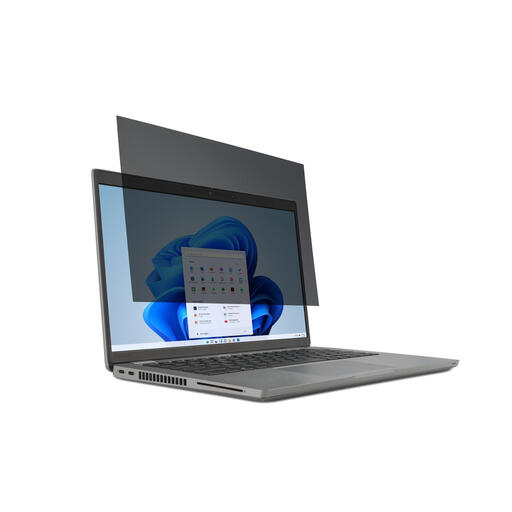
Why it suits this profile: This model is designed for 14-inch laptops with a 16:9 aspect ratio and can be attached using mounting tabs or tape. This makes it a straightforward choice for students and people working from home who occasionally work on the move.
The size and aspect ratio are clearly specified. The filter is removable and suitable for touchscreen laptops.
2-way viewing-angle restriction of up to 30 degrees according to the product description; reversible matt and glossy sides; anti-reflection and blue-light filtering according to Kensington.
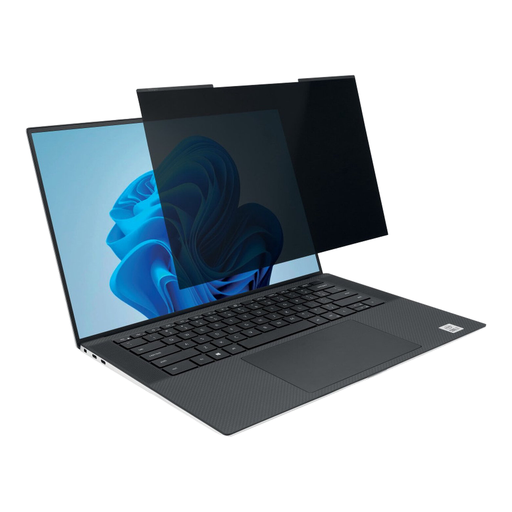
Why it suits this profile: The magnetic attachment is ideal for users who switch daily between the office, home and the train. According to the product information, the filter can remain in place when the laptop is closed.
You can avoid adhesive strips and remove the filter quickly. The webcam cut-out helps keep the camera unobstructed, but check the alignment when fitting it.
16:10 format; magnetic attachment; matt and glossy sides; viewing angle of approximately +/- 30 degrees according to Kensington.
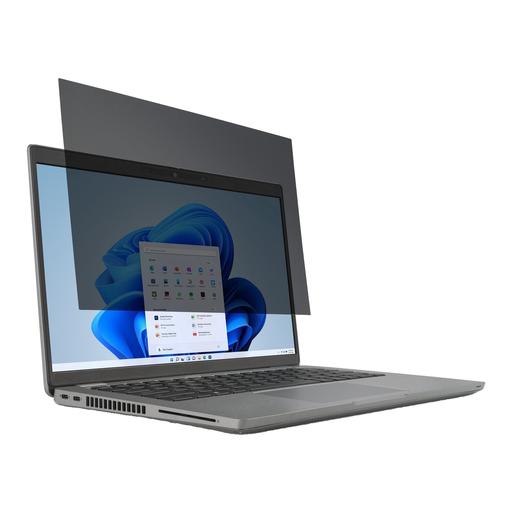
Why it suits this profile: This model is specifically designed for the Dell Latitude 7350 Detachable. It is suitable for business users looking for a model-specific solution for confidential information on the move.
Compatibility is linked to a specific laptop model. The filter can be removed and refitted repeatedly.
Edge-to-edge alignment; anti-fingerprint coating; up to 52% blue-light reduction according to the product description.
First, remove dust and grease from the screen with a soft cloth. Position the filter carefully and check that the camera, sensors and screen bezels remain unobstructed. With a removable privacy filter, use the tabs rather than pulling on the surface.
Before closing the laptop, check that there is no dust, cable or other object between the keyboard and screen. A rigid filter can put pressure on the LCD panel. Ideally, store a magnetic privacy filter in the supplied holder or case, and keep magnetic accessories away from cards and storage media where the manufacturer advises this.
We have compiled a complete, up-to-date list of products that fully meet these strict selection criteria and the applicable European safety regulations.
No. In addition to the diagonal measurement, the aspect ratio, screen bezels and cut-outs are decisive. Check your laptop model or measure the visible screen area before ordering.
This is possible with models that specify touchscreen support. A touchscreen privacy filter must be securely attached and correctly aligned. Also check whether pen input is explicitly mentioned if you use a stylus.
Its lifespan depends on how it is fitted, cleaned and stored. Do not fold it, use abrasive substances or leave it unprotected when removed. According to the product information, the Kensington models mentioned are covered by a minimum of two years’ statutory guarantee under EU consumer law; additional rights may apply under Dutch law.
