
Vandaag of morgen in huis

Kwaliteit gegarandeerd

Welkomstaanbiedingen ontgrendelen: GRATIS bezorging | Tot 80% korting | Gratis 30 dagen JoyPlus-proefperiode
Download de app
A laptop cable lock can provide a practical deterrent against theft in the office, at school, in a co-working space or while travelling. However, many people choose a lock based solely on the cable length or a familiar brand name. This can lead to a poor purchase: the lock may not fit the laptop, the cable may get in the way or a forgotten combination can make the product unusable.
As a Joybuy Product Recommendation Officer, I filter the most important product specifications and explain what to look out for in the Netherlands. This allows you to compare a laptop security lock using verifiable criteria, rather than taking marketing claims as your starting point.
Not every laptop uses the same connection. Many devices have a standard security slot, but slim laptops and some monitors use a NanoSaver slot or a Wedge slot. A Kensington cable lock for a standard slot will therefore not automatically fit every notebook.
Check the manual, the technical specifications or the shape of the opening on the side of your laptop. Never force a lock into an incompatible connection.
A thicker cable may sound appealing, but it is not always practical. A 1.8-metre cable gives you room to anchor the device to a desk or fixed table. However, the cable should not be so taut that it pulls on ports or blocks a walkway.
Also consider the material. The product information may, for example, specify steel, stainless steel or carbon steel. According to the relevant product description, these cables are intended as physical security cables for laptops; no cable lock makes a device completely impervious to tools or theft.
A laptop lock with a combination lock means you do not have to carry a key, but the code must be managed securely. Do not choose an easy-to-guess combination, and record the code in line with your organisation’s internal procedures. When several laptops are involved, key management or centralised code management may sometimes be more convenient.
The connection is the first thing to select. Look for:
A NanoSaver cable lock is therefore only suitable if your laptop actually has a NanoSaver slot. A universal model may be more convenient for schools and offices with a mixed fleet of devices.
A laptop lock with key is suitable when an organisation can issue and store keys centrally. The risk is that a key may be lost or unavailable when an employee is working at another location.
A laptop lock with combination lock works without a key and is practical for hot-desking, classrooms and working from home. The trade-off is that you must not forget the combination. Products with four digits generally offer many possible combinations, but use the code carefully and scramble the digits after locking.
A cable of approximately 1.8 metres is useful for anchoring to a desk, table or other fixed object. Check that the cable is long enough for your workspace. A slim lock head may also be important for a thin laptop: the computer may then lie flatter and the ports may remain more accessible. According to the product description of certain Kensington models, this is a specific design aim, not a general guarantee for every device.
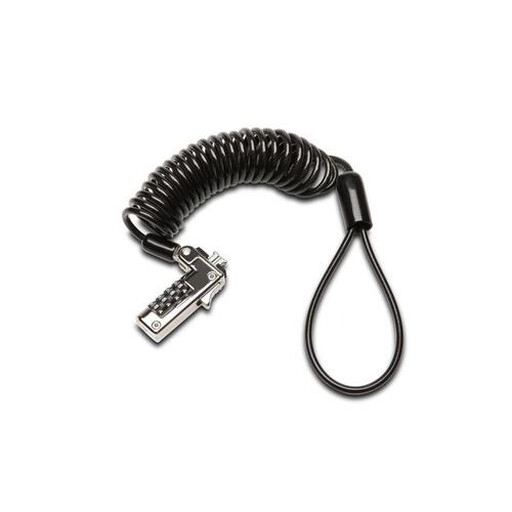
Why it suits this profile: This notebook security lock is designed for simple everyday use with a standard slot and a 1.8-metre cable.
The product information clearly states that this model is intended for notebooks with a standard connection. Make sure you check that connection before buying.
Key-free combination lock, 1.8-metre cable and, according to the product description, simple installation.
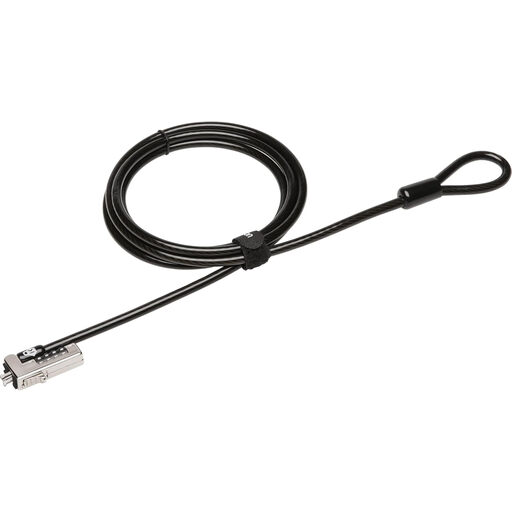
Why it suits this profile: A suitable choice for a slim laptop with a NanoSaver slot, whether you are in the office, at school or on the move.
The product description explicitly mentions the NanoSaver connection. This reduces the risk of choosing the wrong lock head, provided your laptop has this slot.
Combination lock, 1.8-metre cable with a diameter of 6.5 mm and a weight of 219 grams according to the stated product specifications.
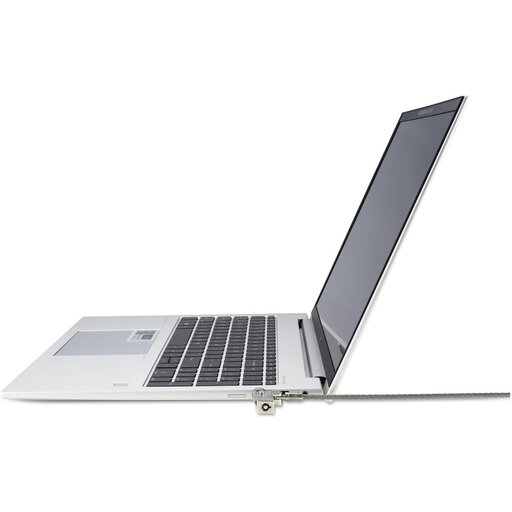
Why it suits this profile: Designed for professionals and organisations that need a key mechanism and a slim NanoSaver 2.0 lock head.
According to the product description, the slim lock head does not block the ports and allows the laptop to lie flat. Check the required NanoSaver 2.0 compatibility beforehand.
Key mechanism, two keys supplied, 1.83-metre cable and a stated cable diameter of 3.9 mm.
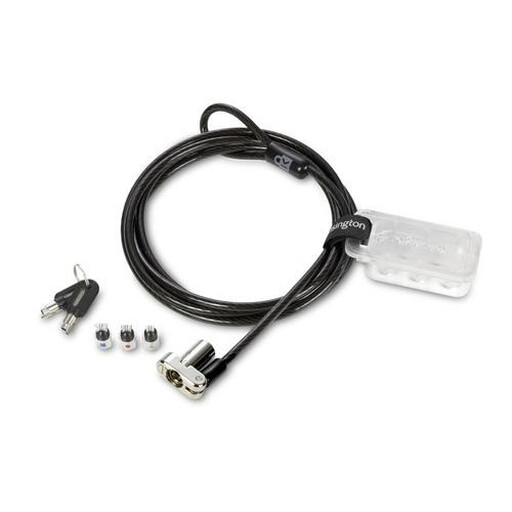
Why it suits this profile: Useful when several laptops with standard, NanoSaver and wedge-shaped security slots are managed together.
The universal 3-in-1 lock head reduces the need to choose a different lock for each device. Check that it works with your specific model before putting it into use.
Key mechanism, support for the three stated lock types and a 1.8-metre cable.
A cable lock is a physical security measure, not a replacement for strong passwords, disk encryption and a proper equipment inventory.
We have put together a complete, up-to-date list of products that fully meet these strict selection criteria and the applicable European safety regulations.
No. Check whether your laptop has a standard, NanoSaver or Wedge slot. The Kensington name does not mean that every model is universally compatible. A 3-in-1 model supports multiple types, but you should still check the product information and your device’s connection.
It depends on how it will be used. A combination lock is convenient when several users should not or cannot manage a key. A keyed model is better suited to organisations with a fixed key-issuing system. If you have a large number of laptops, it is sensible to agree in advance how codes, keys and spare copies will be managed.
Its service life depends on use, storage and exposure to moisture or dirt. A cable that is frequently bent sharply may wear out more quickly. Store the lock in a dry place, do not force the lock head and replace it if there is visible damage. According to the product information, the products mentioned are covered by a minimum two-year statutory guarantee in the European Union; this is separate from normal wear and tear or damage caused by incorrect use.
