
Writer with limited desk space
You want to fit your laptop, hands and perhaps your notes on the same small desk. So compare the external dimensions of specific models, not just their screen size.


Start by checking the laptop’s external dimensions and the writing software you want to use: screen size alone won’t tell you how much desk space the device takes up. For light everyday tasks, the Dutch Consumers’ Association says 8 GB of RAM is enough, although other programmes may need more. For long writing sessions, a comfortable keyboard layout and working posture matter more than extra processing power for tasks you don’t do.
You want to fit your laptop, hands and perhaps your notes on the same small desk. So compare the external dimensions of specific models, not just their screen size.
You type in one place for extended periods, so a comfortable working posture and usable keyboard matter more than processing power for demanding creative applications. For employees, display-screen work regulations apply only under the conditions set out in those rules.
Your choice depends on the application you write in, whether you work offline and how you save different versions of your story.
A good fit if: you use Windows writing software or want to connect specific peripherals.
Check: compare the external dimensions, keyboard layout and required ports of the exact configuration.
A good fit if: your writing software runs on macOS and the laptop fits on your desk.
Check: confirm the configuration, keyboard layout and included power supply. The Dutch MacBook Air configuration reviewed did not include a power adapter.
A good fit if: you write in Google Docs and don’t need an application that’s only available for Windows or macOS.
Check: working offline requires access to be set up in advance and enough local storage. The date of the last automatic update varies between Chromebooks.
| What to consider | What should you check? | Who is this most important for? |
|---|---|---|
| Typing comfort and working posture | Try the keyboard layout and key spacing. Consider whether your desk has enough room for the set-up you need during long sessions. | If I type for long stretches, I want a comfortable posture and keys that feel good to write on. Around 36% of consumers prioritise typing comfort. |
| Fit on your desk | Measure the usable width and depth of your desk and compare them with the external dimensions of the exact configuration. | I want to leave room beside my laptop for my hands and any notes. Around 29% of consumers put available desk space first. |
| Software and keeping your writing safe | Check that your writing programme works with the operating system. Set up offline access or automatic saving if needed, and make a separate backup. | If I use a particular writing app or sometimes work offline, I want to be able to access my story. This is the most important consideration for around 21% of consumers. |
| Configuration and accessories | Choose memory and storage to suit your other applications and files, and check whether the required adapter is included. | I don’t want to choose components I don’t need for my writing or other tasks, and I want to know which accessories I’ll need to arrange. Around 14% of consumers pay closest attention to this. |
The screen’s diagonal measurement doesn’t tell you how much width and depth the open laptop takes up on your small desk.
Measure the available space on your desk and compare it with the external dimensions of the exact configuration. Leave room for your hands and any notes, too.
Apple describes battery life as a maximum under specific conditions of use. Your writing time may vary.
Read the manufacturer’s usage conditions and consider whether you can easily charge the laptop where you work.
The MacBook Air configuration reviewed did not include a power adapter. Microsoft says AutoSave in Microsoft 365 works when the file is stored in OneDrive or SharePoint.
Check what’s in the box with your chosen laptop, and test your storage and backup settings before you start writing your story.
The IdeaPad Slim 5 14AKP10 is an example of a 14-inch Windows configuration. Lenovo PSREF lists 16 GB of memory and a 512 GB SSD for model 83HX00DAMH.
ASUS eShop Netherlands describes a Zenbook 14 OLED UX3405 configuration with a 14-inch screen, Windows 11 Home and 32 GB of memory.
The 13-inch MacBook Air M5 is a macOS option if you can use your writing software on that operating system. Apple specifies a 13.6-inch display.
The Swift Go 14 SFG14-73-58X3 is another specific 14-inch Windows configuration to compare by its external dimensions.
This Joybuy selection includes Windows laptops and MacBooks with screen sizes from 13 to 14 inches. Compare the software, external dimensions and included accessories for each configuration.
 No image available
A Windows laptop to consider if you use Windows writing software.
14-inch touchscreen, Intel Core 5 120U, 8 GB RAM, 512 GB SSD and Windows 11 Home. The keyboard has a QWERTY layout and backlighting. A USB-C charger isn’t included; the product description recommends a compatible 45–100 W USB-C Power Delivery charger. A stylus isn’t included either.
 No image available
A Windows option if you need Windows writing software and want a 13.8-inch screen.
16 GB RAM, 512 GB SSD and Windows 11 Pro.
 No image available
An option to compare if you use writing software on macOS.
13.6-inch screen, 16 GB of memory, 512 GB of storage and a QWERTY keyboard. A power adapter isn’t included; the description lists a USB-C to MagSafe 3 cable.
 No image available
A 13-inch MacBook to compare if you use writing software on macOS.
8 GB of memory, 256 GB SSD and a QWERTY keyboard. A power adapter isn’t included; the description says a USB-C Power Delivery adapter of at least 20 W is required.
 No image available
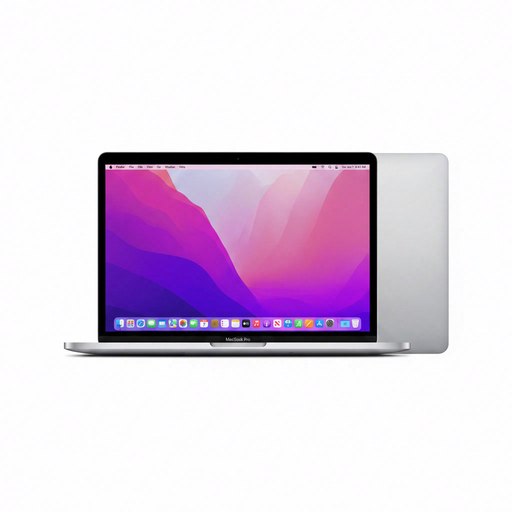
A MacBook option if you use writing software on macOS.
13.3-inch screen, M2 chip, 24 GB of memory, 256 GB SSD and a QWERTY keyboard.
Not just for writing a story. The Dutch Consumers’ Association says 8 GB of RAM is enough for light tasks. Choose your configuration to suit any other programmes you use at the same time, too.
Yes, if you set up offline access in advance and have enough local storage. Google recommends making important documents explicitly available offline when needed.
Microsoft says AutoSave in Microsoft 365 works when the file is stored in OneDrive or SharePoint. Check your subscription terms as well, and keep a separate backup.
For employees who work at a display screen for more than 2 hours a day, Arboportaal describes workplace requirements that include having a separate screen and keyboard, and making a separate screen or keyboard available when using a laptop. This doesn’t automatically mean the same workplace requirement applies to every individual writer.
ACM ConsuWijzer says online purchases generally come with a 14-day cooling-off period after delivery, subject to legal exceptions. In addition, under the statutory guarantee, the seller must resolve problems if a product doesn’t perform as you could reasonably expect during normal use. There is no single fixed guarantee period in the Netherlands.