
Writer who works with sources alongside their text
You write longer passages while referring to interview notes or transcripts. Screen space and the ability to arrange windows neatly side by side are key things to consider.


Choose a laptop that lets you read your manuscript and interview sources at your preferred text size at the same time. Then check that the keyboard, writing software and transcription software suit the way you work. A larger built-in screen can give you more room, while a more compact laptop is easier to carry. Choose the memory and storage to suit your own files and how you use the laptop.
You write longer passages while referring to interview notes or transcripts. Screen space and the ability to arrange windows neatly side by side are key things to consider.
You work at home and on the go, weighing up a larger screen against how easy the laptop is to carry, charge and access your files on. Check the weight of the exact configuration and how you’ll access your files while you’re out and about.
You keep recordings and drafts, and want to make sure storage, backups and access suit your files. If your interview material includes personal data, you may also need to consider the purpose and security of the way you work.
Suited to people who usually write on the built-in screen and use Windows software. Microsoft Support explains how to place two windows side by side.
Check the exact keyboard layout and configuration; the Lenovo configuration reviewed has soldered memory and an English (Euro) keyboard.
Suited to people who want to stick with macOS and their existing writing workflow. Apple lists configurations with an M5 chip in 13-inch and 15-inch sizes.
Check the memory, storage and keyboard configuration you choose, the ports you need and what’s included with the laptop.
Suited to people who mainly use compatible browser and Google Drive apps, and can use the software they need on ChromeOS.
Check whether your apps work offline and whether the files you need are synced in advance and available locally.
| What to consider | What should you check? | Who is this important for? |
|---|---|---|
| Reading your manuscript and sources at the same time | Try viewing your own documents side by side at your preferred text size. Compare the screen size, resolution and window layout of the exact configuration. | If I want to read my manuscript and interview notes at the same time, both windows need to be easy to see at the text size I usually use. Around 33% of consumers make two readable windows their top priority. |
| Typing for long periods | Try the keyboard layout, key feel and working posture; check the keyboard language of the configuration on offer. | When I’m writing a lot for my collection, I want a keyboard layout that suits my habits and a posture I can work in comfortably for longer. Around 27% of consumers make the keyboard and typing posture their top priority. |
| Taking a large screen with you | Compare the weight and dimensions of the exact configuration, and take the charger and your own travel and working arrangements into account. | If I work in different places, I want to know in advance how much screen space I’ll be carrying and how it will fit in my bag. Around 20% of consumers put ease of travel first. |
| Managing interview files | Add up the size of your own files and check the local storage, offline access and whether you can restore a backup. If you’re handling personal data, also consider access and appropriate security. | When I keep recordings and drafts, I want to be able to find and restore them, and know which files are available offline. Around 20% of consumers make storage, offline files and backups their top priority. |
A large screen doesn’t necessarily mean you’ll be able to read your manuscript and source material side by side at your preferred text size.
Before choosing, open a sample of your manuscript and references side by side, and try your usual zoom level.
Google says that some apps don’t work offline. So also check that the software you need is compatible with ChromeOS.
Test your essential app and an offline document before choosing this setup.
You may need a different app or workflow for some tasks.
In the Netherlands, your statutory warranty rights are separate from any commercial warranty. The appropriate solution depends, among other things, on what you could reasonably expect from the product.
Check exactly what an additional warranty service covers and what exclusions apply; ACM ConsuWijzer explains the difference between statutory and commercial warranties.
What’s included with a laptop can vary from one listing to another. For example, a Joybuy listing for a MacBook Air says that no charger is included; this doesn’t automatically apply to other laptops.
Check what’s in the box for each listing and which charging accessories are compatible with your configuration.
The IdeaPad Slim 5 16 configuration reviewed is a Windows laptop with a spacious built-in screen for working with two windows.
The Chromebook Plus 516 CB516-1HT-54CM reviewed is a ChromeOS laptop with a large screen, suited to people who use compatible apps.
The MacBook Air with M5 chip is a macOS option for writers who want to stick with their existing Mac workflow.
These laptops are suited to working with your text and source material on the same built-in screen, with a Windows option and a MacBook Air.
 No image available
A Windows laptop with a 16-inch screen for people who want to view a manuscript and references on a single built-in screen.
128 GB RAM and 2 TB SSD; 3K OLED touchscreen with a 16:10 aspect ratio and 120 Hz; Windows 11 Pro; QWERTY keyboard.
 No image available
A Windows laptop with a 16-inch anti-glare screen for people who want to work with documents and references side by side.
32 GB DDR5 RAM and 512 GB SSD; 1920 × 1200 screen resolution with a 16:10 aspect ratio and 144 Hz; Windows 11 Pro.
 No image available
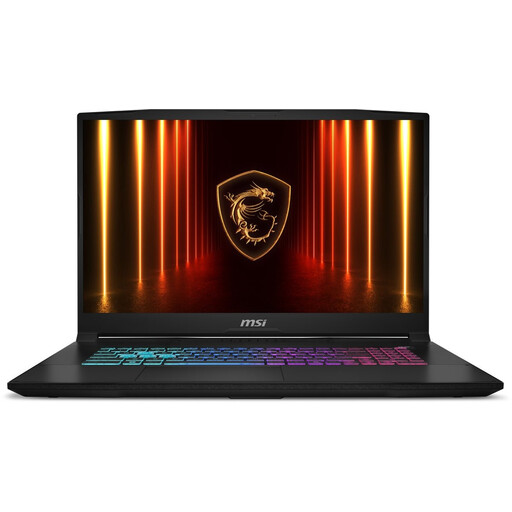
The 17,3-inch screen provides built-in workspace for text and references; check that the size suits the way you work.
QHD anti-glare IPS screen; 16 GB memory and 1000 GB SSD; Windows 11 Home; QWERTY keyboard.
 No image available
A Windows laptop with a 15,3-inch screen for people who want to view documents on one screen and prefer a smaller screen than 16 inches.
Ryzen 7 8840HS; 16 GB memory and 512 GB SSD; 1920 × 1200 anti-glare IPS screen with a 16:10 aspect ratio; Windows 11 Home and English QWERTY keyboard.
The charger must be purchased separately.
 No image available
A MacBook Air with macOS for people who want to stick with their existing Mac workflow and are looking for a 15,3-inch screen.
16 GB memory and 512 GB SSD; two Thunderbolt 4 ports; QWERTY keyboard.
No power adapter is included; the description specifies a USB-C adapter of 35 W or higher.
With Windows Snap, you can place two app windows side by side. Microsoft Support explains how to arrange your windows; then try your own documents at a readable text size.
You can work offline with some Google Drive files if you set up offline access and sync the files. Google warns that some apps don’t work offline; also check that your Chromebook has enough local storage.
Set up a backup and check that you can restore a file. If you enable it, Windows File History can back up files to an external drive or network location.
It depends on the purpose and the data. The Dutch Data Protection Authority explains that processing personal data requires a valid legal basis and appropriate security. It also distinguishes between use solely for personal or household purposes and publication for a wider audience. Buying a laptop does not, in itself, give you permission to record or publish interviews.