Laptops on Joybuy for writing with enlarged text
This Joybuy selection mainly features Windows laptops in different screen sizes, plus a MacBook Air for macOS users. Try the magnification settings you need and your writing app on the model you’re considering.
 No image available
MSI Venture 16 AI A2HMG-068NL
For a Windows workflow where you want to view your manuscript and sources side by side; check the magnification in your writing app.
16-inch screen, 1920 × 1200, 32 GB DDR5 RAM, 512 GB PCIe 4.0 SSD and Windows 11 Pro.
The product description says that the power adapter is not included.
Joybuy
 No image available
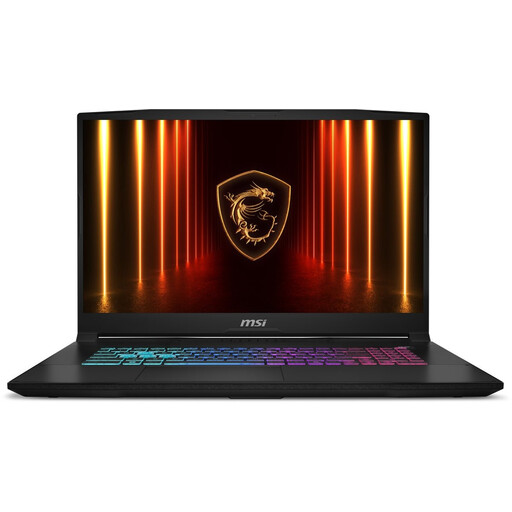
MSI Katana 17 HX B14WFK-021NL
One to compare if you’re looking for a laptop with a QWERTY keyboard; check the screen magnification and keyboard layout for your writing app and typing needs.
The product name specifies a QWERTY keyboard.
Joybuy
 No image available
ASUS Vivobook 17 X1704MA-AU153W
The 17.3-inch screen may be worth considering if you want room for sources while you write; try out your preferred magnification in your own setup.
17.3-inch screen, 8 GB RAM, 256 GB SSD and QWERTY keyboard. The Consumers’ Association says 8 GB is enough for light use and recommends considering 16 GB if you use several programmes at once.
Joybuy
 No image available
MSI Modern 14 F1MG-867NL
A 14-inch model to consider if portability matters to you; check that there’s still enough room for your manuscript and sources at your preferred magnification.
14-inch Full HD screen, 16 GB DDR4 RAM, 512 GB SSD and Windows 11 Home.
Joybuy
 No image available
Apple MacBook Air 15-inch M5 16 GB 512 GB
For anyone who wants to use macOS and is looking for a portable 15-inch model. Apple Support explains the built-in options for enlarging text and screen content.
15-inch screen, M5, 16 GB memory and 512 GB SSD.
The product description says that a USB-C power adapter is not included.
Joybuy
Frequently asked questions
Do I have to enlarge text across the whole operating system to read my manuscript in a larger size?
No. Microsoft Support explains that Windows offers several options, including text size, display scaling and Magnifier; Apple Support covers text and screen magnification on Mac. Word also has document zoom. Try different combinations to find one that keeps both your manuscript and your writing app’s controls easy to read.
Can I install the desktop version of Word on a Chromebook?
No. Microsoft Support says that the Windows and Mac desktop versions of Microsoft 365 cannot be installed on a Chromebook; Word is available on the web.
When does Word automatically save my novel?
Microsoft’s AutoSave feature in Microsoft 365 requires the file to be stored on OneDrive or SharePoint and an active subscription. Check in Word that the feature is turned on for your document, and make sure you also have a suitable backup routine.
Should I buy an extended warranty because the manufacturer’s warranty is about to expire?
Not automatically. According to the Government of the Netherlands, there is no fixed statutory warranty period in the Netherlands; your legal right to a product that meets reasonable expectations is separate from the length of the manufacturer’s warranty. Check what additional rights a plan actually gives you. If there’s a problem with a product, the seller should resolve it.
Can I return a laptop bought online if I find the text on screen uncomfortable to read?
When you buy online, you generally have a 14-day cooling-off period, according to the Government of the Netherlands, although distance-selling rules have some exceptions. Check the applicable terms before buying, and test the screen and writing app promptly.


