
Website builder working at a fixed desk
You mainly write and test code in one place and want to position your screen and input devices comfortably. Arboportaal emphasises the importance of a well-adjusted workstation.


You don’t necessarily need a powerful laptop for basic website building with a code editor and browser. If you use several programmes at once, 16 GB of RAM is worth considering. Then choose a model that suits your operating system, monitor and input devices, and only pay extra for portability or a screen design you’ll actually use.
You mainly write and test code in one place and want to position your screen and input devices comfortably. Arboportaal emphasises the importance of a well-adjusted workstation.
You keep several browser windows or programmes open alongside your editor, so RAM matters. Consumentenbond recommends considering 16 GB when using several programmes.
You move between your sit-stand desk and other workspaces. Screen size and how the laptop connects to your regular setup are both worth considering; Arboportaal recommends a well-adjusted workstation.
MDN lists a code editor, browser and local test server as the basic tools for simple web development. Consumentenbond recommends considering 16 GB of RAM when using several programmes. Start with your software and the tasks you run at the same time, then check whether the laptop suits your desk setup.
| What to consider | What to look for | Who should give this extra thought? |
|---|---|---|
| Website building and multitasking | Check that your editor is compatible with the operating system, and compare the RAM and upgrade options. | If I have my editor, browser and other programmes open at the same time, I want to keep working smoothly. Around 31% of consumers say multitasking is their main consideration. |
| Working at a sit-stand desk | Check the connection for your monitor and whether you can use a separate keyboard and mouse. | I want to position my screen and input devices comfortably when I change posture. Around 31% of consumers put their desk setup first. |
| Configuration and purchase price | Compare the complete configuration, including any connection accessories and peripherals you need. | For a small website, I don’t want to pay for capacity or accessories I don’t need. Around 23% of consumers focus mainly on the purchase price in relation to the features they need. |
| Taking it with you and reconnecting at your desk | Weigh up screen size and portability, and check the monitor connection and the conditions used to specify the battery life. | If I work in different places, I want to take my laptop with me and reconnect it to my usual screen at home. Around 15% of consumers make portability their top priority. |
A sit-stand desk alone won’t ensure that the built-in screen and keyboard are positioned comfortably for extended use.
Check which peripherals you already have and which connections the exact laptop model supports.
You may need extra equipment for your setup, such as a separate keyboard, mouse, stand, monitor or suitable adapter.
Lenovo states that the RAM in the IdeaPad Slim 3 14 with product number 82XN008RMH is soldered in.
Check upgrade options for the exact product number before choosing a configuration for long-term use.
ACM ConsuWijzer distinguishes between a voluntary warranty and your statutory rights against the seller if a product is faulty.
Check what any additional warranty covers and consider it separately from your statutory rights.
The IdeaPad Slim 3 is a Windows range worth considering if you’re looking for a conventional laptop for a fixed workstation. Compare each configuration separately.
The MacBook Air is a macOS option to consider if you’re weighing up a 13- or 15-inch laptop and connecting it to an external display.
The OmniBook X Flip 14 is a 2-in-1 range to consider if touch control or a folding design genuinely suits the way you work.
This selection includes Windows laptops for desk work and a compact MacBook option, with configurations suited to web work and connecting to a fixed workstation.
 No image available
A Windows option for website work and a fixed desk setup with an external display.
15.3-inch WUXGA display; Ryzen 7 8840HS; 16 GB DDR5 RAM; 512 GB PCIe 4.0 SSD; Radeon 780M; Wi-Fi 6; Windows 11 Home.
USB-C with DisplayPort and HDMI are listed. The product description states that the power adapter is sold separately.
 No image available
A compact macOS option if macOS suits your software and preferences, and you’ll also use the laptop away from your desk.
13-inch M5 configuration with 16 GB of RAM and 512 GB of storage. Apple lists two Thunderbolt 4 ports and support for an external display for this base configuration.
Check that your monitor, cable or dock is compatible with the connection you need.
 No image available
A Windows laptop to consider if you’re looking for a 14-inch model for desk work.
14-inch WUXGA display; Ryzen 7 processor; 16 GB of RAM; 512 GB of storage. USB-C with DisplayPort and HDMI are listed for this configuration.
Check the connections on your monitor and peripherals before setting up your workstation.
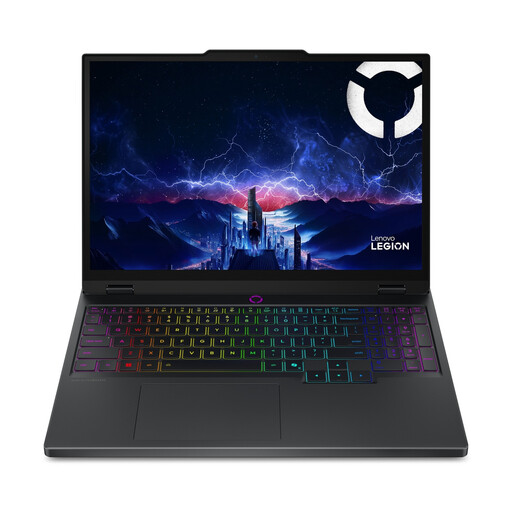 No image available
A gaming-focused Windows laptop with a larger built-in display. That positioning alone isn’t a reason to choose this model for basic website building.
15.1-inch WQXGA OLED display; Core Ultra 7 255HX; RTX 5060; 16 GB of RAM; 512 GB SSD. The product description states that the RAM can be upgraded to 32 GB.
The product description states that the charger is sold separately.
 No image available
A compact Windows option with connections suited to a desk setup with an external display.
14-inch WUXGA OLED display; Snapdragon X; 16 GB RAM; 512 GB SSD; USB-C with DisplayPort and HDMI. The product description states that the RAM is not upgradeable and is limited to 16 GB.
A compatible 65W USB-C Power Delivery charger is required and, according to the product description, is not included.
Not necessarily. MDN lists an editor and browser as the basic tools for simple web development. Choose a level of performance that suits the other programmes you use at the same time. Consumentenbond recommends considering 16 GB of RAM when using several programmes.
Position the screen and input devices comfortably, and change your posture regularly. Arboportaal explains that rules apply to employees who spend more than two hours a day working with a screen, including a requirement for the screen and keyboard not to be attached to each other. This requirement for employees does not necessarily mean the same legal obligation applies to every private buyer.
No. Check that the port on the exact laptop model supports video output, and check the input on your monitor. Apple lists DisplayPort support through the Thunderbolt 4 ports on the 13-inch MacBook Air M5 covered here; this does not confirm that every cable, dock or monitor is compatible.
According to ACM ConsuWijzer, online purchases generally come with a statutory cooling-off period of up to 14 days after delivery. The seller also has legal obligations if a product does not meet what you could reasonably expect during normal use; a manufacturer’s warranty does not replace these rights.