
Editor with lots of source footage
You want to know how to manage originals, working copies and exports without losing track of your files. Adobe and the Consumers’ Association provide information on workflows and choosing the right setup.


Start by working out how much space you need for your original files, working copies and exports. For demanding 4K editing, extra memory and processing capacity may be relevant, but the right configuration depends on your files and editing software. Adobe describes proxy files as lighter copies you can edit with, while the originals are still needed for full-resolution output. Then choose between a portable laptop and a larger screen, with the connections you use.
You want to know how to manage originals, working copies and exports without losing track of your files. Adobe and the Consumers’ Association provide information on workflows and choosing the right setup.
You might be editing 4K footage or more complex timelines and want to match your setup to your editing software. The Consumers’ Association outlines guidelines for demanding use, but the right choice depends on your workflow.
Your main considerations are portability, screen size and connections for your camera or external storage. Apple and Lenovo list different screen sizes and connections across their product ranges and configurations.
First, add up the space your files will need. Then compare the editing setup, screen and connections with the way you work.
| What to consider | What to look for | Who is this important for? |
|---|---|---|
| Space for source files | Work out how much space you need for originals, working copies and exports. Check the SSD capacity and connections for external storage. | I want to keep my source footage and exports without losing track of them; consumers who put storage first account for around 36%. |
| Editing performance | Check the resolution, codec and software requirements, then compare them with the memory and overall processor and graphics configuration. The Consumers’ Association gives 32 GB of memory as a guideline for demanding use such as 4K editing, not as a universal requirement. | If I’m editing 4K footage or a complex timeline, I want to match the setup to my software; consumers who prioritise performance account for around 29%. |
| Screen and image review | Compare screen size and the specifications of the exact configuration. Also check whether you want to connect an external screen; a screen specification alone does not tell you everything about the display on an individual device. | I want a screen that suits my workspace for viewing the timeline and reviewing footage; around 21% of consumers prioritise the screen and image review. |
| Portability and connections | Check the size of the configuration and compare its ports and any card reader with your memory cards and external SSD. Connections vary by model. | If I want to edit on location, a portable laptop and suitable connections matter; consumers who prioritise mobility and convenient connections account for around 14%. |
Adobe describes proxy files as lighter copies you can edit with; keep the originals available for full-resolution output. The percentages are not measured market shares.
A large internal SSD is not, by itself, a plan for storing originals, working copies and exports. The space you need depends on your footage and workflow.
Work out in advance how much space your files and working files will need. Also check that the laptop has connections for the external storage you want to use.
You may need external storage for originals and working copies; the capacity required depends on your files.
Proxy files are lighter copies for editing; according to Adobe, you switch back to the originals for full-resolution output.
Keep the originals accessible and check that your project points to the right files before exporting.
Managing originals and editing copies takes extra storage space and time.
Configurations in the same product range can differ in memory, SSD, graphics, screen and ports. Lenovo lists regional configuration differences for the Yoga Pro 9 16IAH10, while ASUS has several P16 H7606 sub-models.
Compare the full model code and the specifications of the configuration you’re considering. Don’t assume the memory is upgradeable without checking for that model.
Notebookcheck.nl published the ranking mentioned here in December 2025. Its order was based on overall ratings, not video performance alone.
At most, use the list as a starting point, then check the exact configuration against your files, software and intended use.
Apple says the MacBook Air M5 comes in 13- and 15-inch configurations. The MacBook Pro is another range to compare if you’re looking for specific chip, memory and connection options.
The Yoga Pro 9 16IAH10 is a 16-inch range worth comparing if screen space, a card reader and connections are important to you.
The ProArt P16 H7606 is a Windows creator range to compare by full sub-model.
This selection includes laptops with larger screens for a spacious editing setup, as well as a compact MacBook Pro configuration. Check that each model’s specifications suit your files and editing software.
 No image available
The 18-inch configuration could suit an editing setup where you want a large built-in screen.
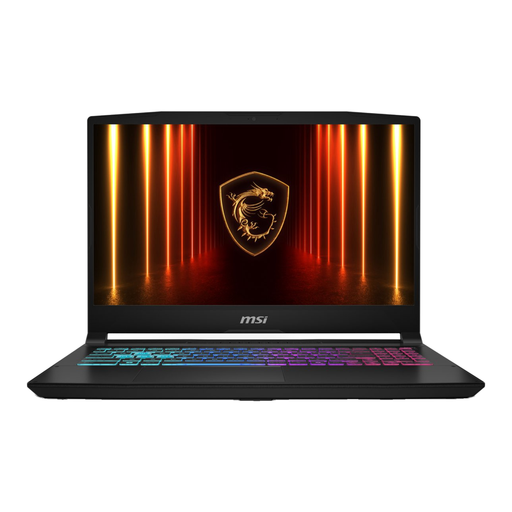
The product name lists a Ryzen 9 8940HX, RTX 5060, 16GB and 1TB SSD.
The power adapter must be purchased separately.
 No image available
This configuration could suit you if you want plenty of local storage and a large built-in screen for your editing setup.
The product name lists an 18-inch UHD+ screen, Intel Core Ultra 9 285HX, RTX 5090 24GB, 64GB DDR5 and a 6TB SSD.
The safety information specifies using the supplied MSI 400W adapter and keeping the ventilation openings clear.
 No image available
The 18-inch screen could suit you if you prefer more room on the built-in display.
The product name lists a Ryzen AI 7 350, RTX 5060 8GB GDDR7, 16GB DDR5, a 1TB SSD and an 18-inch WQXGA IPS screen.
 No image available
The 14-inch configuration could suit you if you want a more compact editing setup and would like to transfer footage using a built-in card reader.
The product name lists 24GB of memory and 1TB of storage. The product description mentions a 14.2-inch Liquid Retina XDR screen, three Thunderbolt 4 ports, HDMI and an SDXC card slot.
 No image available
The 16-inch screen could suit you if you want more room on the built-in display than a more compact laptop offers.
The product name lists 16G and a 1TB SSD. The description mentions a Ryzen 9 8940HX and a 16-inch QHD+ screen.
The power adapter must be purchased separately.
No. Large source files alone don’t automatically mean you need 32 GB. The Consumers’ Association recommends 32 GB as a guideline for demanding use such as 4K video editing, and 16 GB for creative work. Check the requirements of your own software and workflow.
With a proxy workflow, you edit using lighter copies; according to Adobe, you switch back to the originals for the final full-resolution output. So plan where you’ll store both your originals and working copies.
According to ACM ConsuWijzer, there is no fixed legal warranty period of exactly two years. Your protection depends, among other things, on what you could reasonably expect from the product under normal use. If a product is faulty, contact the seller.
For a standard online consumer purchase, you generally have a 14-day cooling-off period from delivery. ACM ConsuWijzer lists some exceptions, so check the terms if you place a special or personalised order.
You’ll need to consider the relevant privacy rules and copyright. The Dutch Data Protection Authority explains that the exception for personal or household use does not apply when you share footage more widely in public. According to the Dutch Government, you need the creator’s permission to make copyright-protected music available to the public.