Joybuy products for writing on the go
This selection includes compact laptops for travel, with models running Windows or macOS. Compare the screen size, keyboard layout and exact configuration with your writing needs and train journey.
 No image available
HP OmniBook 7 AeroNGAI 13-bg1051nd NL Copilot+ 13.3" AMD Ryzen AI 5
The 13.3-inch size is worth comparing if you want a compact laptop to take with you and type on from a train seat.
The product name lists a 13.3-inch screen and AMD Ryzen AI 5.
Joybuy
 No image available
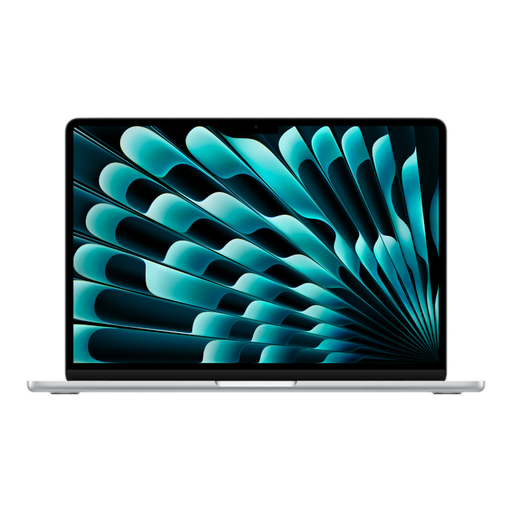
Apple MacBook Air 13-inch M5 16GB 512GB - Silver - QWERTY Keyboard
This configuration is worth comparing if you want more memory or storage for work beyond writing and are looking for a compact 13-inch model.
The product name lists M5, 16 GB of memory, 512 GB of storage and a QWERTY keyboard.
Joybuy
 No image available
Apple MacBook Neo 13-inch A18 Pro 8GB 256GB - Citrus - QWERTY Keyboard
If you mainly want to write and read documents, compare this compact base model with the amount of memory and storage your files require.
The product name lists A18 Pro, 8 GB of memory, 256 GB of storage and a QWERTY keyboard. This configuration requires a 20 W or higher USB-C power adapter, which is sold separately.
Joybuy
 No image available
HP OmniBook 5 Flip 14-fp0075nd C5VM5EA#ABH
This 14-inch model is worth considering if you’re weighing up a larger screen against the space available at your train seat.
The product name lists a 14-inch Flip model. The charger isn’t included; the product information says a compatible USB-C Power Delivery charger of at least 45 W is required.
Joybuy
 No image available
Microsoft Surface Laptop 7 - 13.8" - Snapdragon X Plus - 16 GB - 512 GB
Compare this model if you want to take a Windows laptop with you and a 13.8-inch screen suits the way you write.
The product name lists Snapdragon X Plus, 16 GB of memory and 512 GB of storage.
Joybuy
Frequently asked questions
Can I write seminar questions on the train without Wi-Fi?
Yes, as long as your writing app and the files you need are available offline. Google Docs Help explains how to turn on offline access and make documents available; Microsoft Support explains how to work with files saved locally or opened online beforehand.
Can I rely on there being a plug socket on the train?
Not without checking your specific journey. NS says that Wi-Fi and plug sockets on Sprinter trains vary by train type and route, and directs passengers to the NS app or train information for journey details.
What should I check before taking my laptop with me?
Check that the software you need works, that the keyboard layout is right for you and that your writing files are available offline. Before you set off, test that you can open, edit and save those files without an internet connection.
Do I need to buy extra cover when ordering a laptop in the Netherlands?
You don’t need extra cover to benefit from your statutory guarantee: according to the Dutch government, the seller must provide a solution if a product is faulty. The Dutch government says extra cover is only worthwhile if its terms give you more rights than you already have.
Do I have a cooling-off period when buying online?
For eligible distance purchases, the Dutch government says there is often a 14-day cooling-off period. Check the terms of the specific purchase; this doesn’t automatically apply to every transaction.


