
Collaborative guide editor
Writes the guide with other reviewers and incorporates their comments and changes. Microsoft Support explains the differences between Word for the web and desktop Word.


First, choose between Word for the web and desktop Word. According to Microsoft Support, the web version has fewer features for tracked changes, while desktop Word is the better fit if you need those extra features. Then compare the exact laptop configuration for its screen, keyboard and portability, and check that it includes the right Word licence and a suitable charger.
Writes the guide with other reviewers and incorporates their comments and changes. Microsoft Support explains the differences between Word for the web and desktop Word.
Works on text and revisions over an extended period, so wants to compare screen space, keyboard layout and the exact laptop configuration.
Takes their laptop to different places and weighs up screen space against portability. Microsoft Support explains how to work offline under certain conditions.
Best if: you need Word's desktop features for extensive revisions. Microsoft Support explains the differences between the web and desktop versions.
Consider: check that the Word licence you need is available, and confirm the screen and charger configuration you’re buying.
Best if: you want to use macOS and need desktop Word; check the software and licence requirements in advance.
Consider: compare the screen size of the configuration you’ve chosen with the space you need for text and revisions.
Best if: you mainly work online and Word for the web has all the revision features you need. Microsoft Support says the Windows and Mac desktop versions of Office can’t be installed on a Chromebook.
Consider: you can’t install desktop Word on a Chromebook, and the web version has fewer features for tracked changes.
| What to consider | What to look for when buying | Who is this important for? |
|---|---|---|
| Making revisions | Test the revision actions and formatting you need with a representative document. Check whether you need desktop Word and can use it; Microsoft Support explains the differences from Word for the web. | If I need to incorporate changes from several reviewers, I want to know in advance whether Word supports the revision actions I need. Around 33% of consumers rank reliable revision features above other buying concerns. |
| Comfortable reading and typing | Compare the screen size, resolution and keyboard layout of the exact configuration; try the keyboard if possible. | For long writing sessions, I want to be able to read text and changes and type comfortably. Around 27% of consumers prioritise reading and typing comfort. |
| Portability and working offline | Compare screen size and weight, and check in advance whether your own files are available in the app you’ve chosen when you’re offline. | If I work in different places, I want to take my files with me and open them when there’s no internet connection. Around 20% of consumers prioritise portability and access to documents. |
| Software and accessories | Check the Word licence, what’s included in the box and the charging equipment required for the exact configuration. | If I want to understand the total cost, I need to know whether I’ll have to buy the software or charger separately. Around 20% of consumers make total costs and aftercare their main concern. |
Word for the web supports tracked changes, but Microsoft Support explains that it has fewer features than desktop Word. You can’t install the Windows or Mac desktop version of Office on a Chromebook.
Before choosing an operating system, test the revision actions you need with a sample document.
If the features you need aren’t available, you may need a different laptop or a suitable desktop Word licence.
Some configurations don’t include an adapter, so the box may not contain everything you need to charge the laptop.
Before ordering, check what’s in the box and the charging requirements for the exact configuration.
If a suitable adapter isn’t included, you’ll need to buy one separately.
Lenovo warns that configurations of the IdeaPad Slim 3 14AHP10 may vary by model and region.
Compare the full model name and the specifications of the specific configuration, not just the product family name.
HP offers, among other options, 14-inch OmniBook configurations and ProBook models. Compare the specific configuration for its screen, memory, operating system and adapter.
The MacBook Air is a macOS option if you’re considering Word for Mac.
The IdeaPad Slim 3 14AHP10 is a 14-inch Windows product line to compare with other laptops for writing.
These options suit the Windows or macOS route with desktop Word. For each configuration, check the operating system version, the Word licence you need and whether a suitable charger is included.
 Image unavailable
An option for anyone looking for an HP configuration for the Windows route with desktop Word; check the Windows version and Word licence in advance.
According to the product information, a compatible USB-C charger isn’t included.
 Image unavailable
This Windows 11 Home configuration suits anyone looking for a Windows laptop for desktop Word; check which Word licence you need for your intended use.
According to the product information, no charger is included.
 Image unavailable
A macOS option if you want to use desktop Word for Mac; check which Word licence you’ll need before buying.
The product name specifies a 15-inch configuration with an M5 chip, 16GB of memory and 512GB of storage.
 Image unavailable
An option for anyone looking for a Lenovo laptop for the Windows route with desktop Word; check the operating system version of this configuration and the Word licence you need.
According to the product information, the power adapter isn’t included.
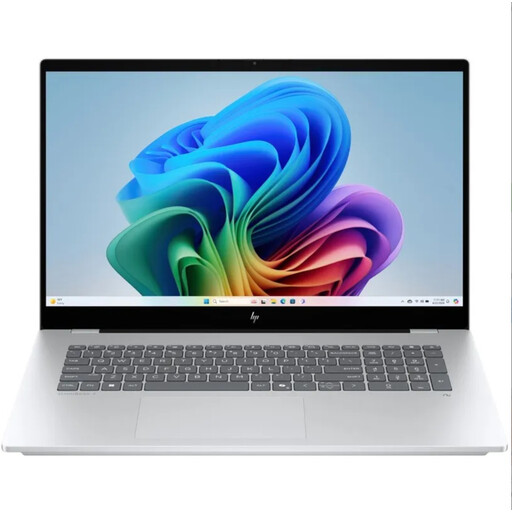 Image unavailable
This configuration is included for anyone looking for a Windows laptop for desktop Word. Before buying, check the screen size and operating system version of the specific configuration.
Yes, Word for the web supports tracked changes. Microsoft Support explains that its features are more limited than those in desktop Word, so test the actions your guide requires before relying on the web version alone.
No, the Windows or Mac desktop version of Microsoft 365 or Office can’t be installed on a Chromebook. Microsoft Support directs Chromebook users to the web apps.
Make sure the documents you need are available offline in advance, and check that your chosen app can open them without a connection. Microsoft Support explains that offline work is possible under specific conditions; don’t assume every app and storage location works in the same way.
For individuals buying a new, similar device, the Dutch government describes a free take-back scheme, including for online purchases. These terms for individuals don’t apply to business equipment.
EU rules for the laptop categories concerned have applied since 28 April 2026. This doesn’t mean that every second-hand laptop on sale, or every model brought to market earlier, has a USB-C charging port; check the charging details for the specific configuration.