If you mainly edit text, choose a compact laptop that fits on your desk. For page layout and print work, you’ll also need to consider how clearly you can see the page, software compatibility and PDF output. Compare the dimensions of the laptop, screen and ports with your workspace and workflow: a smaller screen saves space, but may mean you need to zoom in or switch between windows more often.
Who is this buying guide for?
Theatre programme designer
You arrange text and images on pages and may need to supply a print-ready PDF. As well as size, consider your layout software, the screen space available and the printer’s requirements. Adobe’s guidance for InDesign includes checking links, fonts and bleed when creating a print-ready PDF.
Text editor with a small desk
You mainly proofread text, names and running order, and want to leave room for printed proofs. A compact laptop could be a good fit, provided the screen remains comfortable to read when you’re working with your documents.
Editor working in different locations
You take the programme to rehearsals or meetings and want to be able to edit and check it there. Compare the dimensions, weight, power supply and ports you’ll actually use.
What should you look for?
First, decide whether you’ll mainly be editing text or also laying out pages for print. Then measure your workspace and check that the software and ports you need suit the way you work.
| What to consider |
What should you check? |
Who is this most important for? |
| Desk space and readability |
Measure the available width and depth, leaving room for your hands and cables. Compare the dimensions of the laptop and screen on the exact model. |
If I’m laying out pages on a small desk, I want to leave enough room without making the text impractically small. Around 36% of consumers say desk space and readability are their main concerns when buying. |
| Software and print work |
Check the required software version, plug-ins and the printer’s PDF requirements. For the relevant InDesign versions on Windows, Adobe specifies a minimum of 8 GB RAM and recommends 16 GB. |
If you need to use existing layout software and produce a print-ready PDF, you’ll want to know in advance whether the software and export settings are suitable. For around 29% of consumers, compatibility is their main concern when buying. |
| Portability and connections |
Compare the weight, power supply and ports on the exact model with your equipment. Check whether you’ll need an adapter for your monitor or other peripherals. |
If you take your laptop to rehearsals or meetings, you’ll want to work on the go without overlooking the connections you need. Around 21% of consumers prioritise portability and ports. |
| Equipment and workflow |
Check what power supply is included and whether the software and connections you need suit the way you work. |
I want to know in advance whether the laptop will fit straight into my workflow with the software and tools I need. Around 14% of consumers say these requirements are their main concern when buying. |
Common pitfalls
-
Choosing based on screen size alone
The screen size doesn’t tell you how much desk space the open laptop and its cables will take up.
Measure your available work surface and compare it with the dimensions and ports of the exact model.
-
Assuming every Windows laptop runs the same layout software
A laptop with an ARM processor needs a separate compatibility check; Adobe lists Windows ARM separately from the other InDesign system requirements.
Before buying, check the required app version, plug-ins and export workflow for the specific device.
-
Confusing a PDF for sharing with a print-ready PDF
Exporting a document as a PDF isn’t the same as meeting a printer’s requirements.
Ask the printer for their specifications and check the exported PDF against them. Adobe’s InDesign print workflow includes checks for links, fonts and bleed.
-
Assuming a manufacturer’s warranty covers all your rights
Your consumer protection rights may differ if you mainly use the laptop for business.
Check who the seller is, whose name the purchase is under and whether you’ll use the laptop mainly for personal or business purposes. ACM ConsuWijzer explains the difference.
Brands to compare
Apple
The 13-inch MacBook Air with M5 is a macOS option if a compact design and portability are important to you.
- For the 13-inch model, Apple lists a chassis measuring 30,41 × 21,5 cm, a weight of 1,23 kg, a 13,6-inch screen and two Thunderbolt 4 ports.
- Check that your layout software and peripherals work with macOS and that the ports meet your needs.
ASUS
The Zenbook 14 OLED UX3405CA is a 14-inch Windows option. The Zenbook A14 UX3407QA is a separate Snapdragon option that needs extra software checks.
- For the Zenbook 14 configuration reviewed, ASUS lists an Intel Core Ultra 7 255H, 32 GB of memory and a 14-inch WUXGA OLED screen.
- The screen mentioned is glossy. Don’t assume specifications based on the series name alone: the A14 has an ARM processor, so you’ll need to check that it suits your specific software workflow.
Lenovo
The Yoga Slim 7 Gen 10 (14-inch, AMD) is a 14-inch Windows option to compare for page layout work.
- For model 83JYCTO1WWNL1, Lenovo lists 16 GB of soldered memory, a 512 GB SSD and a glossy 1920 × 1200 OLED screen.
- Other configurations in the same series may have different specifications, so check the exact model.
Dell
The Dell 14 Plus is a 14-inch Windows option to compare if you’re looking for a non-glossy screen.
- Dell describes the models shown as having a 14-inch anti-glare QHD+ screen.
- The product page lists several configurations, so check the specifications of the exact model.
HP
The OmniBook range includes a choice of 14-inch Windows laptops to compare by size and configuration.
- HP describes several OmniBook series with a range of screen and processor options.
- Compare the specifications of the individual model you’re considering; a series page doesn’t describe one complete configuration.
Laptops at Joybuy
This selection includes compact 13-inch laptops and 14-inch laptops to compare for text editing and page layout work on a small desk.
 No image available
HP OmniBook 7 Aero 13-bg1051nd
A compact model to compare if you work on a small surface.
13,3-inch IPS screen with 1920 × 1080 pixels; Windows 11; AMD Ryzen AI 5; 16 GB memory; 512 GB SSD; dimensions 29,73 × 21,12 cm; weight 1,46 kg.
View at Joybuy
 No image available
HP OmniBook 5 Flip 14-fp0075nd C5VM5EA#ABH
A 14-inch option for viewing and editing pages on your laptop screen.
Intel Core 7 150U; Windows 11 Home; 16 GB memory; 512 GB SSD; 14-inch touchscreen with 1920 × 1200 pixels. A compatible USB-C charger is not included.
View at Joybuy
 No image available
Apple MacBook Air 13-inch M5, 16 GB/512 GB, Midnight, QWERTY
A compact macOS option if the software and files you use are compatible with macOS.
13,6-inch display with 2560 × 1664 pixels; 16 GB memory; 512 GB SSD; two Thunderbolt 4 ports; dimensions 30,41 × 21,50 cm; weight 1,23 kg.
View at Joybuy
 No image available
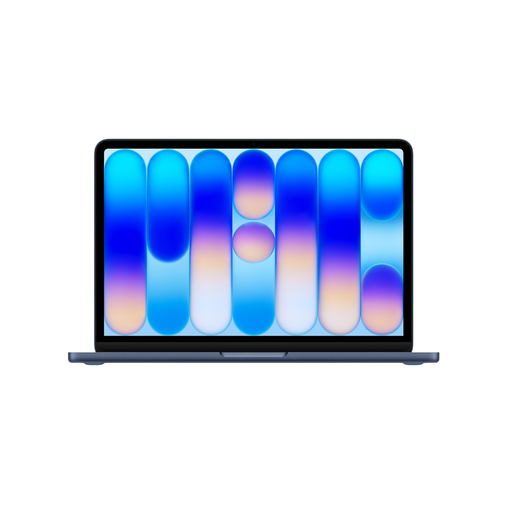
Apple MacBook Neo 13-inch A18 Pro, 8 GB/256 GB, Indigo (2026), QWERTY
A 13-inch macOS option to consider for text work, provided the required software works on this model.
13-inch screen with 2408 × 1506 pixels; A18 Pro chip; 8 GB memory; 256 GB SSD. A USB-C power adapter of at least 20 W is required and is not included.
View at Joybuy
 No image available
Apple MacBook Neo 13-inch A18 Pro, 8 GB/512 GB, Citrus (2026), QWERTY
A 13-inch macOS option to compare if a smaller screen suits the way you work.
13-inch screen with 2408 × 1506 pixels; A18 Pro chip; 8 GB memory; 512 GB SSD. A USB-C power adapter of at least 20 W is required and is not included.
View at Joybuy
Frequently asked questions
Do I need a laptop for graphic design to create a theatre programme?
Not if you mainly edit text: Microsoft Word can export a document as a PDF. If the printer requires a print-ready PDF with bleed, checked fonts or specific colour settings, check the layout software you’ll use and the printer’s requirements. Adobe explains these checks for InDesign.
What should I check before connecting an external printer or monitor?
Compare the ports on the exact laptop with the connections on your equipment, and check whether you’ll need an adapter. The ASUS Zenbook 14 OLED UX3405CA specifications list Thunderbolt 4, USB-A and HDMI; Apple lists two Thunderbolt 4 ports for the 13-inch MacBook Air.
How can I avoid mistakes in the final print-ready PDF?
Before exporting, check that images and fonts are available and that bleed and margins are set correctly. Use the PDF settings and any colour settings specified by your printer; Adobe’s instructions describe a print workflow in InDesign.
How long do I have to change my mind, and what if the laptop is faulty?
For a purchase covered by Dutch rules on online consumer sales, ACM ConsuWijzer says you generally have 14 days from delivery to change your mind. If a product is faulty, you can claim your statutory guarantee from the seller; this isn’t automatically limited to any stated manufacturer’s warranty. If you’re buying mainly for business use, don’t assume that the same consumer protection applies.


