
Layout editor
Creates or revises page layouts, possibly in InDesign, and works with images and multiple documents. Check the requirements of your software and how much screen space you need.


Start with the software you’ll use to create the programme booklet and the equipment available at the shared desk. Then choose your screen size and configuration. For the InDesign versions reviewed, Adobe recommends 16 GB RAM, but this isn’t a universal requirement for every editorial task. A compact screen is useful if you often move between workspaces, while a suitable external set-up may matter more for extended layout work.
Creates or revises page layouts, possibly in InDesign, and works with images and multiple documents. Check the requirements of your software and how much screen space you need.
Moves between workspaces and wants to connect their laptop to the monitor and input devices available at each desk. For employees who work at a screen for more than two hours a day, Arboportaal sets out requirements for the workplace.
Takes their laptop between locations, so pays attention to its size and the connections needed at each destination.
First, decide which software you’ll use, what equipment is available at the shared desk and whether you often work without an external monitor.
| What to consider | What should you check? | Who is this important for? |
|---|---|---|
| Layout software and memory | Check the software requirements and RAM in the exact configuration. For the InDesign versions reviewed, Adobe lists 8 GB as the minimum and 16 GB as the recommendation. | If I’m laying out pages and have several documents open at once, I want to follow the requirements of the software I use. Around 33% of consumers put having enough space for layout work first. |
| Connecting to the shared desk | Compare the laptop’s ports with the monitor, cables and input devices at the desk. For employees who work at a screen for more than two hours a day, Arboportaal outlines requirements around being able to use a separate monitor or keyboard. | Anyone who often revises work at the same shared desk will want to know whether their laptop connects to the equipment there. Around 27% of consumers put the shared workspace first. |
| Taking it between locations | Compare the screen size and connections with the way you work across different locations. Treat a manufacturer’s battery-life figure as an estimate for the stated conditions of use, not as a guaranteed working time. | If I move between the rehearsal room and my desk, I want a laptop that’s easy to use in different places. Around 20% of consumers put portability first. |
| Preparing files for print | Agree on PDF and printer requirements, and check linked images and output files. Adobe describes a package feature in InDesign that can collect linked images. | Anyone handing a programme booklet over to a printer or colleague will mainly want to check that the files meet the agreed output requirements. Around 20% of consumers put reliable file handover first. |
Memory, screen coverage and keyboard layout can also matter for editing and layout work. Lenovo lists these features for the ThinkPad E14 Gen 7 21T9001TMH configuration.
Compare the full configuration with your software, document work and preferred keyboard layout.
The MacBook Air reviewed has Thunderbolt 4 ports; the connections at your desk may be different.
Before choosing, compare the ports on the exact laptop with the cables and equipment available.
The Lenovo configuration reviewed has a stated colour coverage of 45% NTSC. For InDesign, Adobe also describes features for checking output and linked files.
Agree colour and PDF requirements with the printer, and check the output file rather than relying only on what you see on screen.
A compact macOS option for anyone who moves between workspaces and uses software and peripherals that work with macOS.
The ThinkPad E14 Gen 7 21T9001TMH is a Windows option with a matt 14-inch screen for desk-based work.
The Dell 14 is a configurable Windows laptop for anyone who wants to tailor the specification.
The Dutch listing for the ProBook 4 G2i includes a 16-inch configuration for anyone looking for more built-in screen space.
This selection focuses on laptops with larger built-in screens for layout and revisions at a desk. For each model, check that the software, connections and other specifications suit your work.
 No image available
Could suit you if you’re looking for a 16-inch screen for desk-based work and the listed connections match your equipment.
The Joybuy product listing specifies a WUXGA screen with 100% sRGB, plus HDMI and USB-C connections. The product name lists 16 GB RAM and a 1 TB SSD.
 No image available
One to compare if you need a built-in 16-inch screen and the connections listed for your desk set-up.
The Joybuy product listing specifies a 240 Hz QHD+ OLED screen with 100% DCI-P3, plus Thunderbolt 4 and HDMI 2.1 connections. The listed configuration has 32 GB DDR5 and a 1 TB SSD.
 No image available
Could be worth considering if you’re looking for a built-in 16-inch screen and the connections are compatible with the shared workspace.
The Joybuy product listing specifies a 240 Hz QHD screen, plus USB-C, HDMI and Mini DisplayPort connections. The listed configuration has 16 GB RAM and a 1 TB SSD.
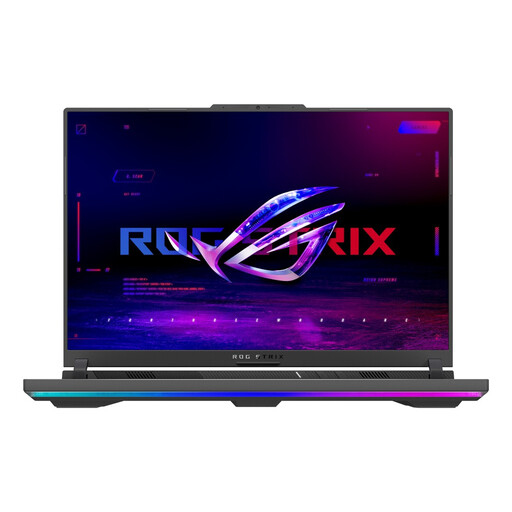 No image available
One to consider if you want to review pages on a built-in 16-inch screen and the configuration suits your software.
The Joybuy product listing specifies a screen resolution of 1920 × 1200, a 16:10 aspect ratio and 165 Hz. The listed configuration has 16 GB RAM and a 1 TB SSD.
 No image available
Could suit you if you want a larger built-in screen and the listed connections are compatible with your workspace.
The Joybuy product listing specifies a 15.3-inch IPS screen with a resolution of 1920 × 1200, a 16:10 aspect ratio and 100% sRGB, plus USB-C and HDMI. The listed configuration has 16 GB RAM and a 512 GB SSD. The power adapter isn’t included and must be purchased separately.
No. The configuration you need depends on the software and files you use. For the InDesign versions reviewed, Adobe lists 8 GB RAM as the minimum and 16 GB as the recommendation. Check the system requirements for any other applications you use.
Where appropriate, use InDesign’s package and preflight features to check linked images and collect the required output files. Agree on PDF and printer requirements separately with the printer.
For employees who work at a screen for more than two hours a day, Arboportaal states that laptop users must be able to use a separate monitor or keyboard. The employer assesses which workplace requirements apply; this doesn’t necessarily apply to every volunteer or short editing session.
In the Netherlands, consumer purchases are covered by a legal guarantee in addition to any manufacturer’s warranty. ACM ConsuWijzer explains that the seller must fix a fault covered by the legal guarantee free of charge, for example by repairing or replacing the product. The circumstances of the purchase and the fault determine what applies.