What should you look for when buying?
Start with the keyboard and screen you’ll use for writing. Then compare the laptop’s size with the space available and check how you can keep working without reliable power or a connection.
| What to consider |
What should you check before buying? |
Who is this important for? |
| Editing lengthy documents |
Try out the keyboard layout and check whether the screen gives you enough room to read minutes and attachments. Screen size alone doesn’t tell you how comfortable the layout will be for you. |
If I do a lot of rewriting while travelling, I want to type comfortably and see the text clearly. Typing comfort and readability come first for around 31% of consumers. |
| Portability |
Compare the weight and dimensions of the exact model, and consider whether you’ll have a table at your seat. |
If I carry my laptop around often and work in a confined space, I consider both its weight and how practical it is to use. Portability is the main priority for around 25% of consumers. |
| Working without power or Wi-Fi |
Check the test conditions behind any battery-life claim, and make the files you need available locally in advance if your organisation permits it. NS says that charging on the train isn’t always possible; Wi-Fi is available on almost all, but not all, Intercity trains. |
If I don’t want to rely on a power socket or connection while travelling, I want to know in advance how I can carry on working locally. Being able to work independently without power or Wi-Fi is the main priority for around 25% of consumers. |
| Confidentiality |
Ask what rules apply to device security, accounts and storage. Also consider whether other passengers can see your screen from your seat; a privacy feature doesn’t replace your organisation’s policies. |
If my minutes contain confidential information, I want to be able to edit them in line with my organisation’s security policies. Confidentiality is the main priority for around 19% of consumers. |
Joybuy products for taking minutes on the train
These laptops with keyboards are suited to editing minutes and documents on the go. Compare the size, keyboard and practical details of the model you choose.
 No image available
HP OmniBook 7 AeroNGAI 13-bg1051nd NL Copilot+ laptop
The 13.3-inch model with backlit keyboard is worth considering for typing and working from a train seat.
AMD Ryzen AI 5, 16 GB memory, 512 GB SSD and a weight of 1.46 kg.
View at Joybuy
 No image available
Apple MacBook Air 13-inch M5, 16 GB, 512 GB, Sky Blue, QWERTY
The QWERTY model is worth considering if macOS is compatible with your work software and your organisation’s systems.
13.6-inch screen and a weight of 1.23 kg.
View at Joybuy
 No image available
Apple MacBook Neo 13-inch A18 Pro, 8 GB, 512 GB, Citrus, QWERTY
This 13-inch laptop with a QWERTY keyboard is a compact option to compare with other models for writing on the go.
8 GB memory and 512 GB storage. USB-C power adapter not included.
View at Joybuy
 No image available
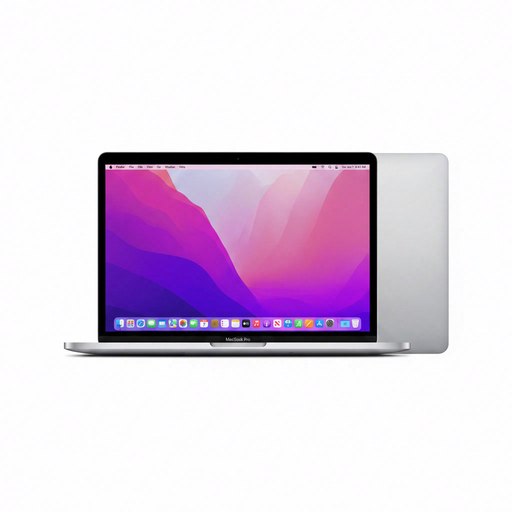
Apple MacBook Pro 13-inch M2, 24 GB, 256 GB, Space Gray, QWERTY
This QWERTY model is an option if you want to edit minutes on a laptop and your required software runs on macOS.
13.3-inch Retina screen and a weight of 1.4 kg.
View at Joybuy
 No image available
HP OmniBook 5 Flip 14-fp0075nd C5VM5EA#ABH
The 14-inch touchscreen and QWERTY keyboard are features to consider when choosing a laptop for taking minutes on the go.
Glossy OLED screen and a weight of 1.62 kg. A charger isn’t included and must be bought separately; the glossy screen may reflect light.
View at Joybuy
Frequently asked questions
Can I edit minutes if there’s no Wi-Fi on the train?
Yes, if your app supports offline editing and the files you need are available locally in advance. Microsoft distinguishes between online-only and locally available files in OneDrive. Check with your organisation before storing work documents locally.
Should I expect to find a power socket while travelling?
No, don’t assume you’ll be able to charge your laptop on the go. NS says this isn’t always possible. Compare battery-life claims based on the activity specified in the test, and check whether the charger you need is included before buying.
How can I work with minutes containing personal data in a shared carriage?
Follow your organisation’s security and access policies, and consider whether other passengers can see your screen. The Dutch Data Protection Authority requires organisations to protect personal data appropriately; it doesn’t prescribe a particular laptop model.
What warranty applies to a consumer purchase in the Netherlands?
In addition to any manufacturer’s warranty, you have statutory consumer rights. If a product is faulty, the retailer must offer a solution under the applicable conditions. According to ACM ConsuWijzer, these rights don’t have a fixed limit of just two years.
Can I return a laptop ordered online if I don’t like the keyboard?
For an eligible online consumer purchase from a business, you generally have 14 days to change your mind, according to the Dutch government. Check the terms for your purchase; this doesn’t automatically apply to business purchases and doesn’t tell you anything about a specific retailer’s returns policy.


