
Students who write at the same desk for long periods
You write and edit your proposal in your room, switching between your text and reference materials. So pay attention to screen space, keyboard layout and the configuration of the exact model.


First, check which software and file formats your course requires for your project proposal; some course applications aren’t available through Utrecht University’s software environment. Then choose a screen, keyboard and configuration that suit how long and where you write. For each version, check details such as the keyboard layout and whether a charger is included.
You write and edit your proposal in your room, switching between your text and reference materials. So pay attention to screen space, keyboard layout and the configuration of the exact model.
You may use course software as well as word-processing tools. Check the requirements of your own course before choosing an operating system; Utrecht University says some course software isn’t available through SolisWorkspace.
You write in your room and elsewhere. Weigh the screen space you get from a built-in display against the laptop’s size, and check the stated battery life and the conditions it’s based on.
Choose this option if: your course requires Windows software or you need to install programmes locally, after checking the requirements.
Bear in mind: specifications can vary between versions; some models have fixed memory or don’t include a charger.
Consider this option if: you mainly work in a browser and Google Docs, and your course doesn’t require incompatible software installed locally.
Bear in mind: not every app works offline; make any Google Drive files you need available offline in advance.
Consider this option if: the software you need works on macOS and you’ll also use the laptop outside your room.
Bear in mind: check software compatibility, the connections you need and which power adapter comes with the version you choose.
| What to consider | What to check before buying | Who is this important for? |
|---|---|---|
| Writing comfort | Compare the screen size, resolution, screen finish and keyboard layout of the exact version. | If I write for long periods and want to view references alongside my text, I focus on the screen and keyboard. Around 33% of consumers give writing comfort the highest priority. |
| Study software | Ask which applications and file formats your course requires; also check whether they work offline. | If my course requires specific software, I want to know before buying whether it works on the laptop. Around 25% of consumers put software compatibility first. |
| Configuration and extras | Compare the memory, storage, upgrade options and box contents for the same version. | With a limited budget, I don’t want to pay for capacity I don’t need or have to arrange a necessary charger afterwards. Around 25% of consumers put keeping costs under control first. |
| Portability | Check the size, weight and connections; compare the battery life with how you’ll use the laptop and the stated test conditions. | If I also write on campus, I want a laptop that’s practical to carry without giving up more screen space than necessary. Around 17% of consumers give portability the highest priority. |
Features can vary between versions. For example, the IdeaPad version described by Lenovo has soldered memory.
Compare the full model or product number with the screen specifications, memory, storage and keyboard layout of the version you want to buy.
The Acer Aspire Go version we looked at doesn’t include a charger. HP says the adapter for the OmniBook Flip version we looked at is sold separately.
Check what’s in the box and which charging equipment comes with the exact version.
You may need to arrange a suitable charger separately for some versions.
Some course software needs to be installed locally, and not every app works offline.
Check your course’s software requirements and make any files you need available offline in advance if you want to write without an internet connection.
The IdeaPad Slim 3 Gen 8 14-inch, version 82XN008RMH, is a compact Windows option. Lenovo lists an anti-glare Full HD IPS display, 16 GB of memory and a 512 GB SSD for this model.
Acer offers, among other options, a 15.6-inch Windows version, the Aspire Go 15 AG15-72P NX.JRREH.015, and a Chromebook Plus 514 CB514-4HT NX.KV1EH.002. The Chromebook version mentioned has a 14-inch touchscreen and 8 GB of memory.
According to HP Netherlands, the HP OmniBook 5 Flip 14-fp0605ndx is a 14-inch Windows 11 version with a touchscreen, 16 GB of memory and a 512 GB SSD.
The 13-inch MacBook Air with M5 is a macOS option if your course software works on it. Apple Netherlands lists 16 GB of memory and 512 GB of storage for the base configuration mentioned.
This selection includes Windows laptops and a MacBook for writing and consulting reference materials. If you’re considering the MacBook, check in advance that the course software you need works on macOS.
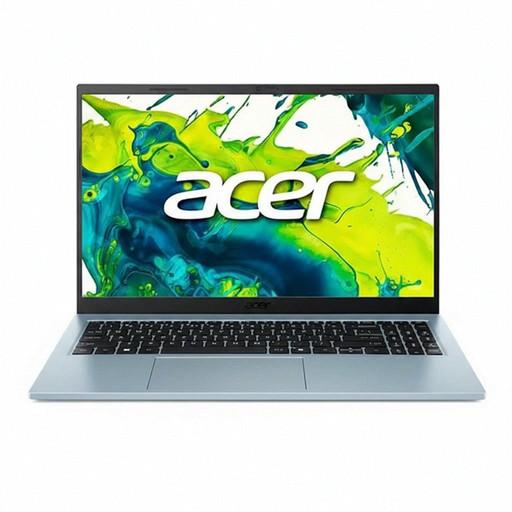 No image available
The 15.6-inch screen may suit you if you mainly want to view text and reference materials at a desk. This version has a Core 5 120U, 8 GB of memory, a 512 GB SSD and a QWERTY keyboard.
 No image available
A 14-inch version for anyone who wants to refer to online sources alongside documents while writing; the product listing specifies a QWERTY keyboard.
 No image available
The 15.6-inch version may suit you if you write at a desk and want to view text and reference materials on one screen. Listed specifications include a Core 7 150U, 16 GB RAM, a 512 GB SSD, Full HD and Windows 11 Home.
 No image available
A 14-inch version for anyone looking for a more compact screen for studying and working with documents. This version lists an AMD Ryzen 5 7520U, 8 GB RAM and a 512 GB SSD; the charger isn’t included.
 No image available
This MacBook may suit you if the course software you need works on macOS and you’d like more screen space. The version lists 16 GB of memory and 512 GB of storage; the power adapter isn’t included, and the description specifies USB-C at 35 W or higher.
Not necessarily. Consumentenbond recommends 8 GB RAM and 256 GB of storage as a guide for internet use, email and basic office software. Also consider your course’s software requirements and what you want to use at the same time.
You can with certain Google Drive files, including Docs, if you make them available offline in advance. Google Chromebook Help notes that some apps don’t work offline; also check whether your chosen device can run your course software.
Not always: Microsoft offers free web versions of Word, Excel and PowerPoint, among other apps. Whether they have the features you need for your project proposal depends on your requirements; don’t assume you’ll have access to every application or a desktop licence.
For a standard online purchase by a consumer, there’s generally a statutory cooling-off period that, according to ACM ConsuWijzer, ends 14 days after delivery; exceptions apply. You’re also entitled to a product that’s fit for purpose: ACM ConsuWijzer says that, with normal use, it must meet what you could reasonably expect.