
Vandaag of morgen in huis

Kwaliteit gegarandeerd

Welkomstaanbiedingen ontgrendelen: GRATIS bezorging | Tot 80% korting | Gratis 30 dagen JoyPlus-proefperiode
Download de app
A laptop sleeve may seem like a simple product, but there are big differences in fit, protection and ease of use. A sleeve that’s too roomy lets your laptop slide around, while one that’s too tight puts unnecessary strain on the zip and corners. Terms such as “waterproof”, “shockproof” and “universal” can also give a misleading impression.
For students, professionals and people working from home, choosing the right sleeve comes down to three main questions: does your laptop fit properly, does the sleeve offer enough protection for your journey, and is it comfortable to carry?
A 13-inch or 14-inch laptop sleeve won’t automatically fit every laptop with that screen size. The dimensions of the casing can vary between brands and models. For example, a 14-inch laptop with slim screen bezels may have different external dimensions from an older model.
Always check the internal dimensions of the sleeve and compare them with your laptop. Look at the width, depth and thickness, not just the screen size in inches.
A water-repellent laptop sleeve can help keep out light rain or a few splashes. That doesn’t mean it’s suitable for prolonged exposure to heavy rain or for submersion. If you cycle every day in the Netherlands, a separate rain cover for your bag may be a sensible addition.
A slim laptop sleeve is lightweight and easy to slip into a backpack, but it often has less padding than a hard case or padded laptop sleeve. Check the level of protection in the product specifications. “Protection against light knocks” is not the same as protection against pressure, drops or heavy impacts.
Choose a sleeve based on your laptop’s dimensions, including any raised sections on the underside. Your laptop should fit snugly, but you shouldn’t need to force the zip closed. Too much space reduces stability while you’re carrying it.
Common sizes include:
A MacBook sleeve may be listed as specifically designed for a MacBook, but you should still check the exact dimensions. A brand name alone doesn’t guarantee a good fit.
A polyester laptop sleeve is lightweight, hard-wearing and easy to clean with a damp cloth. Some models use recycled polyester. According to its product specifications, the Case Logic Invigo Eco INVIS113 is made from 100% recycled polyester.
A padded laptop sleeve provides an extra barrier between your laptop and the outside. A foam layer or soft lining can help prevent scratches. A tougher EVA construction, such as that of a hard 13.3-inch sleeve, is a good choice if your laptop is often carried in a full bag.
A zipped laptop sleeve keeps your laptop in place and can also be carried on its own. Check that the zip runs smoothly and that its end doesn’t rub directly against the edge of your laptop.
A handle or shoulder strap can be useful for commuting. If you mainly use the sleeve inside a backpack, a compact model without extra straps or pockets is usually a better choice.
The options below are based on verifiable product specifications, including size, material, weight, fastening and carrying options.
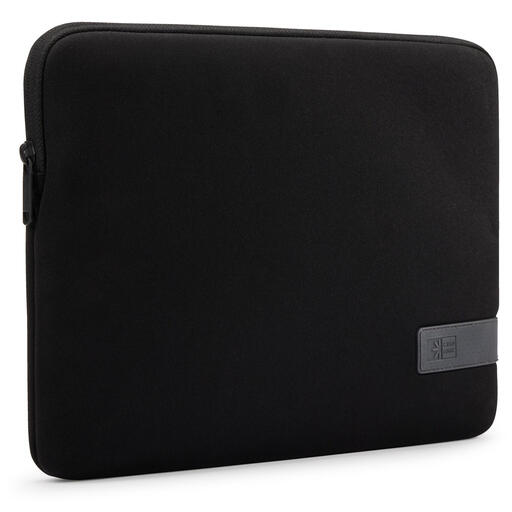
Why it suits this user: This compact polyester laptop sleeve is designed for laptops up to 13.3 inches and can be carried on its own or inside a bag. That makes it a practical choice for school, the library and everyday commutes.
The clearly stated size helps you avoid relying solely on a general brand name or screen size. The zip closes the laptop compartment securely.
Polyester, a light level of protection against knocks and a simple black design.
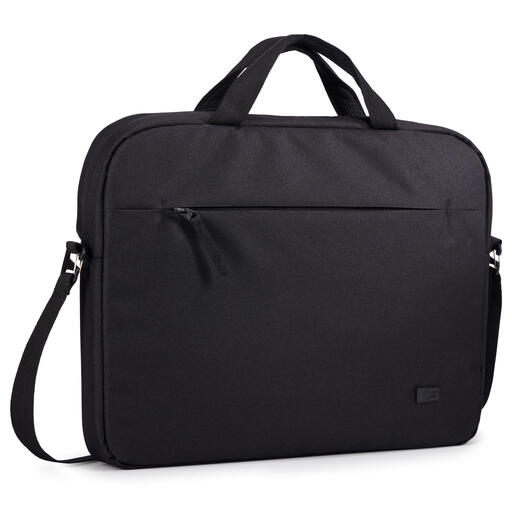
Why it suits this user: This model combines a 14-inch size with a handle, shoulder strap and pockets for small accessories. It’s a good fit for professionals who regularly carry their laptop between workplaces.
The product information clearly states that the sleeve is water-repellent, not waterproof. This makes the material’s limitations clear.
100% recycled polyester according to the product specifications, weighs 350 grams, with a handle and shoulder strap.
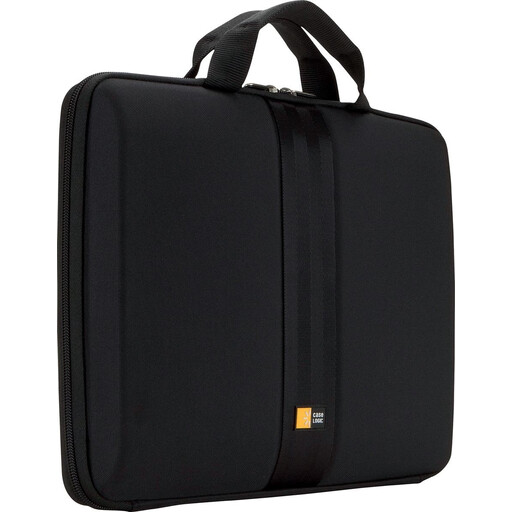
Why it suits this user: The hard EVA construction and thick lining are designed for people who often carry their 13- to 13.3-inch laptop in a full backpack or while travelling.
The product specifications list EVA, a padded interior and protection against light shocks. That’s more specific than simply calling it a “protective case”.
EVA outer shell, thick lining, handle, zip and stated internal dimensions of 33 x 3,8 x 23,9 cm.
We’ve put together a complete, up-to-date list of products that meet these strict selection criteria and the applicable European safety regulations.
Yes, the terms are usually used interchangeably. A sleeve is generally a compact laptop case without much extra storage space. A laptop bag often has handles, a shoulder strap and pockets for accessories.
Check your MacBook’s model and physical dimensions. A 13-inch MacBook sleeve won’t automatically fit every 13-inch laptop or generation of MacBook. Compare the sleeve’s internal dimensions with those of your device.
Its lifespan depends on how it’s used, how much it carries and how well it’s maintained. A sleeve that isn’t overfilled and is stored somewhere dry will generally stay in good condition for longer. Replace your laptop case when the lining gets thin, the zip sticks or the seams come loose.
