
Vandaag of morgen in huis

Kwaliteit gegarandeerd

Welkomstaanbiedingen ontgrendelen: GRATIS bezorging | Tot 80% korting | Gratis 30 dagen JoyPlus-proefperiode
Download de app
A laptop sleeve may seem like a simple product, but the wrong size, a weak zip or a lack of storage space can quickly make everyday use inconvenient. Students take their laptops to lectures, home workers switch between the desk and the kitchen table, and professionals often travel with a charger, mouse and documents. The right laptop sleeve therefore needs to offer more than just an attractive appearance.
Pay particular attention to these three common pitfalls:
The 13, 14, 15.6 or 17-inch designation usually refers to the diagonal screen size. For a good fit, width, depth and thickness are also important. Measure the closed laptop and compare it with the internal dimensions of the laptop protection sleeve.
A sleeve that is too roomy allows the laptop to move around while you carry it. A model that is too tight puts strain on the zip and corners. Also check whether a laptop with protective feet, a sturdy base or an extra-thick battery will still fit.
Look out for these search terms:
A padded laptop sleeve with a soft inner lining helps reduce scratches and minor knocks. Polyester, neoprene and faux leather each have different characteristics. Polyester is lightweight and practical, neoprene feels flexible, while faux leather offers a more business-like look.
A zip is useful for complete closure, but the finishing matters. A protective strip along the zip prevents the metal parts from rubbing directly against the laptop. A magnetic flap allows quick opening, but check that the laptop is held securely enough.
Brands may make additional protection claims. Treat terms such as “shock-resistant”, “drop-resistant” or “360° protection” as information from the product description, rather than a universal guarantee for every fall or situation.
A simple laptop sleeve is thin and lightweight, and is suitable for placing inside a rucksack or work bag. A laptop sleeve with zip is practical when you also want to carry the laptop on its own. A laptop bag usually offers more room for a charger, documents and accessories, but is often heavier.
For train journeys or commuting, a shoulder strap, handle and trolley strap are useful extras. For everyday use in one location, a slim sleeve may be sufficient. Choose based on how you transport your laptop, rather than solely on colour or brand name.
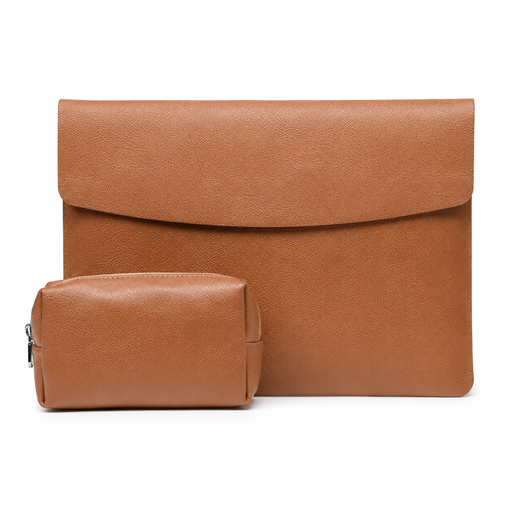
Why it suits this profile: This model measures 35 × 25.3 × 0.5 cm, weighs 360 grams and comes with a mouse bag and charger bag. This is practical for students and users who want to keep their accessories together.
The stated dimensions make it easier to check the fit. The magnetic flap means you do not have to rely on a zip, but measure your laptop beforehand because of the limited 0.5 cm thickness.
PU faux leather, faux suede lining, magnetic closure and included storage bags for a mouse and charger.
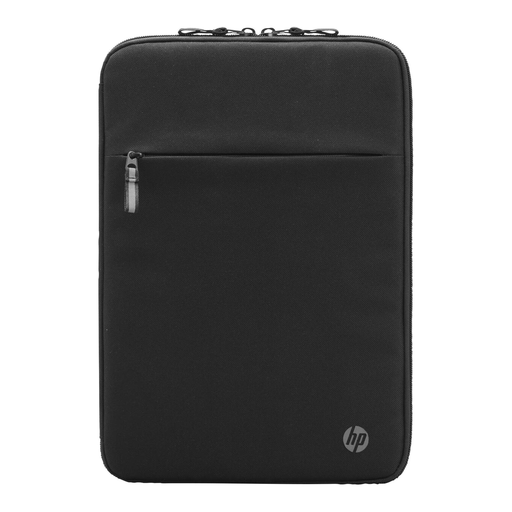
Why it suits this profile: This sleeve is designed for business use and features a soft lining, padding, a front pocket and space for cables. The stated dimensions are 25 × 36 × 2.2 cm.
The padding and soft lining are clearly specified, so you do not have to rely solely on the word “slim”. However, check that your laptop fits within 14.1 inches and the stated dimensions.
Organisation compartments, cable pass-through, double zips and materials made with recycled raw materials, according to the product information.
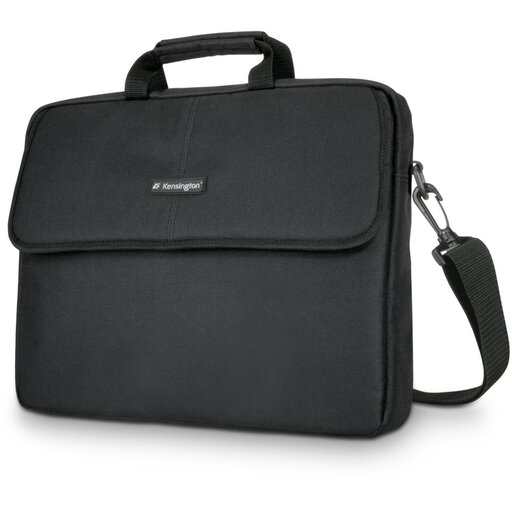
Why it suits this profile: This 17-inch laptop bag is designed for larger notebooks and has six compartments, an adjustable shoulder strap and a strap for attaching it to a trolley.
This bag offers more than a thin sleeve, with separate compartments for documents and accessories. The product information describes a water-repellent design; nevertheless, do not use the bag as protection against prolonged heavy rain.
Neoprene material, zip, six compartments, shoulder strap and trolley attachment; the stated product weight is 590 grams.
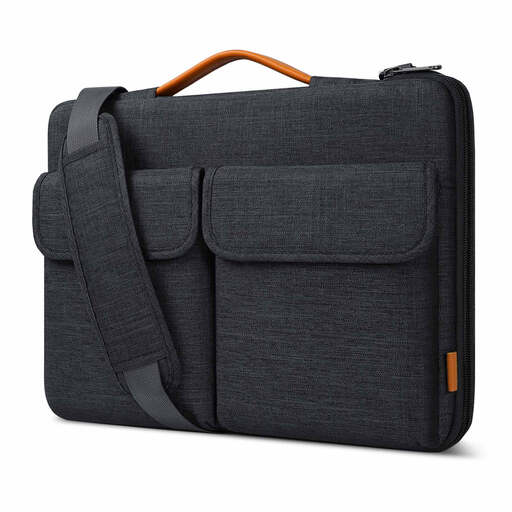
Why it suits this profile: The bag has internal dimensions of 38.5 × 26.5 × 3 cm, two carrying options and a trolley strap. It is suitable for travellers carrying a 15.6-inch laptop with accessories.
The internal dimensions are clearly stated, and the lining, zip protection and outer layer are described. The manufacturer specifies splash protection; this is not the same as waterproofing.
Handle and detachable shoulder strap, compartments for a charger and mouse, soft inner lining and protection along the zip.
We have put together a complete, up-to-date list of products that fully meet these strict selection criteria and the applicable European safety regulations.
No. The inch measurement mainly describes the screen diagonal. Also check the sleeve’s internal dimensions and thickness. A MacBook, HP, Dell or Lenovo with the same screen size may have a different casing.
A water-repellent or splash-resistant outer layer can provide protection against limited exposure to moisture. This does not mean that the sleeve is fully waterproof. In prolonged rain, use a separate waterproof bag or provide the laptop with additional protection.
Its lifespan depends on daily use, zip quality, the load it carries and maintenance. Do not store sharp objects against the laptop, do not overfill the compartments and follow the cleaning instructions. In the EU, faulty products are covered by the legal guarantee under the applicable consumer protection rules; this is different from a guarantee covering normal wear and tear.
A Case Logic model may be suitable if you are looking for a slim polyester sleeve with a zip for use inside another bag or for carrying on its own. Check the exact dimensions for each model: the product information for different versions may vary, even when both are described as 14-inch.
