
Writer with limited desk space
You want your laptop and the accessories you use to fit on your desk. So compare the device’s width and depth, not just its screen size.


Start by choosing a laptop that supports your screenwriting software and fits on your desk. Then compare the screen, keyboard and ports to find what works for your writing setup. A compact Mac or Windows laptop could be a good fit, but if you’re an employee who spends long periods working at a screen, you should also consider the relevant workplace regulations. The stated battery life isn’t a guarantee of how long you’ll be able to write.
You want your laptop and the accessories you use to fit on your desk. So compare the device’s width and depth, not just its screen size.
Start with the software you want to use, then check that the laptop’s operating system and processor meet its requirements. Final Draft and Fade In offer options for different platforms.
You’ll want to position the screen and keyboard to suit your workspace. Arboportaal outlines additional requirements for employees who work at a screen for more than two hours a day.
A good fit if: you want to use macOS and your screenwriting software runs on it. Apple Netherlands lists the MacBook Air 13-inch M5 as having a 13.6-inch screen, 16 GB of memory, 512 GB of storage and ports for external displays.
Keep in mind: check the dimensions of the configuration you choose and the macOS requirements of your software.
A good fit if: you need software that runs on Windows. The current Final Draft product page lists Windows 11 or later and an Intel or AMD processor as requirements for version 13.
Keep in mind: an older Final Draft support page lists Windows 10. Before buying a new laptop, check the requirements for your version of the software.
A good fit if: Linux could be an option if you use Fade In, which offers a version for 64-bit Intel Linux.
Keep in mind: Final Draft 13 doesn’t support Linux or Chromebook as desktop platforms, so don’t choose these devices if you need to use this software.
First, measure the space available and check the software requirements. Then consider the screen, keyboard, ports and how you plan to use the laptop.
| What to consider | What should you check? | Who is this important for? |
|---|---|---|
| Will the setup fit on your desk? | Compare the exact laptop’s width and depth with the clear desk space available, taking into account any accessories you use. | If I have a small desk, I want to know how much room the laptop and any accessories will take up. Around 31% of consumers prioritise desk fit. |
| Will the screenwriting software run? | Compare the current operating system and processor requirements with the specifications of the exact laptop. | If I already know which software I’ll be writing with, I want to avoid buying a laptop that doesn’t support it. Around 25% of consumers give software compatibility top priority. |
| Is the setup suitable for long writing sessions? | Consider the positioning of the screen and keyboard, and check that the ports support any separate devices you want to use. | If I write for long stretches, I want to be able to position the screen and keyboard comfortably. For employees who work at a screen for more than two hours a day, Arboportaal outlines requirements for using a separate screen or keyboard; around 25% of consumers prioritise writing comfort. |
| Is the laptop practical to use elsewhere? | Check the weight of the exact configuration, what charging equipment is included and the conditions under which battery life is measured. | If I also write in other places, I want to know what I’ll need to take with me and whether I can use a power socket there. Around 19% of consumers give writing in different workspaces top priority. |
The screen size doesn’t tell you how much space the laptop’s body takes up or how much room will be left for a separate keyboard, screen or cables.
Measure the clear desk space and compare it with the exact configuration’s width and depth, as well as the accessories you need.
The operating system and processor can determine whether desktop software is supported. For example, Final Draft 13 doesn’t list Chromebooks as supported.
Choose your screenwriting software first, then check the current requirements for the specific laptop and software version.
HP Netherlands says the charger for the OmniBook X 14-ka0645nd is sold separately. This doesn’t automatically apply to other configurations or models.
Before buying, check what’s in the box and the charging requirements for the exact configuration.
For the HP configuration mentioned, you’ll also need to allow for a charger sold separately.
A manufacturer’s warranty doesn’t replace your statutory rights if a product is faulty. The Dutch government states that there is no fixed statutory warranty period in the Netherlands and that you can contact the retailer if something goes wrong.
Keep your proof of purchase and contact the retailer if your product develops a fault. When considering an additional warranty, check what it offers beyond your existing rights.
A macOS option for anyone looking for a compact screen and ports for external displays.
The IdeaPad Slim 5 14AHP11 range includes 14-inch Windows configurations you can compare with other laptops.
The HP OmniBook X 14-ka0645nd is an example of a 14-inch Windows laptop with ports for a desk setup.
The Zenbook 14 OLED UX3405 range offers a 14-inch Windows alternative for comparing configurations.
This selection includes compact 13- and 14-inch laptops running macOS or Windows, suited to a small writing space. Check that each model supports the software you want to use. This is particularly important with Windows laptops featuring ARM configurations.
 No image available
This 14-inch laptop offers several modes of use. Compare its dimensions with the space available on your desk.
Windows 11 Home; Intel Core 5 120U; 8 GB of memory and 512 GB of storage.
The 14-inch touchscreen has a 16:10 aspect ratio. The description lists USB-C with DisplayPort, USB-A and HDMI.
It weighs around 1,60 kg. The charger isn’t included; the description specifies a compatible 45–100 W USB-C Power Delivery charger.
 No image available
This 14-inch configuration is a Windows option to compare with your desk space, taking the screen and body dimensions into account.
Windows 11 Home; AMD Ryzen 7 8840HS; 16 GB of memory and a 1 TB SSD.
The WUXGA IPS screen has a 16:10 aspect ratio. The description gives a weight of 1,39 kg.
Ports include USB-C with Power Delivery and DisplayPort, as well as HDMI.
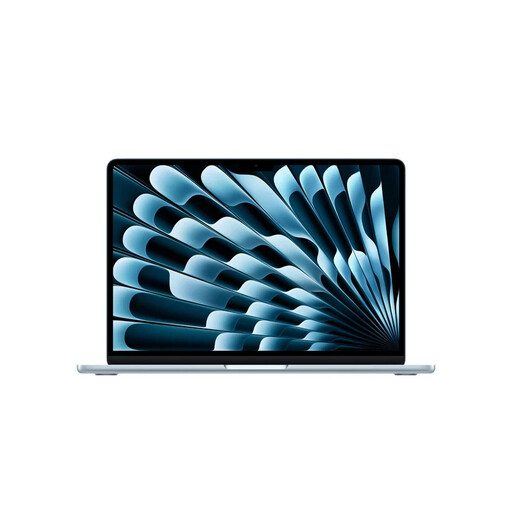 No image available
A compact Mac option if your writing software runs on the macOS version installed on this configuration.
The screen measures 13,6 inches; the listed dimensions are 30,41 × 21,50 cm and the weight is 1.230 g.
The description lists 16 GB of memory, 512 GB of storage and two Thunderbolt 4 ports, with support for external displays. Check which macOS version is installed and which one your software requires.
 No image available
This 13-inch Mac is an option if your writing software is compatible with this model’s macOS configuration.
The product details list an A18 Pro chip, 8 GB of memory and 512 GB of storage.
The power adapter isn’t included; the description specifies a USB-C Power Delivery adapter of at least 20 W. Also check the software requirements for the programme you choose.
 No image available
The listed 14-inch configuration weighs 1,17 kg. Check that its dimensions suit your desk and the way you work.
Windows 11 Home on ARM; Snapdragon X2P-42-100. Check in advance that your specific screenwriting software supports this configuration.
The description lists an OLED screen, a backlit keyboard and three USB4 ports with DisplayPort.
No. Final Draft doesn’t list Chromebook as a supported platform for version 13. If you need this software, choose a system that meets the current requirements.
For employees who work at a screen for more than two hours a day, Arboportaal states that the screen and keyboard must not be attached to each other, and that laptop users must be able to use a separate screen or keyboard. This isn’t automatically a legal requirement when buying a laptop for personal use, but it’s worth considering which setup will work in your space.
Check and test your writing software’s backup settings. Final Draft describes automatic, dated copies saved in a backup folder; Fade In says it makes periodic backups when this feature is enabled in the preferences. Also check where your files are stored.
According to the Dutch government, online purchases from a business generally come with a 14-day cooling-off period. You also have statutory rights if a product is faulty: there’s no fixed statutory warranty period in the Netherlands, and you should be able to contact the retailer if something goes wrong. Check the terms and any exceptions that apply to your specific purchase.
No. A stated maximum isn’t a guarantee of how long you’ll be able to write. For example, Apple lists separate maximum battery life figures for video streaming and wireless internet use. Your writing software, screen brightness and connected devices may create different conditions.