What should you look for?
Start with your everyday workflow, then compare the configuration, screen space and ports that suit it.
| What to consider |
What should you look for? |
Who is this important for? |
| Local development stack |
Compare the requirements of your editor, database and any containers with the memory, storage and operating system of the exact configuration. |
If I want to run several local services at once, I prioritise that workflow. Around 20% of consumers put a local stack first. |
| Screen space for layouts |
Compare screen size, resolution and aspect ratio for viewing code alongside a browser preview. |
I want to assess code and a preview side by side. Screen space is a top priority for around 20% of consumers. |
| Tool compatibility |
Check that the software you need supports the operating system and, where necessary, your planned container setup. |
If my project requires specific development tools, I check they’re supported before choosing between Windows and macOS. Around 20% of consumers give tool compatibility top priority. |
| Portability and ports |
Check the size and weight, the monitor connections you need and the ports available on the exact configuration. |
I work in different locations and want to know what I can carry and connect directly. Around 20% of consumers put portability first. |
| Accessories and service |
Check which power supply and accessories are included with each configuration, and read the applicable service terms. |
I want to know in advance what I’ll need for my workspace and what the service covers. Around 20% of consumers make accessories and service their main concern. |
Joybuy laptop picks
These laptops are suited to developing responsive pages on Windows or macOS, with different trade-offs between screen space and portability. Before buying a specific model, check the exact configuration, included power supply and applicable EU conformity information.
 Image unavailable
MSI Prestige 16 AI+ C3MG-236NL Copilot+ PC, 32 GB, 1 TB SSD
A Windows laptop to consider if local development tools and room for code alongside a browser preview are important to you.
The product description lists Windows 11 Home, 32 GB of memory and a 1 TB SSD. The product name specifies a 16-inch 2.8K OLED display with 120 Hz, Intel Core Ultra X7 358H and Intel Arc Graphics.
View at Joybuy
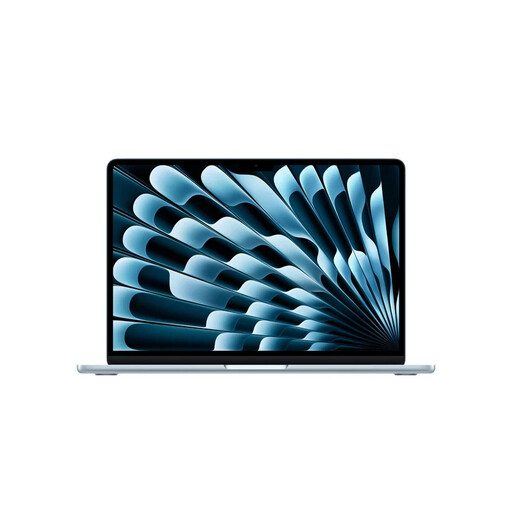 Image unavailable
Apple MacBook Air 13-inch M5, 16 GB, 512 GB, Sky Blue, QWERTY
A macOS option if your development tools support this operating system and you want to compare a more compact screen size.
The product description lists 16 GB of memory and a 512 GB SSD. A USB-C power adapter isn’t included; according to the description, you’ll need an adapter rated at 35 W or higher.
View at Joybuy
 Image unavailable
Apple MacBook Air 15-inch M5, 16 GB, 512 GB, Starlight, QWERTY
A macOS option to compare if you want more built-in screen space and your development tools work with macOS.
The product name lists 16 GB of memory and a 512 GB SSD. The product description states that the power adapter isn’t included.
View at Joybuy
 Image unavailable
Lenovo IdeaPad Slim 5 15ARP10, Ryzen 5 7535HS, 16 GB, 512 GB SSD
A Windows option to compare if you’d like a larger built-in display for code and browser previews.
The product name specifies a 15.3-inch configuration. The product description lists a 16:10 display, Ryzen 5 7535HS, 16 GB of memory and a 512 GB SSD. A suitable USB-C power adapter isn’t included.
View at Joybuy
 Image unavailable
ASUS Zenbook A14 UX3407QA-QD479W, 16 GB, 512 GB, WUXGA OLED
A compact Windows option to compare if portability matters. Check in advance that your software and peripherals work with Windows on Snapdragon.
The product description lists a 14-inch 16:10 WUXGA OLED display, 16 GB of memory, a 512 GB SSD and a weight of around 0.98 kg. A compatible 65 W USB-C Power Delivery charger isn’t included; compatibility with some applications, drivers and peripherals may vary.
View at Joybuy
Frequently asked questions
Do I need a special laptop to view mobile layouts?
No. Browser developer tools can simulate a mobile viewport. Google Chrome for Developers describes this as an approximation, so test important interactions on a real phone too.
Can I install Docker Desktop on any Windows laptop?
First, check the requirements for your chosen Windows, WSL and backend configuration. Docker documents the installation requirements for Docker Desktop; compare these with the exact laptop and how you plan to work.
What conformity information should I check for a laptop?
For electrical equipment covered by the applicable EU requirements, Business.gov.nl explains that CE marking and an EU declaration of conformity are among the things to check before sale. Check the information for the exact configuration; general product information alone doesn’t establish that an individual model meets all applicable requirements.
What can I do if a laptop stops working properly after the manufacturer’s warranty expires?
Your right to a product that meets reasonable expectations still matters when you buy as a consumer. The Government of the Netherlands states that there is no fixed statutory warranty period; the seller must assess the problem. An extended warranty doesn’t replace this right.
Do I always have a cooling-off period when buying online?
According to the Government of the Netherlands, a 14-day cooling-off period applies in many cases when you buy online from a business as a consumer. There are exceptions, and the rules differ when buying from a private individual. Check which type of sale applies to your purchase.


