
Writer with limited desk space
Wants room beside the laptop for a script or notes. The Consumentenbond and product specifications from Apple and ASUS offer useful information for comparing screen sizes and overall dimensions.


Start with a laptop of around 13 to 14 inches, but check its overall dimensions too, and make sure there’s still room for your hands and notes. Then consider typing comfort, readability and compatibility with your writing software. For basic office work, you won’t necessarily need a high-spec set-up. If you spend long periods working at a screen, it’s also worth thinking about your workspace.
Wants room beside the laptop for a script or notes. The Consumentenbond and product specifications from Apple and ASUS offer useful information for comparing screen sizes and overall dimensions.
Types and reads for extended periods, so also wants to consider the keyboard, screen position and workspace set-up. Arboportaal outlines points to consider when working at a screen.
Needs to use a particular app, file format or offline workflow, so checks first that it’s compatible with the operating system they’ve chosen. Google and Microsoft provide information on using Drive files offline and Microsoft 365 on a Chromebook, among other things.
Start with the space you actually have available. Then consider your writing workflow and typing set-up, and choose a specification that suits the programmes and files you use.
| What to consider | What to look for when buying | Who is this important for? |
|---|---|---|
| Space on a small desk | Measure the space available and compare it with the width and depth of the exact laptop model. Leave room for your hands and any notes, too. | If I want to keep a script or notes beside my laptop, its overall dimensions matter. Around 29% of consumers put available desk space first. |
| Comfort when writing and reading | Check the keyboard layout and consider whether a separate keyboard or screen will fit your workspace. For employees who work at a screen for more than 2 hours a day, Arboportaal explains that you can use a separate monitor or keyboard with a laptop. | If I type for long stretches and need a comfortable screen and typing position, my workspace set-up matters too. Around 29% of consumers prioritise comfort during extended writing sessions. |
| Writing software and offline access | Check which apps, file formats and offline features you need on your chosen system. Google explains how to use certain Drive files offline; Microsoft describes Microsoft 365 on Chromebooks as web apps. For Windows on Arm, also check support for your specific apps and peripherals. | If I rely on a particular app, files or offline access, I want to make sure the workflow will work for me first. Around 24% of consumers put software continuity first. |
| Performance and budget | Choose memory and storage to suit your programmes and files. The Consumentenbond recommends 8 GB of RAM and 256 GB of storage for basic office programmes. Also check whether your workflow requires any peripherals or software. | If I mainly write, I don’t want to pay for performance my work doesn’t require. Around 18% of consumers focus on getting the right balance between the performance they need and what they spend. |
The screen size doesn’t tell you how much space the whole laptop takes up, or how much room will be left for your hands and a separate typing set-up.
Measure the space available on your desk and compare it with the overall dimensions of the exact model.
An app, file format or peripheral may work differently from what you’re used to. Microsoft 365 is available as a web app on Chromebooks, and Windows on Arm may have compatibility differences.
Before buying, check that your essential apps, files and peripherals work with the system you’ve chosen.
Specifications designed for demanding tasks aren’t necessarily needed for basic writing and office work.
Choose memory and storage based on the programmes and files you actually use.
The 13-inch MacBook Air is worth considering if your writing workflow runs on macOS.
The Dutch Zenbook 14 OLED UX3405 described is a 14-inch Windows option for anyone looking for more screen space in a compact size.
The 13-inch Surface Laptop with Snapdragon X Plus is a compact Windows on Arm option to consider if it suits your workflow.
These laptops are suited to a compact writing workspace and writing tasks, with a choice of screen sizes and software environments.
 No image available
A compact Windows laptop to consider if you write at a small workstation.
13.3-inch IPS screen with a 16:10 aspect ratio; Windows 11; AMD Ryzen AI 5; 16 GB of memory and a 512 GB SSD. The stated dimensions are 29,73 × 21,12 cm, and the keyboard is backlit.
 No image available
A 14-inch Windows laptop to consider if you want a little more screen space and its dimensions will fit on your desk.
AMD Ryzen 5 7520U; 8 GB of built-in, non-upgradable memory; 512 GB SSD; 14-inch IPS screen with a resolution of 1920 × 1200; Windows 11 Home. It measures 31,45 × 22,60 cm and weighs approximately 1,42 kg. The screen has an anti-glare finish. A charger is not included.
 No image available
A 2-in-1 to consider if you’d like to use the screen in a different position as well as in laptop mode.
Intel Core 5 120U; 8 GB of built-in, non-upgradable memory; 512 GB SSD; 14-inch IPS touchscreen with a 16:10 aspect ratio and 1920 × 1200 resolution; Windows 11 Home. The backlit keyboard has a QWERTY layout. It has two USB-A and two USB-C ports. A compatible USB-C charger and stylus are not included.
 No image available
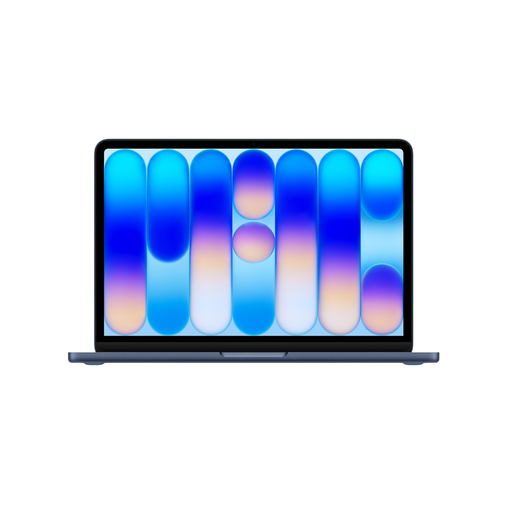
A 13-inch laptop to consider if a compact macOS workspace suits your writing software.
macOS; 13-inch Liquid Retina screen; 8 GB of memory and 256 GB of storage. According to the product description, charging requires a USB-C Power Delivery adapter of at least 20 W, which is not included.
 No image available
A compact 14-inch Windows laptop to consider if you need a Dutch QWERTY keyboard and your software runs on Windows for Snapdragon.
Snapdragon X; 16 GB of memory and a 512 GB SSD; WUXGA OLED screen; Dutch QWERTY keyboard. The stated dimensions are approximately 310,7 × 213,9 mm and it weighs approximately 0,98 kg. A compatible 65 W USB-C Power Delivery charger is required separately. Check that your older software, drivers and peripherals are compatible with Windows for Snapdragon.
No. Compare its overall dimensions with the space you have available, and think about how much text you want to see at once. The screen size doesn’t tell you how much room will be left for notes or a separate keyboard.
You can work offline with some Google Drive files, including Docs, if you make them available offline first. Google says changes will sync once the Chromebook reconnects to the internet. Test the files and apps you need beforehand.
Arboportaal advises against using a laptop without accessories for more than one hour continuously or more than two hours a day. For longer sessions, see if you can arrange your screen, keyboard and workspace to suit you. This advice is not the same as a legal limit for every private user.
You don’t need one to have a legal guarantee. According to the Dutch government, you’re entitled to a product that works as it should when you buy it. Check what an extended warranty offers on top of your existing rights.
For eligible distance purchases by consumers, there is usually a 14-day cooling-off period, although exceptions apply. For employees who work at a screen for more than two hours a day, Arboportaal outlines requirements for setting up the workspace and being able to use a separate monitor or keyboard with a laptop. These workplace rules don’t automatically apply to everyone writing a script at home.