Joybuy laptops for writing
These Windows laptops have larger or mid-sized built-in screens to consider for writing scripts with enlarged text.
 No image available
HP OmniBook 3 17-dp0050ndx
A Windows laptop to consider if you want more space on the built-in screen for an enlarged script. Check how it looks in your own writing software.
17.3-inch Full HD IPS screen; AMD Ryzen 5; 8 GB RAM; 512 GB SSD; Windows 11 Home; QWERTY keyboard with number pad. The power adapter isn’t included and must be purchased separately.
View at Joybuy
 No image available
ASUS Vivobook 18 M1807HA-S16512W
This model is worth considering if you mainly write in one place and want plenty of built-in screen space. Test your script using your usual magnification.
18.4-inch screen; AMD Ryzen 7 260; 16 GB RAM; 512 GB SSD; QWERTY keyboard. A compatible 45–65 W USB-C Power Delivery charger is required and isn’t included.
View at Joybuy
 No image available
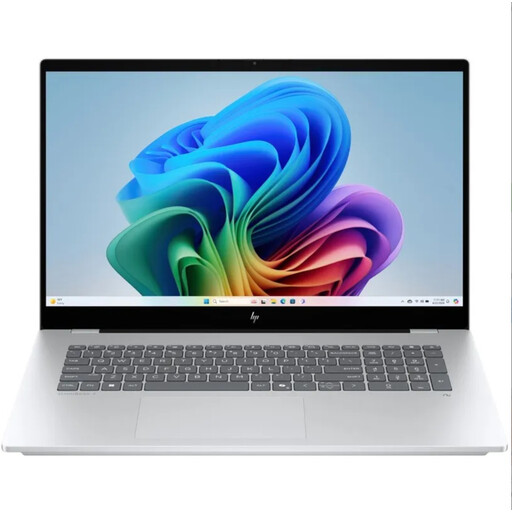
HP OmniBook 7 NG AI PC 17-dc0070nd
A Windows option if you want to edit your script in Windows writing software. Check that your software and files are compatible with this model.
View at Joybuy
 No image available
HP OmniBook X Flip NG AI PC 16-as0050nd
A Windows option to consider if you’re looking for a built-in screen for enlarged script text. Check the display and make sure your writing software is compatible with this model.
View at Joybuy
 No image available
Lenovo ThinkBook 16 G8 IAL 21SK00EBMH
This Windows laptop may suit you if you’re looking for a 16-inch screen and want to carry your laptop between writing spots. Check how the screen looks with your own magnification setting.
16-inch WUXGA screen; Intel Core Ultra 5 135H 14-Core; 16 GB DDR5; 512 GB SSD; anti-glare IPS; Windows 11 Pro; QWERTY keyboard.
View at Joybuy
Frequently asked questions
Do I need a laptop with a larger screen to use bigger text?
No. Windows, macOS and ChromeOS all have settings for enlarging text or on-screen content. Do test your preferred magnification in your own writing software, though: enlarging the display and the amount of workspace you can see are two separate things.
Can I work on my script offline using a Chromebook?
You can use Google Docs if you set up offline access in advance and make sure the files you need are available. Test your own script, formatting and workflow before writing without an internet connection.
How can I make sure rewritten scenes aren’t lost for good?
Test the version history feature in your chosen software with a sample file. Microsoft Support says that version history in Word requires files to be stored in OneDrive or SharePoint. Google Docs Help explains how offline changes are saved to Drive once you reconnect.
Am I only entitled to a two-year warranty on a laptop in the Netherlands?
No. According to ACM ConsuWijzer, statutory warranty depends on what you could reasonably expect from the product under normal use. The retailer is responsible for offering an appropriate solution if the product doesn’t meet that standard; any manufacturer’s warranty offered doesn’t replace your statutory rights.
Can I try out a laptop bought online at home to check its readability?
For online consumer purchases in the Netherlands, you generally have a statutory 14-day cooling-off period from delivery. Check the applicable terms and handle the laptop carefully while assessing the screen and text size.


