What should you look for?
Start with the software and the type of work you’ll be doing. Then compare the screen space and connections you need with the space you share.
| What to consider |
What to look for |
Who should prioritise this? |
| Writing and working with multiple documents |
Check the keyboard layout and memory on the exact configuration. For InDesign 21.3 and later, Adobe lists 8 GB of RAM as the minimum and recommends 16 GB. The Consumers’ Association says 8 GB is enough for light tasks and recommends 16 GB if possible when you use several programmes at once. |
If I write lots of clues and keep documents open side by side, I want to work smoothly without paying for demanding graphics capabilities I don’t need. Around 33% of consumers prioritise writing and using documents at the same time. |
| Space on a shared desk |
Compare the laptop’s dimensions with the space available, and check which connections you need for an external monitor and charger. Having a USB-C port alone doesn’t guarantee that every monitor or charger will work. |
If I regularly need to clear my workspace, I want a laptop that fits and is easy to connect. Around 27% of consumers prioritise having limited desk space. |
| Layout and print file |
Choose your layout software first and check the requirements for the version you’ll be using. Ask your printer which PDF format they prefer, and check the margins, bleed and page order. |
If I’m printing the book myself or having it printed, I want to know before buying whether my software and workflow are suitable for the required output. Around 20% of consumers prioritise layout and print output. |
| Purchase and lifespan |
Compare the configuration and condition of a new or refurbished device. Check whether the memory or storage can be upgraded on the exact model, and read the seller’s terms and conditions. |
If I want to use my laptop for a long time, I want to choose a configuration that suits my files and software, rather than relying on the model name alone. Around 20% of consumers prioritise purchase and lifespan. |
Laptops at Joybuy
This selection includes compact laptops for a shared desk, with Windows, macOS and 2-in-1 options. Check that each model is compatible with your layout software, printer and required connections.
 No image available
Microsoft Surface Laptop 7, 13.8-inch, Snapdragon X Elite, 16 GB, 512 GB SSD
This compact Windows configuration may suit you if desk space is limited and you use Windows software.
The product name lists a 13.8-inch touchscreen, Snapdragon X Elite, 16 GB of RAM and a 512 GB SSD. Check that your layout software and printer are compatible.
View at Joybuy
 No image available
Lenovo IdeaPad Slim 3 14AHP10, Ryzen 7 8840HS, 16 GB, 1 TB SSD, QWERTY
This Windows laptop may suit you if you’re looking for a 14-inch model with a QWERTY keyboard for writing and proofreading puzzle text.
The product name lists a Ryzen 7 8840HS, 16 GB of memory and a 1 TB SSD. Check that the keyboard layout and connections on this configuration suit your workspace.
View at Joybuy
 No image available
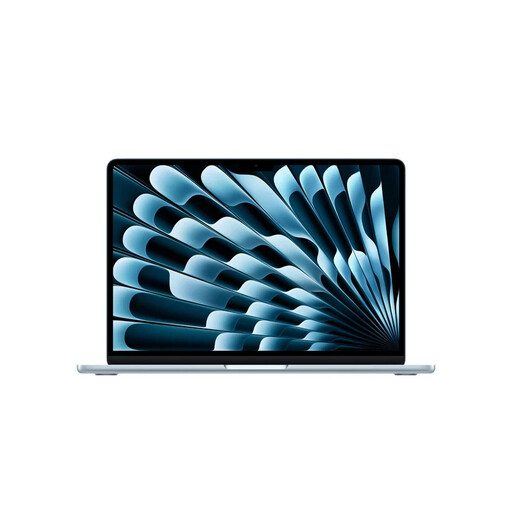
Apple MacBook Air 13-inch M5, 16 GB, 512 GB SSD, Sky Blue (2026), QWERTY
This compact macOS configuration may suit a shared desk if your chosen layout software and peripherals work with macOS.
The product name lists the M5 chip, 16 GB of memory and a 512 GB SSD. Apple specifies a 13.6-inch screen and two Thunderbolt 4 ports for the 13-inch MacBook Air with M5; check that your accessories can connect to them.
View at Joybuy
 No image available
ASUS ROG Zephyrus G14 GA403UM-QS024W, Ryzen 9 270, RTX 5060, 16 GB, 1 TB SSD
This 14-inch Windows laptop may suit you if you also use other software that works with this configuration, alongside your puzzle work.
The product name lists a Ryzen 9 270, RTX 5060, 16 GB of memory and a 1 TB SSD. The memory is built in and cannot be upgraded by the user.
View at Joybuy
 No image available
HP OmniBook 5 Flip 14-fp0075nd C5VM5EA#ABH
A 2-in-1 configuration may suit you if you’d like to use tablet mode as well as typing, to view or discuss pages.
The USB-C charger and stylus are not included. You’ll need a compatible 45–100 W USB-C Power Delivery charger to charge it; check whether you already have one or want to buy one separately.
View at Joybuy
Frequently asked questions
Do I need 16 GB of RAM to create a puzzle book?
Not necessarily. The Consumers’ Association says 8 GB is enough for light tasks and recommends 16 GB if possible when you use several programmes at once. For InDesign 21.3 and later, Adobe lists 8 GB as the minimum and recommends 16 GB. Check the other requirements for the version you want to use, too.
How can I stop puzzle edges or clues being cut off when printed?
Keep important content within the safe margins and check the bleed area and a proof PDF. Canva explains that backgrounds can extend into the bleed area, but text should not. Adobe has separate settings for booklet printing, margins and bleed. You should also follow your printer’s submission requirements.
What should I check when sharing a charger?
Check whether the laptop can charge through the port in question and what charging power the manufacturer specifies. Having the same plug shape isn’t enough. For example, Apple says the 13-inch MacBook Air with M5 can charge via USB-C and requires a minimum charging power of 30 W. For other laptops, check the requirements for the exact configuration.
What are my rights when I buy a laptop online in the Netherlands?
For a standard online consumer purchase in the Netherlands, you generally have a 14-day cooling-off period. According to ACM ConsuWijzer, this period ends 14 days after the product is delivered. This is separate from your rights if a product is faulty. The Dutch government says there is no fixed two-year legal warranty period for all products; contact the seller about your legal guarantee.
How can I check that my laptop works with my layout software and printer?
Before buying, check the software’s current system requirements and your printer’s or print shop’s connection and file requirements. Check the exact configuration, too: models in the same series can have different specifications. That way, you won’t be relying on the brand or model name alone.


