
Vandaag of morgen in huis

Kwaliteit gegarandeerd

Welkomstaanbiedingen ontgrendelen: GRATIS bezorging | Tot 80% korting | Gratis 30 dagen JoyPlus-proefperiode
Download de app
A laptop privacy screen may seem like a simple accessory, but the wrong size, awkward fitting method or poor light transmission can quickly make it frustrating to use. This is especially true if you work with customer data on a train, at a hot desk or in an office environment, where you do not want colleagues or fellow passengers to read along easily.
When buying a laptop screen to prevent prying eyes, do not focus solely on the promise of “privacy”. Above all, check the screen aspect ratio, fitting method and filter specifications. Below, you will find the key points to consider, along with product options for different situations.
A filter for a 14-inch laptop will not automatically fit every 14-inch screen. Modern laptops use, among others, 16:10 or 16:9 aspect ratios. The bezel around the screen and the position of the webcam are also important.
A privacy filter for a 14-inch laptop with a 16:10 aspect ratio may therefore align incorrectly on another 14-inch model. As well as checking the diagonal measurement, check the screen dimensions and aspect ratio.
Adhesive fittings can leave behind residue and make removal more difficult. A magnetic laptop privacy screen is usually more convenient if you want to remove the filter regularly, for example during presentations or when you want to open and close the screen fully.
However, check whether your laptop has a suitable narrow bezel or magnetic attachment area. A magnetic system will not fit every laptop universally.
A filter that restricts the viewing angle can make the image appear darker. A glossy finish often produces a brighter image, but it can also show more reflections and fingerprints. A matte finish reduces glare, but may make the image look different.
A reversible filter with a matte and glossy side gives you more flexibility. Also look for an anti-reflective laptop screen or a filter with an anti-reflective coating if you often work under ceiling lights or near a window.
A privacy filter generally uses fine louvres that restrict visibility from the sides. According to the product information, Kensington models limit the viewing angle to approximately plus or minus 30 degrees. The image remains visible when viewed straight on, while it becomes harder for people to look over your shoulder.
This is not complete protection against digital access. The filter mainly limits visual snooping. For confidential data, also use a locked account, strong passwords and appropriate company security measures.
Measure the visible screen and check whether the model is suitable for a narrow bezel or a bezel-less design. A webcam cut-out is useful for video calls. Without one, the filter may partially cover the camera or you may need to remove it during a meeting.
According to the product specifications, the Kensington MagPro Magnetic Privacy Screen for 14-Inch laptops measures 38.5 × 26 cm and is designed for a 16:10 screen aspect ratio.
Clean the screen before attaching a magnetic filter. Dust or metal particles between the filter and display can cause scratches. Do not fold or bend the filter, as this can damage the internal louvres.
According to Kensington’s product information, the coating reduces glare and the filter is reversible, with a matte and glossy side. The manufacturer also states that blue light is reduced by up to 30% on the 14-inch model and up to 22% on the Surface model. These are claims from Kensington’s product information, not medical guarantees.
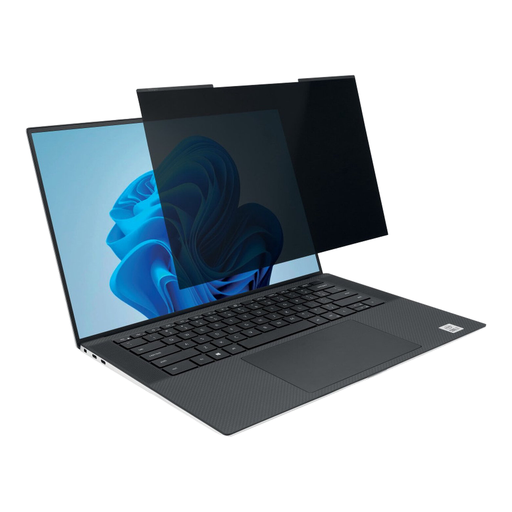
Why it suits this profile: A practical choice for anyone using a 14-inch laptop with a 16:10 aspect ratio and looking to start using screen privacy without adhesive strips.
The magnetic strips make attaching and removing the filter easy. The webcam cut-out helps prevent the camera from being covered during video calls.
16:10 format, matte and glossy sides, anti-reflective coating and, according to the product information, a viewing-angle restriction of plus or minus 30 degrees.
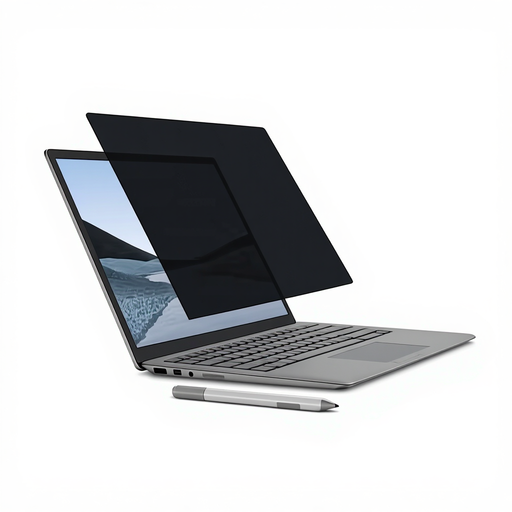
Why it suits this profile: Designed for Microsoft Surface Laptop users who want to continue using touchscreen and Surface Pen functionality.
It is specifically designed for a 13.5-inch Surface Laptop. This reduces the risk of choosing an incorrect universal size, provided your model matches.
Matte side for touchscreen use, glossy side for a brighter image, anti-reflective coating and a cleaning cloth included.

Why it suits this profile: For men looking for one device for their beard, head hair, body and nose hair, with adjustable lengths and care under running water.
The product information states that it is IPX6 water-resistant and fully washable. Always check the instructions before use, and do not submerge the device unless this is expressly permitted.
7 interchangeable heads, an adjustable 1–9 mm comb, USB charging, up to 90 minutes of use according to the product specifications and an LED display.
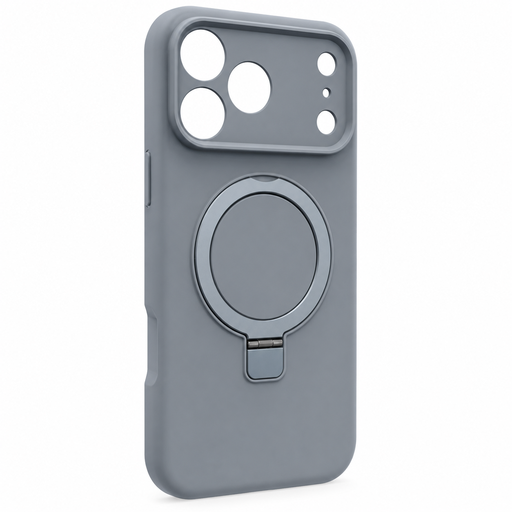
Why it suits this profile: For iPhone 16 Pro owners who want to combine MagSafe compatibility, a rotating stand and extra edge protection.
The case is designed for a specific model. Check your iPhone’s settings or the packaging to make sure you have an iPhone 16 Pro, rather than another model from the same series.
MagSafe compatibility, a concealed rotating stand for portrait and landscape viewing, and raised edges around the camera and screen.
We have compiled a complete, up-to-date list of products that fully meet these strict selection criteria and the applicable European safety regulations.
Yes. The filter is designed to limit visibility from oblique angles. Content remains clearest when viewed straight on. The level of privacy depends on the viewing angle, screen brightness and surroundings. It is not a substitute for locking your laptop when you walk away.
This varies between laptops and filters. The product information for the Kensington MagPro for 14-inch laptops states that the laptop can be closed with the filter attached and enter sleep mode. Before using it every day, check that there is no dust, card or other object between the screen and keyboard.
Its lifespan mainly depends on careful storage and cleaning. Do not fold it, use harsh cleaning products or expose the filter to scratches. Kensington states that the privacy filters mentioned come with a statutory warranty of at least two years under European consumer rules; additional rights may apply under Dutch law.
