
Vandaag of morgen in huis

Kwaliteit gegarandeerd

Welkomstaanbiedingen ontgrendelen: GRATIS bezorging | Tot 80% korting | Gratis 30 dagen JoyPlus-proefperiode
Download de app
Working on the train, at a co-working space, or in a busy café is convenient, but it comes with a risk: unwanted onlookers. Whether it's sensitive company data, personal emails, or simply your concentration, you don't want everyone looking over your shoulder. A laptop privacy screen is a simple and effective solution to protect your digital privacy.
This article will help you choose the right anti-peep laptop screen. We'll discuss the key factors to consider and highlight several popular choices based on their specifications and functionality.
Before you make a choice, it's important to know what to look for. The fit and functionality are crucial for a good experience.
The most common mistake is choosing the wrong size. A privacy filter must fit your screen seamlessly. Measure your screen's diagonal size in inches (e.g., 14 inches) and check the aspect ratio. Modern laptops often have a 16:10 ratio, while many standard models still use 16:9. The wrong ratio will result in unsightly gaps or a filter that doesn't cover the entire screen.
How you attach the privacy screen filter determines its flexibility:
Many privacy screens offer more than just privacy. A built-in laptop blue light filter can help reduce eye strain, especially during prolonged screen use. According to some manufacturers, reducing blue light exposure can improve sleep quality. Additionally, most filters have a matte and a glossy side. The matte side reduces glare and fingerprints, while the glossy side enhances screen clarity.
Below is a selection of Kensington privacy screen models that stand out for their specific features.
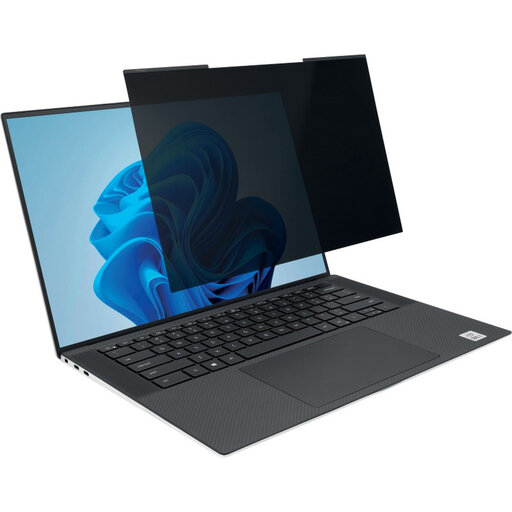
Why it stands out This filter is specifically designed for modern, slim 14-inch laptops with a 16:10 aspect ratio. The narrow magnetic strip makes attachment easy, even on laptops with a very thin bezel. You can close the laptop without removing the filter.
Benefits
Who is this for? For users of recent 14-inch laptops (like many Dell XPS, Lenovo ThinkPad, or HP Spectre models) with a 16:10 screen, who are looking for a flexible and reusable solution to secure their laptop screen.
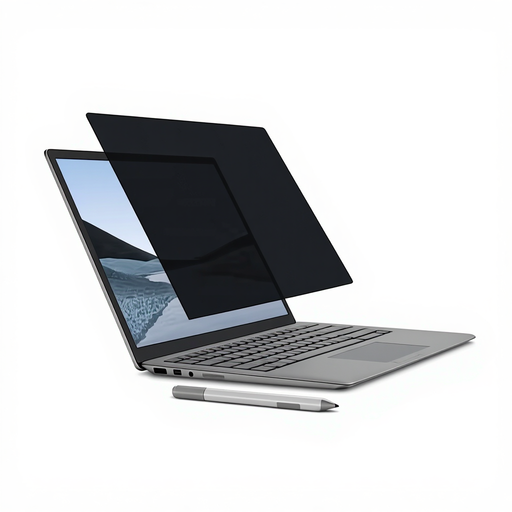
Why it stands out This filter is custom-made for the 13.5-inch Microsoft Surface Laptop. It aligns perfectly with the device's magnetic frame, making installation literally a matter of seconds. It is designed not to interfere with touch functionality or the use of the Surface Pen.
Benefits
Who is this for? Exclusively for owners of a Microsoft Surface Laptop (13.5-inch) who want a perfectly fitting, magnetic privacy solution that fully supports their device's functionality.
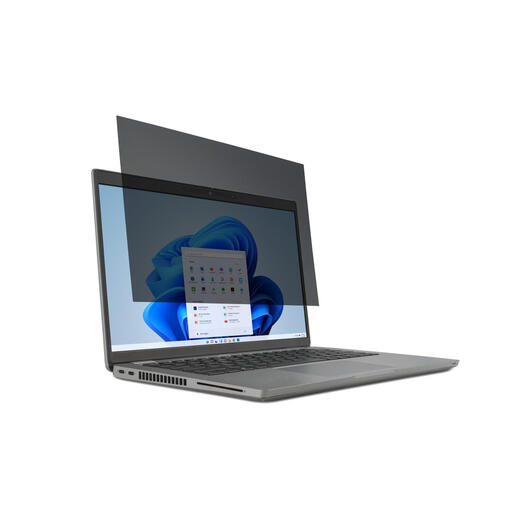
Why it stands out This is a versatile solution for the large group of users with a standard 14-inch laptop featuring a 16:9 aspect ratio. It uses removable adhesive strips, ensuring a stable attachment on virtually any laptop, regardless of the bezel material.
Benefits
Who is this for? For users with a standard 14-inch (16:9) laptop who are looking for a reliable and affordable solution. The adhesive strip attachment makes it suitable for laptops without a magnetic frame.
Didn't find the right size or attachment method for your specific laptop in this selection? Every device is different, which is why a wide range of privacy filters are available in various sizes and from different brands.
Check out our full range of Privacy PC Screen Protectors for more options.
A laptop privacy filter uses a technology called micro-louver. These are ultra-thin, vertical slats integrated into the screen. They block the view from an angle, so only the person sitting directly in front of the screen can see the content. To someone sitting next to you, the screen appears black or unreadable.
Yes, a privacy filter can slightly reduce your screen's brightness. This is because the micro-louvers block some of the light. However, most modern filters are designed to minimize the effect for the user. You can often compensate for this by setting your laptop's brightness slightly higher. The reversible, glossy side can also help maximize clarity.
That depends on the specific model. Many privacy filters, like the Kensington models mentioned above, are designed to be compatible with touchscreens. They are thin enough to register the touch of your finger or a stylus. Always check the product description to ensure the filter is suitable for touch functionality.
