
Vandaag of morgen in huis

Kwaliteit gegarandeerd

Welkomstaanbiedingen ontgrendelen: GRATIS bezorging | Tot 80% korting | Gratis 30 dagen JoyPlus-proefperiode
Download de app
Do you regularly work on the train, in the office, in a café or on campus? Someone sitting next to you can easily glance at your emails, customer data or passwords. A privacy screen for your laptop makes the display darker when viewed from the side, while you can continue working normally when sitting directly in front of it.
However, not every laptop screen filter is automatically suitable. The wrong aspect ratio, a webcam obstruction or an awkward attachment method can mean that you hardly use the accessory. Below, you’ll find out which features to check and which popular options suit different situations.
“14 inches” does not tell you enough. A 14-inch laptop, for example, may have a 16:9 or 16:10 aspect ratio. The bezel around the screen and the position of the webcam also vary from model to model. As a result, a filter with the correct diagonal measurement may still not fit properly.
Always check:
A 2-way privacy filter restricts visibility from the left and right sides. How dark the image appears depends on the viewing angle, your screen brightness and the ambient light. Manufacturers often state a restriction of, for example, 30 degrees. This is a technical indication, not a guarantee that the screen will be completely unreadable from every position.
A filter is primarily designed to make it more difficult for others to look at your screen. It is not a substitute for a password, screen lock or careful handling of confidential documents.
An anti-reflective screen filter can reduce distracting reflections. Some models also include a blue-light filter. According to Kensington’s own research, certain models can reduce blue light by the stated percentage. This is a product claim made by the brand and not a medical guarantee. Consider it an additional screen feature, not a proven solution for eye strain or sleep problems.
Fit is the first thing to consider. A filter for a 13.3-inch laptop with a 16:10 aspect ratio is not interchangeable with a model for a 13.3-inch laptop with a 16:9 aspect ratio. The same applies to 14-inch or 15.6-inch laptops.
A laptop screen protector with an exact model reference, such as a filter for a Dell Latitude 7350 or Microsoft Surface Go, may be more practical than a universal model. If you are unsure, check the manufacturer’s accessory finder and compare the measurements with your screen.
A magnetic privacy filter is quick to attach and remove without adhesive. This is useful if you work without a filter at home and use it on the train or in the office. Do pay attention to the warnings: make sure there are no metal particles between the filter and screen, and do not fold the filter.
Filters with attachment tabs or tape are often widely compatible. They can be removed several times, but fitting them requires greater accuracy. Clean the screen first with a soft microfibre cloth and check that the webcam and sensors remain unobstructed.
Many reversible filters have two surfaces:
For a brightly lit train or office environment, an anti-reflective screen filter with a matte side may be more comfortable. If you mainly work indoors and want a bright image, the glossy side may better suit your preference.
Do you use a Surface laptop, touchscreen laptop or stylus? Then check that the filter is explicitly suitable for touchscreen and pen use. The Kensington models below mention this support in the product information. Also pay attention to the thickness and attachment method, so that touches do not cause the filter to move.
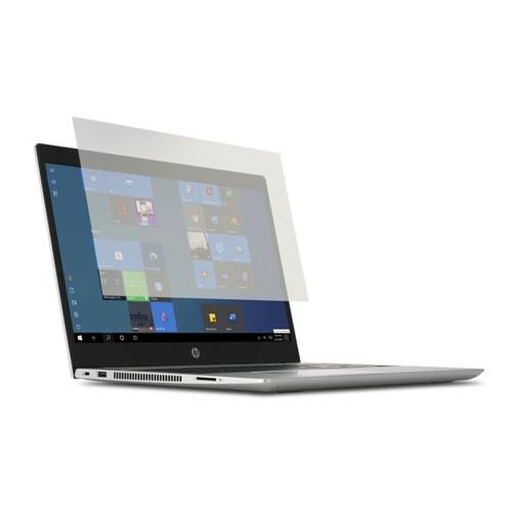
Why it suits this profile: A practical choice for students and home workers with a 14-inch laptop who mainly want to reduce reflections and do not need a privacy filter with magnetic attachment.
The product name clearly states the screen size. Before buying, do check the exact dimensions of your 14-inch model, as the aspect ratio is not listed as a universal specification.
PET material, suitable for touch and pen use, including a cleaning cloth. According to Kensington’s own information, reflections and blue light are reduced by the stated percentage.
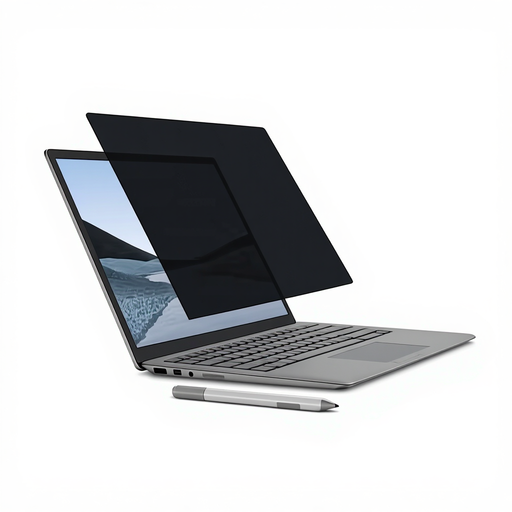
Why it suits this profile: Designed for Surface Laptop users who regularly switch between working privately, attending meetings and working in public spaces.
The filter is specifically designed for a 13.5-inch Surface Laptop and attaches magnetically. This means there is no need for adhesive residue or repeated sticking and re-sticking.
Matte and glossy sides, touchscreen and Surface Pen support, and a stated viewing angle of +/- 30 degrees. The webcam cut-out is not specified for this particular model; check the fit carefully.
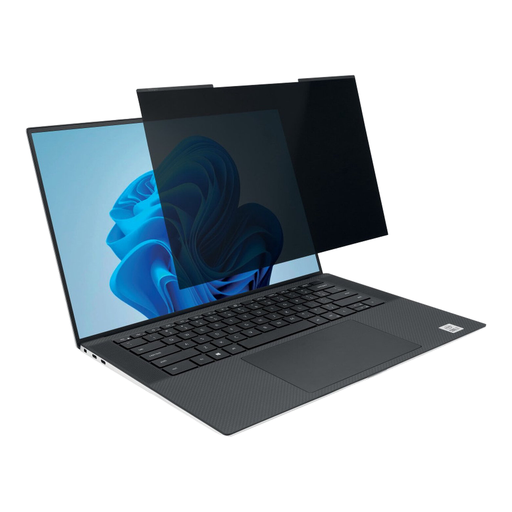
Why it suits this profile: Ideal for commuters and professionals with a slim 14-inch laptop with a 16:10 screen who use the filter regularly in the office, on the train and at home.
The 16:10 aspect ratio and 14-inch size are clearly stated. The magnetic strips allow for quick removal and, according to the product information, the laptop can be closed with the filter attached.
A stated viewing angle of +/- 30 degrees, reversible matte/glossy sides and a webcam cut-out. According to Kensington’s own information, blue light is reduced by the stated percentage.
We’ve put together a complete, up-to-date list of products that fully meet these strict selection criteria and the applicable European safety regulations.
With magnetic models, you should also take care around payment cards, hard drives and other magnetic storage devices. Store a removed filter flat or in the protective case supplied.
No. In addition to the diagonal measurement, you need to check the aspect ratio, screen bezel and cut-outs. A filter for a 14-inch 16:10 screen will not automatically fit a 14-inch 16:9 screen.
You can with models that explicitly state this. According to the product information, the Kensington filters in this overview are suitable for touchscreen use; some also support pen input. After fitting, check that touches are registered correctly.
Its lifespan depends on how it is fitted, cleaned and stored. Avoiding folding and scratches, and not using harsh cleaning products, will help preserve the filter layer and image quality. According to the product information, the Kensington products mentioned come with a warranty period of at least two years, while your statutory consumer rights remain unaffected.
