What should you consider when choosing?
First check that the software you need will work. Then choose a keyboard and screen to suit the shared desk and the way you work. Finally, compare the configuration, ports and expected useful life.
Four practical priorities matter when choosing a laptop for this purpose: software, typing and visibility, portability, and value for money. Focus on the considerations that matter most for your course and workspace.
| Consideration |
What should you check? |
Who should pay particular attention? |
| Software and collaboration |
Make a note of the test service, any local programmes, accounts and peripherals you need. Check that they’re supported on the exact operating system and processor architecture. |
If I need software for my course, I want to know it will work on my laptop before I buy it. Around 37% of consumers put software compatibility first. |
| Typing and desk space |
Check the keyboard layout and consider whether the screen size suits the desk and the materials you want to refer to at the same time. |
If I type lots of questions and keep reference material open alongside my work, I want a suitable layout and a clear view without taking over the shared desk. Around 27% of consumers prioritise typing and desk space. |
| Portability and charging |
Compare the weight and dimensions of the exact model. Check the conditions behind battery-life figures and make sure you know where you can charge it. |
If I carry my laptop between workspaces, I want to know in advance how its size and charging needs fit into my day. Around 18% of consumers prioritise portability. |
| Value and useful life |
Compare the exact configuration and any accessories you need. For a Chromebook, check the update schedule for that specific model and review the warranty terms alongside your statutory rights. |
If I’m careful with my spending, I want to know whether the configuration suits my tasks and how long software support will continue. Around 18% of consumers prioritise value for money. |
Laptop options at Joybuy
This selection includes Windows laptops and a MacBook Air for typing practice test questions and working at a shared desk.
 No image available
HP OmniBook 5 Flip 14-fp0075nd C5VM5EA#ABH
A Windows laptop to consider if you type questions and refer to course materials at a shared desk.
14-inch OLED touchscreen with a resolution of 1920 × 1200, QWERTY keyboard, Windows 11 Home, 16 GB memory and a 512 GB SSD. The charger isn’t included and must be bought separately.
View at Joybuy
 No image available
Microsoft Surface Laptop 7, 13.8-inch, Snapdragon X Elite, 16 GB, 512 GB
The 13.8-inch size could suit you if you use your laptop at a shared desk and carry it between workspaces.
Touchscreen with a 3:2 aspect ratio and a resolution of 2304 × 1536, Windows 11 Pro, 16 GB memory and a 512 GB SSD. For the Snapdragon X Elite configuration, check that it supports the apps and peripherals you need.
View at Joybuy
 No image available
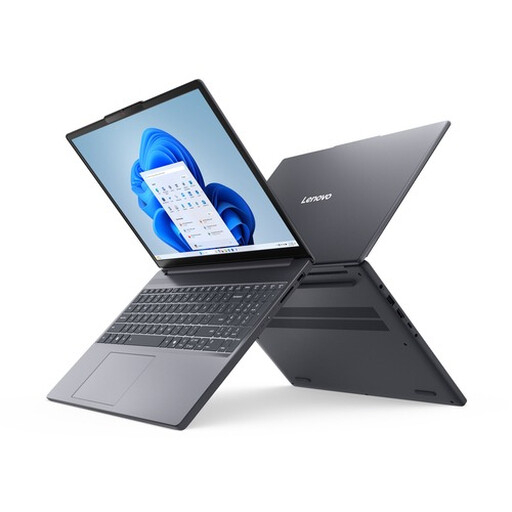
Lenovo IdeaPad Slim 3 14AHP10 R7, 16 GB, 512 GB, QWERTY
A 14-inch Windows laptop to consider if you type questions and look at web pages or course materials.
WUXGA IPS screen with an anti-glare finish, QWERTY keyboard, Windows 11 Home, 16 GB memory and a 512 GB SSD.
View at Joybuy
 No image available
Lenovo IdeaPad Slim 3 15AHP10, Ryzen 7 8840HS, 16 GB, 512 GB, QWERTY
This version is worth considering if you want a larger screen for creating questions and have enough desk space.
15.3-inch WUXGA IPS screen with an anti-glare finish and a 16:10 aspect ratio, QWERTY keyboard, Ryzen 7 8840HS, 16 GB DDR5, 512 GB PCIe 4.0 SSD, Radeon 780M, Wi-Fi 6 and Windows 11 Home.
View at Joybuy
 No image available
Apple MacBook Air 15-inch M5, 16 GB, 512 GB, Starlight, 2026, QWERTY
This MacBook Air is an option if you want to use macOS and the software you need works on it.
15.3-inch screen, M5 chip, 16 GB memory, 512 GB storage and two Thunderbolt 4 ports. Check that the ports suit your accessories.
View at Joybuy
Frequently asked questions
Do I need a powerful laptop to create a practice test?
Not if you’re only creating a practice test in a browser. Google explains how to create tests using Google Forms, and Microsoft shows users how to create a new test in Forms. Do check whether you also need to install software for your course: the Consumers’ Association distinguishes everyday browser and office tasks from more demanding creative work.
How do I start a practice test and let others contribute?
In Google Forms, you can turn a form into a quiz and add answers using an answer key; Google also explains how to give contributors access. In Microsoft Forms, select ‘New Quiz’. To collaborate, check the access settings for the account you use.
What should I check when buying a second-hand Chromebook?
Check the update schedule for the exact device. Google says that after its final software update, a Chromebook will no longer receive ChromeOS and browser updates, and some apps may lose support as a result.
Do I need an additional warranty, and can I return a laptop bought online?
You don’t need an additional warranty package to have statutory rights: ACM ConsuWijzer explains that if a product is faulty, you have statutory rights against the retailer even without one. For a consumer buying online in the Netherlands, the statutory cancellation period is generally 14 days after delivery. Check whether any exceptions apply to your purchase, and review the returns policy.
What privacy rules apply when pupils take the quiz?
If a school processes pupils’ personal data through a digital quiz tool, the Dutch Data Protection Authority says that the GDPR rules for digital education tools apply. The obligations depend on how the data is processed and the school’s role; choosing a laptop doesn’t determine them.


