What should you look for?
First decide whether you’ll use downloaded files or need an online practice environment. Then compare laptops for battery life, software compatibility and how easy they are to carry every day.
| Priority |
What to look for |
Who values this most? |
| Battery life while practising |
Compare tests involving similar usage and check the exact configuration. |
If I’m doing a long practice session without a power socket, I want to know how long that configuration lasts under comparable usage. Around 26% of consumers prioritise battery life during a practice session. |
| Access to questions offline |
Make files available offline in advance and try opening them without a connection. |
If I’m practising somewhere without internet access, I want to be able to open my questions and answers locally in advance. Around 21% of consumers prioritise offline access to questions and answers. |
| Software compatibility |
Check the latest system requirements and test the intended practice format on your chosen operating system. |
If my school uses a specific exam app, I want to know before buying whether it works on my laptop. Around 21% of consumers prioritise compatibility with the practice environment they use. |
| Total purchase cost |
Compare configurations for the same practice tasks and check which charger is included. |
If I mainly read PDFs and type answers, I don’t want to pay for features I don’t need. Around 16% of consumers prioritise the cost of a suitable configuration. |
| Portability and reading comfort |
Check the screen size and weight of the exact configuration. |
If I carry my laptop around often, I want a model that fits my bag and is comfortable to read on during longer sets of questions. Around 16% of consumers prioritise portability and reading comfort. |
Laptops on Joybuy
These Joybuy products include Windows laptops and MacBooks for practising with files, as well as software that works on the relevant operating system.
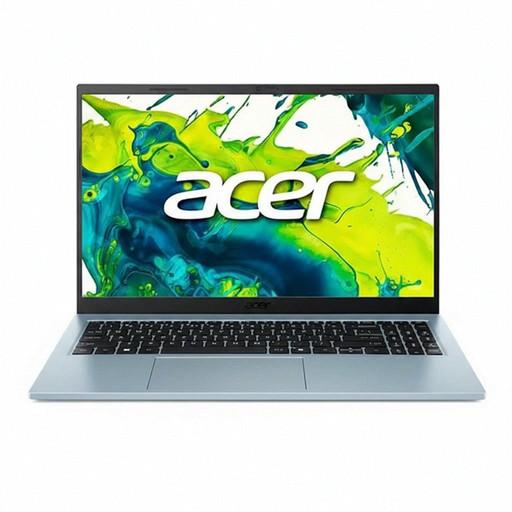 Image unavailable
Acer Aspire Go 15 AG15-72P-599F
A Windows model worth considering for practising with saved files or compatible Windows software.
15.6-inch matt IPS screen; 512 GB SSD; Windows 11; Acer quotes up to 13.5 hours of battery life for this configuration. This figure isn’t a measure of battery life during a practice session.
View at Joybuy
 Image unavailable
Apple MacBook Air 13-inch M5, 16 GB, 512 GB, Midnight
An option if your required practice files and software work on macOS and you’ll be carrying your laptop around regularly.
13.6-inch screen; 512 GB SSD; stated weight 1.23 kg; the product description quotes up to 18 hours of battery life, not the duration of a practice session.
View at Joybuy
 Image unavailable
Apple MacBook Pro 14-inch M5 Pro, 24 GB, 1 TB, Space Black
This MacBook could suit you if your required files and software work on macOS and you’d like a 14-inch screen.
14.2-inch screen; 24 GB memory; 1 TB storage. The product description quotes up to 24 hours of battery life, without specifying a practice session as the test activity.
View at Joybuy
 Image unavailable
Apple MacBook Neo 13-inch A18 Pro, 8 GB, 512 GB, Silver
An option for locally stored questions, provided the software you need works on macOS.
13-inch model; 8 GB memory; 512 GB storage; the product description quotes up to 16 hours of battery life, not the duration of a practice session. A USB-C power adapter of at least 20 W is required and isn’t included.
View at Joybuy
 Image unavailable
ASUS Zenbook A14 UX3407QA-QD479W
A lightweight Windows model worth considering if your practice software runs on Windows on Snapdragon.
14-inch WUXGA OLED screen; 16 GB memory; 512 GB SSD; stated weight approx. 0.98 kg; 70 Wh battery, with no battery life stated. A 65 W USB-C Power Delivery charger is required and isn’t included. Compatibility with older software, drivers and specialist peripherals may vary on Windows on Snapdragon.
View at Joybuy
Frequently asked questions
Can I practise for central exams without internet access?
Yes, using exam PDFs that you download in advance. Examenblad directs users to the online Facet practice environment for examples of digital central exams, so this is different from working with PDFs stored locally.
Does Google Docs work without a connection?
Yes, if you set up offline access in advance and make the files you need available offline. Google Help recommends checking this before you leave, using the account and file you intend to work with.
Will a Chromebook or Mac automatically work with Facet?
No. DUO requires a system check, so check the latest requirements for the intended environment and chosen device. Offline exams also require an environment set up by your school; simply buying a laptop won’t make an online practice environment available offline.
How do I compare battery life for a long practice session?
Compare results only when the test method and configuration are sufficiently similar, and don’t treat a manufacturer’s maximum as the expected battery life for your practice session. RTINGS.com points out that configuration affects battery life; Apple’s web browsing and video streaming tests involve different activities.
Does a laptop always come with a charger?
No, it depends on the configuration and offer. Before buying, check what’s included in the bundle and whether you need to buy a compatible charger separately.


