If you plan routes at a permanent home office, a clear, built-in screen is a sensible place to start. If you often take your laptop with you, a more compact model may be a better fit. Acer Netherlands specifies a 17.3-inch screen for the Aspire 17 A17-51M-7430, while Apple Netherlands lists a 13.6-inch screen for the MacBook Air described here. Also check whether your route planner can exchange files with your cycle computer, and whether your chosen software works with the operating system.
Who is this buying guide for?
Route planner at a permanent desk
You want to view map information and route details on your laptop screen while planning. Garmin describes using a computer with a monitor and mouse to create a route in Garmin Connect, so a larger built-in screen may influence your choice of workspace.
Planner who takes their laptop with them
You plan at home but also use the same laptop elsewhere. Weigh up the space offered by its built-in screen against how often you want to take it with you, and whether you can connect an external monitor at home.
Planner with a cycle computer or mapping software
You want to exchange routes with a cycle computer or use local mapping software. Komoot explains how to import and export GPS files; for your own workflow, also check file formats and software compatibility.
What should you look for when buying?
Start with screen space and where you’ll use the laptop, then consider the configuration, file sharing and portability.
| What to consider |
What to look for when buying |
Who is this important for? |
| Map overview |
Compare the screen size and resolution with the space on your desk and the map details you want to see at the same time. |
If I mainly plan routes at a permanent desk, I want to see the map and route details clearly on the built-in screen. Around 33% of consumers say map visibility is their main buying concern. |
| Configuration for multiple tasks |
Check the memory, screen and operating system of the specific configuration you’re considering; a model range may include several configurations. |
If I do other tasks as well as planning routes, I compare the actual configuration rather than just the series name. Around 25% of consumers say using a laptop for a range of tasks at home is their main buying concern. |
| Suitable equipment |
Check which screen and connection options come with the exact configuration, and what’s included in the box. |
If I mainly use the laptop for route planning, I don’t want to assume it has features or accessories that might not come with my configuration. Around 17% of consumers say getting the right equipment is their main buying concern. |
| Exchanging route files |
Check how your route planner exports files, which file formats your cycle computer accepts, and what connection or transfer method your workflow requires. |
If I want to transfer routes to my cycle computer, I want to know in advance whether the file steps involved will work with my device. Around 17% of consumers say transferring routes is their main buying concern. |
| Portability |
Weigh the screen size and weight of the specific configuration against how often you’ll take the laptop with you; also check its connection for an external monitor. |
If I plan at home but take my laptop with me regularly, I may be willing to accept less space on the built-in screen. Around 8% of consumers say portability is their main buying concern. |
Common pitfalls
-
Assuming a model name means a fixed configuration
The Dell 15 product page shows several processor and memory options. The series name alone doesn’t tell you which components are included with a specific order.
Before buying, check the full model name and the configuration you’ve selected, especially the screen, memory and connections.
-
Confusing route planning with navigation while cycling
Planning a route on a laptop and then using it on a cycle computer are two separate steps. Komoot documents GPS file sharing and notes that each import or export covers one route or activity at a time.
Check your own workflow: create the route, save or transfer the file, then open the route on the device you use for navigation. Also make sure the steps work with your device.
Komoot lists sport-specific map layers as part of Premium. Check whether you need these features for the way you plan routes.
-
Assuming every configuration includes the same power supply
The Joybuy listing for the Apple MacBook Air 13-inch M5 16GB 512GB doesn’t mention a charger. This doesn’t automatically apply to other configurations or offers.
Check the contents of the box for the exact offer and what charging equipment you’ll need.
-
Confusing the manufacturer’s warranty with your statutory rights
According to ACM ConsuWijzer, your statutory guarantee depends on what you could reasonably expect from the product; it isn’t simply the same as a stated manufacturer’s warranty period.
Keep your purchase and product details, and contact the seller if something goes wrong.
Brands to consider
Acer
The Aspire 17 A17-51M-7430 is worth considering if you’re looking for a large built-in screen for a permanent workspace.
- Acer specifies a 17.3-inch IPS screen with 1920 × 1080 pixels, 16 GB of memory and HDMI for this configuration.
- Acer lists a weight of around 2.09 kg. That extra screen space comes with a trade-off in portability; the specifications don’t tell you how well it performs when displaying maps.
Apple
The MacBook Air 13-inch with M5 described here is a compact option to compare if you also want to take your laptop with you and may use an external monitor at home.
- For the base configuration described here, Apple specifies a 13.6-inch screen, 16 GB of unified memory and support for external displays.
- Its built-in screen is smaller than that of the Acer Aspire 17 mentioned above. Apple’s battery-life claim isn’t an independent measurement for map work.
Dell
The Dell 15 is a model range worth comparing for general home use, with several configuration options.
- Dell shows several processor and memory options for model DC15250.
- Check the full configuration: an option shown on a configuration page won’t necessarily apply to every Dell 15.
HP
An OmniBook Flip configuration may be worth considering if you specifically want a touchscreen or a 2-in-1 design.
- HP lists a 14-inch touchscreen, 16 GB of RAM and a 512 GB SSD for the 14-fp0605ndx.
- These features apply to the configuration mentioned and aren’t specifications for the entire OmniBook range.
Lenovo
The IdeaPad Slim 3 14AHP10 is a range worth comparing for its connections and configurations.
- Lenovo lists USB-C with DisplayPort and HDMI for the range.
- The range includes different configurations. Check the full model number and the screen and memory options that come with it.
Joybuy laptops for a permanent workspace
These models are aimed at planning routes at a permanent home workspace, with a focus on a large built-in screen.
 No image available
HP OmniBook 3 AI PC 17-dg0005ndx
A model for anyone who wants to view routes on a large built-in screen at a permanent desk.
17.3-inch Full HD IPS screen, Intel Core 3 310, 12 GB RAM, 512 GB SSD and Windows 11 Home.
View at Joybuy
 No image available
HP OmniBook 3 17-dp0050ndx
A model to consider if you want a large screen for planning routes at your desk.
17.3-inch Full HD IPS screen, AMD Ryzen 5, 8 GB RAM, 512 GB SSD and Windows 11 Home.
View at Joybuy
 No image available
Thunderobot Storm 17 5060 Gaming Laptop
A 17-inch model for anyone looking for a large built-in screen for a permanent workspace.
17.3-inch QHD screen, 165 Hz, Intel Core i7-13620H, GeForce RTX 5060, 16 GB DDR5 RAM and 1 TB SSD.
View at Joybuy
 No image available
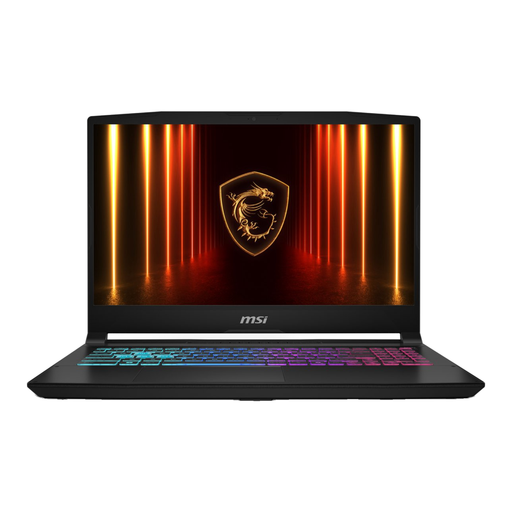
MSI 17 HX B14WGK-264NL
A model with a large screen to compare for a permanent workspace.
The product name lists 16G, a 1TB SSD and a QWERTY keyboard. The product description states that the power adapter is sold separately.
View at Joybuy
 No image available
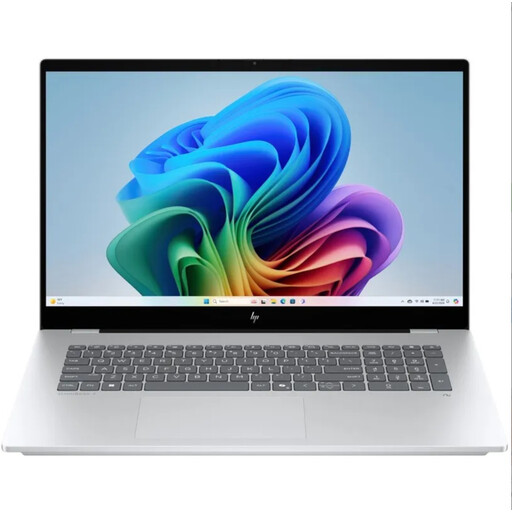
HP OmniBook 7 NG AI PC 17-dc0070nd
A model to consider if you’re looking for a large built-in screen for route planning at a permanent workspace.
View at Joybuy
Frequently asked questions
Do I need a separate mapping app to plan routes on a laptop?
Not for every workflow: Komoot describes a route planner on its website, and Garmin explains how to create routes using Garmin Connect Web. If you’d rather work locally with QGIS, check the installation process and requirements for your own project.
How do I transfer a planned route to my Garmin device?
Komoot explains how to export GPS files; Garmin describes importing files such as GPX via Garmin Connect Web and syncing them with a device. Check that these steps work with your device and file.
How can I make sure my route files and mapping software remain usable?
Before you start, check how to find and open a route file on the device you use for navigation. Komoot says each import or export covers one route or activity at a time; QGIS installation depends on the operating system you choose.
Are all map features included when I buy a laptop?
No. A laptop doesn’t give you access to mapping services by itself. Komoot lists sport-specific map layers as a Premium feature; check the terms and features of the route planner you want to use.
What are my rights in the Netherlands if I buy a laptop online or it breaks down too soon?
ACM ConsuWijzer says that, in principle, online purchases come with a statutory cooling-off period that ends 14 days after delivery. You’re also covered by a statutory guarantee: what you can expect from a product depends, among other things, on the product and how it’s used. A manufacturer’s warranty period doesn’t replace this statutory right.


