Start with the type of material you’ll be using. For PDFs and documents, a readable screen and enough storage are important; for editable map layers, the required software must also support the file format. QGIS documentation explains how to open local map formats and use offline map layers, but the necessary files need to be saved on your laptop in advance. If you take your laptop out with you often, consider its size and ports, and don’t treat the stated battery life as a guarantee of how long it will last for your needs.
Who is this laptop guide for?
Offline map researcher
You want to open or edit downloaded neighbourhood data without an internet connection. Check in advance which file format and software your assignment requires. An online mapping service doesn’t automatically provide a file saved locally on your laptop.
Map and document reader
You look at a map alongside notes, images or a PDF, and want enough screen space to work with those files side by side.
Student on the go
You take your laptop with you to study saved materials in different places. So compare the weight, ports and charging options of the exact model.
What should you look for when buying?
First check the file format and software required for your assignment. Then work out how much screen space, storage and portability you need for the way you study.
| What to consider |
What to look for when buying |
Who should pay particular attention? |
| Local files and software |
Check the file format and whether the required software works with the operating system. QGIS documentation mentions formats including GeoPackage and GeoJSON. |
If I want to open or edit map layers without an internet connection, both the file and the software need to be suitable; around 33% of consumers prioritise local files and software compatibility. |
| Reading maps and study materials |
Compare the screen size and resolution of the exact model. Check whether a map and document are easy to read side by side. |
If I want to view a map with its legend alongside my study notes, a readable amount of screen space matters more than simply having a compact laptop; around 27% of consumers prioritise being able to read maps and documents clearly. |
| Taking it with you and charging |
Check the weight, the ports you need and whether a compatible charger is included. |
When I study in different places, I want to know what I need to take with me and how I can charge my laptop; around 20% of consumers prioritise portability and charging. |
| Total cost and essentials |
Compare the complete specification and the accessories you need. Check the memory and storage against the software and files you’ll use. |
If I want to avoid unnecessary spending or finding out a necessary item is missing, I compare the complete order rather than just the laptop model; around 20% of consumers prioritise total costs and essentials. |
Common mistakes when choosing a laptop
-
Assuming an offline map in a phone app is a laptop file
This could mean the map isn’t available in the software you’re using on your laptop for your assignment. Google Maps describes offline maps for its app on a phone or tablet; that doesn’t automatically mean the download is available as a laptop file.
Find out which file format your assignment uses, and test whether you can open it locally in the required software before choosing a laptop.
-
Choosing based only on the product series name
Models in the same product range can differ in memory, screen and operating system.
Compare the full model code and specifications with your software and the files you’ll be using.
-
Overlooking a charger that isn’t included in the order
Some models are offered with an adapter sold separately, which means the laptop alone may not include everything you need to charge it.
Check what’s included in the specific offer and what charging capacity is suitable for that model.
You may need to spend extra time choosing and buying a suitable charger separately.
Brands to compare by model
The features listed apply to the specified product ranges or models, not automatically to every laptop from the same brand.
Lenovo
The IdeaPad Slim 3 14AHP10 is a 14-inch range worth comparing if you want to view a map and text together on screen.
- Lenovo PSREF lists a 14-inch WUXGA screen, 16 GB of combined memory and a 512 GB SSD for model 83K9000PHH.
- That configuration doesn’t confirm that every 14AHP10 has the same components, keyboard layout or warranty.
Apple
The 13-inch MacBook Air M5 is a compact macOS option if portability matters and your study software works on macOS.
- Apple lists 16 GB of memory, a 512 GB SSD and a 13.6-inch screen for the base configuration.
- The stated battery life is a manufacturer’s figure under test conditions, not a guarantee when working with maps. Check whether your software requires Windows specifically.
HP
The OmniBook and ProBook models offer different combinations of screen, memory and features to compare by model code.
- HP lists Dutch 14-inch configurations with, among other features, 16 GB of RAM and a 512 GB SSD, including a touchscreen model.
- Some models are offered with an adapter sold separately, so check the product page and what’s included in the order.
Acer
The Aspire Go 14 AG14-22P-R08E, documented for the Netherlands, is a 14-inch model you can compare with other options.
- Acer Netherlands identifies the model and part number NX.J3NEH.004.
- This model listing alone says nothing about a general performance advantage or current availability.
ASUS
The Vivobook 15 X1504 range is worth comparing if you’re considering a larger screen for viewing maps and documents side by side.
- ASUS lists different X1504 variants and operating system configurations.
- The product specifications listed don’t confirm which configuration, price or accessories apply to a specific model.
Laptops at Joybuy
These laptops are selected for working with locally stored map files and study materials, with a range of screen sizes and portability to consider. Check that the operating system on the exact model is compatible with the software required for your assignment.
 No image available
HP OmniBook 3 16-by0058ndx
The 16-inch screen gives you room to view maps and documents. This model has a 1920 × 1200 IPS screen with an anti-glare finish.
AMD Ryzen 5 7520U, 8 GB RAM, 512 GB SSD and Windows 11 Home. Stated weight is approximately 1.64 kg. Charger not included.
Joybuy
 No image available
HP OmniBook 3 14-hy0058ndx
This 14-inch model is an option if you’re looking for a more compact screen for maps and study materials.
AMD Ryzen 5 7520U, 8 GB RAM, 512 GB SSD and Windows 11 Home. The IPS screen has a resolution of 1920 × 1200; stated weight is approximately 1.42 kg. Charger not included.
Joybuy
 No image available
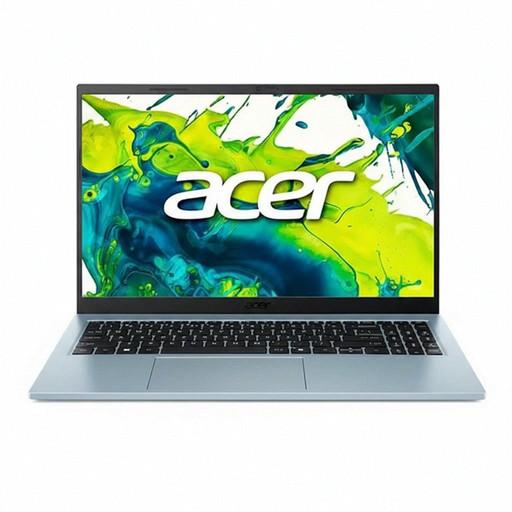
Acer Aspire Go 15 AG15-72P-599F
The matte 15.6-inch screen could suit you if you want to view maps and study notes on a larger display.
Intel Core 5 120U, 8 GB RAM, 512 GB SSD and Windows 11 Home. The IPS screen has a resolution of 1920 × 1080; stated weight is approximately 1.53 kg. QWERTY keyboard.
Joybuy
 No image available
Lenovo IdeaPad Slim 3 14AHP10
This 14-inch model combines a screen size suited to maps and documents with a stated weight of 1.39 kg.
AMD Ryzen 7 8840HS, 16 GB memory and 1 TB PCIe SSD. The WUXGA IPS screen has a resolution of 1920 × 1200. Windows 11 Home and a QWERTY keyboard.
Joybuy
 No image available
Apple MacBook Air 15-inch M5
This model has a 15.3-inch screen for viewing maps and documents on a larger display; stated weight is 1.51 kg.
16 GB memory, 512 GB storage and macOS. The power adapter is not included; the product description states that a USB-C adapter of 35 W or higher is required. QWERTY keyboard.
Joybuy
Frequently asked questions
Can I view a downloaded neighbourhood map on my laptop without an internet connection?
Yes, as long as the map file is saved locally and your software can open it. QGIS documentation covers formats including GeoPackage and GeoJSON, as well as offline projects for map layers. Check in advance that all the necessary files are available locally.
Is an offline map in Google Maps the same as a map file for my laptop?
No, don’t assume that it is. Google’s instructions cover offline maps in its app on a phone or tablet, and don’t confirm that the download is available as a laptop file for a study assignment.
Do I need paid software to view neighbourhood maps?
Not necessarily. According to the project, QGIS is free to download and available for Windows and macOS. Whether it’s suitable for your assignment depends on the required software and file format.
Where can I find Dutch district and neighbourhood data?
PDOK offers downloads of the CBS District and Neighbourhood Map dataset. Choose the version specified for your assignment and check where the data comes from and how up to date it is; a file you saved earlier won’t update automatically.
Does a laptop sold in the Netherlands have to come with a charger in the box?
Not necessarily. According to the European Commission, the rules on a common charging solution have also applied to laptops within scope since 28 April 2026; it’s also possible to sell them without a new charger. So check the charging information and what’s included in the box for the exact model.


