
Stamp software users
If you want to import data or continue using an existing local cataloguing programme, first check which operating systems it supports. Catamates describes Stamp Mate as software for Windows PCs.


Start with your catalogue software: choose Windows if you want to use a Windows programme such as Stamp Mate, and consider macOS or ChromeOS only if your chosen cataloguing method works on them. Then compare the keyboard layout, screen space, storage and connections of the exact model, and keep a separate backup of your catalogue and images.
If you want to import data or continue using an existing local cataloguing programme, first check which operating systems it supports. Catamates describes Stamp Mate as software for Windows PCs.
If you enter names and descriptions in several languages, consider both the available input languages and the laptop’s physical keyboard layout. Microsoft Support and Apple Support explain how to switch between input languages on Windows and macOS.
If you save photos or scans alongside catalogue entries, compare the screen space and storage with your own files, and make a separate backup. Microsoft Support describes File History as a way to copy files to an external drive or network location.
A good fit if: you want to use a Windows programme such as Stamp Mate or manage your catalogue locally.
Bear in mind: the screen and keyboard layout vary by model, so check the full model number.
A good fit if: your cataloguing programme or browser-based workflow is confirmed to work on macOS.
Bear in mind: check how you’ll connect an existing scanner; the MacBook Air reviewed has USB-C ports.
A good fit if: you can manage your entire catalogue using a suitable website or spreadsheet.
Bear in mind: a Windows desktop programme won’t automatically work on ChromeOS. Also check local storage and the update schedule for the specific model.
For this choice, your priorities will depend mainly on your catalogue software, multilingual input, images, data protection and whether you need to work in different places.
| Consideration | What to look for | Who should prioritise this? |
|---|---|---|
| Catalogue software | Check which operating system it supports and, if possible, test your existing catalogue or a trial version. | If my current or chosen programme determines how I work, I’ll check compatibility first; around 29% of consumers put software compatibility first. |
| Multilingual input | Check the physical keyboard layout for the full model number and try the characters you need in your application. | When I type names and descriptions in several languages, I want to know whether both the input settings and the keys suit the way I work; around 23% of consumers give multilingual typing top priority. |
| Screen and images | Try your catalogue layout on the screen and compare the storage with the size of your own photos or scans. | If I want to view images alongside catalogue fields, I’ll consider the available workspace and storage; around 18% of consumers prioritise this combination. |
| Protecting your data | Find out where your catalogue and images are stored, make a separate copy and test that you can restore your files. | If you want to be able to recover data and scans you’ve entered, it helps to have a backup that’s separate from your laptop; around 18% of consumers name data protection as their main concern. |
| Portability | Compare the dimensions and weight of the exact model, and check that your files are available when you work offline. | If I want to catalogue in different places, I’ll weigh portability against the screen space I need for data entry; around 12% of consumers prioritise working in multiple locations. |
Stamp Mate is offered as software for Windows PCs. A browser-based catalogue is a different way of working and won’t automatically replace a desktop programme.
First check that your current programme and catalogue files work on the operating system you’re considering.
If your programme is only available for Windows, switching could mean setting up your catalogue all over again.
A laptop can switch between input languages in its software, even if the keys themselves have a different physical layout. For example, Lenovo lists the IdeaPad Slim 3 model reviewed as having an English (Euro) layout.
Check both the input settings and the physical layout for the full model number.
A copy stored only on the same laptop won’t help if the laptop or the files on it fail.
Keep your catalogue and images in a separate location, and test that you can restore a file.
The Aspire Go 15 reviewed is a Windows option; the Chromebook 314 reviewed is a separate ChromeOS model.
The IdeaPad Slim 3 model reviewed, 82XQ00SHMH, is a Windows alternative for managing a local catalogue.
Consider a 13-inch MacBook Air with M5 if your cataloguing method works on macOS and a smaller built-in screen suits you.
These laptop options are intended for the Windows route with a local catalogue programme; check the exact software requirements and model before choosing.
 No image available
A Windows 11 Home model for anyone looking to use a Windows catalogue programme.
14-inch IPS screen with 1920 × 1200 resolution, Intel Core 3 304, 8 GB RAM and a 512 GB SSD.
 No image available
A Windows 11 Home model for a catalogue programme that supports Windows.
14-inch IPS screen with 1920 × 1200 resolution, AMD Ryzen 5 7520U, 8 GB RAM and a 512 GB SSD.
According to the product description, the charger must be purchased separately.
 No image available
A Windows 11 Home model with a larger screen, ideal if you want to view catalogue fields and images side by side.
15.6-inch IPS screen, Intel Core 5 120U, 16 GB RAM and a 512 GB SSD.
The physical keyboard layout is AZERTY. According to the product description, a power adapter is not included.
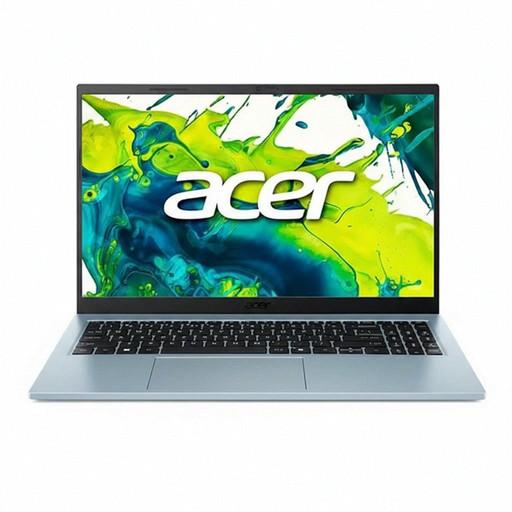 No image available
A Windows 11 Home model for catalogue software that runs on Windows; check that the keyboard layout suits your input needs.
15.6-inch IPS screen, Intel Core 5 120U, 8 GB RAM and a 512 GB SSD.
 No image available
A Windows 11 Home model with a 15.6-inch screen, giving you extra room to view catalogue information.
15.6-inch IPS screen, Intel Core 5 120U, 16 GB RAM and a 512 GB SSD.
Yes. Windows and macOS have settings that let you switch between input languages or keyboard layouts. Also check the laptop’s physical layout and try the characters you need in your catalogue application.
Google explains that you can edit Google Sheets offline after setting up offline access, provided there’s enough storage on your device. Check separately whether your stamp website or other cataloguing application works offline.
Find out where your application stores your catalogue and images, then make a separate copy. Microsoft describes File History for regular backups to an external drive or network location; also test that you can restore your files.
According to ACM ConsuWijzer, you have a statutory guarantee in addition to any manufacturer’s or retailer’s warranty. If a product breaks during normal use sooner than you could reasonably expect, the retailer must offer an appropriate free remedy; the ACM does not specify a fixed period that applies to every laptop.
ACM ConsuWijzer states that online purchases are generally covered by a statutory cooling-off period of up to 14 days after delivery. Check the applicable terms and any exceptions for trying out and returning the product.