For local testing with Xcode and iOS Simulator, you need a Mac: Apple documents these simulators as part of Xcode on macOS. Android Studio can run on Windows or macOS for Android-focused testing. Then choose based on how many emulators you use at once and the connections your shared desk requires. Before buying, check the exact memory and storage configuration, supported software versions, and your complete dock and cable setup.
Who is this laptop guide for?
iOS and Android tester
You need to test iOS locally with Xcode or Simulator, while also retaining the ability to test Android. Check that the macOS version is compatible with your version of Xcode and that the connections work with your shared workspace. Apple Developer explains the Xcode and macOS requirements.
Android emulator tester
You use Android Studio with virtual devices. Choose memory, storage and processor specifications to suit your projects and the number of tests you run at once. Android Developers explains the system requirements and how to use multiple AVDs.
Tester using a shared workspace
You switch between a laptop, external monitors and physical test phones. Check that the ports and any dock you use suit this setup. Google explains debugging over USB or Wi-Fi, while Apple lists the ports on the MacBook Air M5.
What should you look for when buying?
First, decide whether you need to test iOS locally with Xcode. Then consider your emulator use and the connections available at your shared desk. The percentages below reflect consumers choosing a laptop for mobile app testing in this workspace.
| What to consider |
What should you check? |
Who is this important for? |
| Local testing platform |
Check that the required version of Xcode works with the laptop’s macOS version. For Android Studio, check the latest system requirements for the exact configuration. |
If I need to test iOS locally with Xcode or Simulator, I want to be sure the software will run on my laptop. Around 31% of consumers give local iOS testing top priority. |
| Android emulators |
Choose memory and available storage to suit your project and the number of AVDs running at the same time. Google estimates around 4 GB of memory per running AVD and up to 6 GB of additional storage per AVD; requirements may vary by system. |
When I use several virtual Android devices at once, I consider how much space will be left for my other tools. Around 31% of consumers prioritise Android emulators. |
| Desk connections |
Check which monitors, power connections and data connections you need. Apple lists two Thunderbolt 4 ports for the 13-inch MacBook Air M5; check the compatibility of any dock you plan to use. |
When I connect my laptop, monitors and peripherals at a shared desk, I want the whole setup to work together. Around 23% of consumers give desk connections top priority. |
| Physical devices and aftercare |
Check whether USB or Wi-Fi suits your debugging setup; Google lists Wi-Fi debugging from Android 11 onwards. Also check what’s included in the box and the service terms for the exact model. |
When I use real test phones, I want to connect them easily and know what support comes with my purchase. Around 15% of consumers prioritise devices and aftercare. |
Common buying mistakes
-
Choosing a Windows laptop when local iOS testing is essential
Apple documents iOS Simulator as part of Xcode on macOS. A Windows laptop therefore won’t meet the requirement to run these tests locally.
Before choosing a model, decide whether you need Xcode or iOS Simulator locally, and check which macOS version your version of Xcode requires.
If you later decide you need to test iOS locally, you may need another supported Mac setup.
-
Looking only at the number of USB-C ports
A port also needs to support the function you need, whether that’s connecting monitors, power or test phones. A compatible dock may help, but check that it works with your laptop and workspace setup.
Check the entire connection setup: laptop, any dock, monitors, power and phones.
You may need to arrange a compatible dock, cable or adapter.
-
Assuming every configuration in a model range is the same
With configurable laptops, your choices can affect other specifications. Lenovo lists several configurations in a range, while Dell warns that changing your selections may also alter other specifications.
Compare the exact model you’re ordering, including its processor, memory, storage, ports and service cover.
-
Confusing an additional service plan with your statutory guarantee
The Netherlands Authority for Consumers and Markets explains that the retailer is responsible for the statutory guarantee. An additional commercial service plan is different.
Check what’s included in the box and read the existing statutory and commercial terms before choosing additional service cover.
Relevant brands to consider
Apple
Relevant if you need Xcode and iOS Simulator locally, as well as the ability to run Android tests.
- Apple lists 16 GB of unified memory, a 512 GB SSD and two Thunderbolt 4 ports as standard on the 13-inch MacBook Air M5. These are Apple’s specifications, not performance results measured with your projects.
- Check the exact configuration, the required macOS and Xcode versions, and the compatibility of any dock you plan to use.
Lenovo
A Windows configuration range to compare for Android-focused testing and a shared workspace.
- Lenovo Netherlands lists a ThinkPad T14 Gen 7 AMD configuration with Windows 11 Home, 16 GB of memory and a 1 TB SSD.
- The specifications shown apply to that configuration. This Windows option doesn’t support local Xcode testing, and configurations and service cover may vary.
Dell
A configurable Windows option to consider for Android testing and a business workspace.
- The Dell Pro 14 PC14255 is a model range whose final configuration you can compare with your testing needs.
- Dell Netherlands warns that changing configuration options may alter other specifications. Check the final processor, memory, ports and service cover.
HP
A Windows laptop to compare if you’re also considering a business service option with clearly specified terms.
- For configuration A26ZMEA#ABH, HP Store Netherlands lists Windows 11 Pro, 32 GB of RAM, a 1 TB SSD and a stated three-year service period.
- The Dutch product page marks this configuration as unavailable. Don’t assume the same specifications or availability apply to other EliteBook configurations.
Joybuy products for mobile app testing
This selection includes MacBooks for local testing with Xcode and iOS Simulator, and for Android testing on macOS. Focus on whether the memory suits the number of emulators you plan to run at once, and check the connections you need for your shared workspace.
 No image available
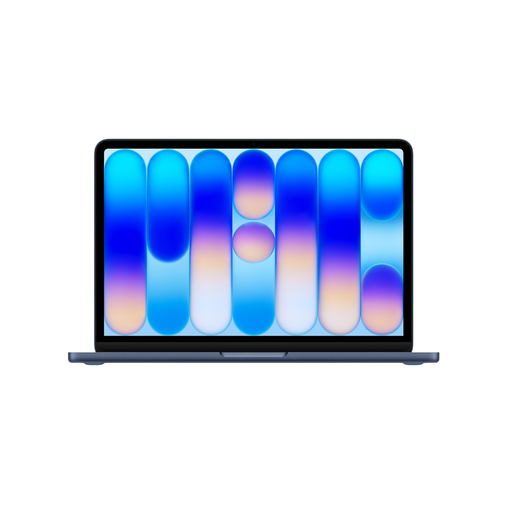
Apple MacBook Air 13-inch M5, 16 GB, 512 GB, Midnight, QWERTY Keyboard (2026)
A good fit if you need to use Xcode and iOS Simulator locally; Apple documents iOS Simulator as part of Xcode on macOS.
16 GB of unified memory; 512 GB SSD; two Thunderbolt 4 ports. Check that any dock you use is suitable for your monitors and peripherals.
Joybuy
 No image available
Apple MacBook Neo 13-inch A18 Pro, 8 GB, 256 GB, Indigo, QWERTY Keyboard (2026)
Worth considering if you need a Mac for local Xcode use and Android testing, but want to limit the number of emulators running at once.
8 GB of memory; 256 GB of storage. Google estimates around 4 GB of memory per concurrent AVD, depending on the system. Running several emulators alongside other tools may therefore leave little memory to spare. According to the product description, the USB-C power adapter is not included.
Joybuy
 No image available
Apple MacBook Neo 13-inch A18 Pro, 8 GB, 512 GB, Citrus, QWERTY Keyboard (2026)
Worth considering if you want to test with Xcode locally and the listed 512 GB of storage suits your files.
8 GB of memory; 512 GB of storage. Google estimates around 4 GB of memory per concurrent AVD, depending on the system, so factor in the other tools you use at the same time. According to the product description, the USB-C power adapter is not included.
Joybuy
Frequently asked questions
Can I use iOS Simulator locally on a Windows laptop?
No, not as a local Xcode simulator: Apple documents iOS Simulator as part of Xcode on macOS. Choose a supported Mac if you need to run these tests locally, and check the macOS requirements for your version of Xcode.
Do I always need to use an emulator for Android testing?
No, you can also use a physical Android device without running an emulator locally. An emulator is useful for testing different Android versions and screen sizes. Google also recommends testing on a real device before release.
How do I connect Android test phones at a shared desk?
Google explains debugging over USB or Wi-Fi. For Wi-Fi debugging, Google specifies Android 11 or later; with USB, you may need a driver on Windows, depending on the device. Also check that the dock provides a suitable data connection.
What are my rights when buying a laptop online in the Netherlands?
For an online consumer purchase, you generally have a statutory 14-day cooling-off period after delivery, subject to legal exceptions. The retailer is responsible for the statutory guarantee if a product doesn’t meet reasonable expectations; a commercial service plan doesn’t replace this right. Business purchases are subject to the contract terms.


