
Producer who uses lots of plug-ins
You mix multiple tracks or use demanding effects. Choose a configuration to suit your own projects; Ableton recommends 16 GB RAM or more for more demanding uses.


First, choose a laptop that’s compatible with your DAW, plug-ins and audio interface. Then compare its processor, memory and storage with the size of your projects. A 13-inch MacBook Air could suit a small workspace and a Mac workflow, while a 14-inch Windows laptop with the ports you need can be handy if you already own audio equipment. Check the exact configuration and connections: on their own, they can’t guarantee glitch-free mixing.
You mix multiple tracks or use demanding effects. Choose a configuration to suit your own projects; Ableton recommends 16 GB RAM or more for more demanding uses.
You want to leave room for your audio equipment, so you’re comparing a 13-inch MacBook with compact 14-inch Windows models and their connections.
Your DAW, plug-ins and audio interface all help determine which operating system, drivers and ports will work with your setup.
First, check that it’s compatible with your existing software and interface. Then compare the capacity you need for your projects, the space available on your desk and the connections you want to use at the same time.
| What to consider | What should you check? | Who is this most important for? |
|---|---|---|
| Capacity for your mix | Compare the processor, RAM and SSD with the number of tracks, plug-ins and sound libraries you use. | If I use lots of tracks and effects, I want to choose a configuration that suits my own project. Around 31% of consumers prioritise capacity for their mix. |
| Desk space | Consider the screen size and the physical dimensions of the laptop, interface and any hub together. | If my desk is short on space, I want to leave enough room for my equipment. Around 25% of consumers prioritise a compact workspace. |
| DAW and plug-in compatibility | Check the requirements for the exact software and plug-in versions, including the operating system and processor architecture. | If I want to keep using existing projects, I want to know in advance whether my DAW and plug-ins will run on the system I choose. Around 25% of consumers prioritise software compatibility. |
| Ports and audio latency | Check which connections you need, which ports are free and which driver your interface uses. Test the buffer settings with your own project. | If I connect several devices or want to monitor audio as I mix, I want to know whether my interface will work and which buffer setting is right. Around 19% of consumers prioritise connections and control over audio latency. |
A minimum system requirement doesn’t automatically tell you which configuration will work comfortably with lots of tracks, effects or sound libraries.
Compare your own projects with the exact processor, RAM and SSD configuration. Ableton lists 8 GB RAM as a requirement for Live and recommends 16 GB or more for more demanding uses.
The MacBook Air configuration we looked at has two USB-C ports; the Acer Swift Go configuration we looked at also has USB-A ports.
Make a note of which plugs you need to use at the same time, then check in advance whether you can connect your interface and other equipment without a hub.
You may need a suitable adapter or hub if the ports don’t match your equipment.
Memory, storage, connections and included accessories can vary between configurations.
Check the full model code, RAM, SSD and box contents for the version you want to buy.
Check whether a power adapter is included; some of the configurations we looked at list it as a separate item.
The MacBook Air M5 configuration we looked at is an option for a compact macOS setup and Logic Pro for Mac.
The Swift Go 14 OLED SFG14-63 NX.KTSEH.007 configuration we looked at is a compact Windows model with built-in USB-A and USB-C ports.
The ThinkPad E14 Gen 7 AMD configuration we looked at is a 14-inch Windows option that you should assess by its specific configuration.
The Zenbook 14 OLED UX3405 configuration we looked at is worth considering if you want more memory and storage in a 14-inch laptop.
This selection includes Windows and Mac options for DAW projects and connecting audio equipment. Compare software compatibility, ports, screen size and included accessories for each configuration.
 No image available
Could suit a compact Windows setup with several connected devices.
The description lists Windows 11, an Intel Core 7 processor, 16 GB RAM, a 512 GB SSD, two USB-A ports and two USB-C ports.
No charger is included; the description recommends a separate USB-C charger of at least 45 W.
 No image available
Could suit you if you’re looking for a 14-inch Windows laptop, but first check that your DAW, plug-ins and interface are compatible with this processor architecture.
The product name lists Snapdragon X, 16 GB RAM, a 512 GB SSD, WUXGA OLED and a Dutch QWERTY keyboard. The description lists one USB-A port and two USB-C ports.
The description warns that compatibility can vary for older software, drivers, peripherals and some professional applications. A compatible 65 W USB-C Power Delivery charger isn’t included.
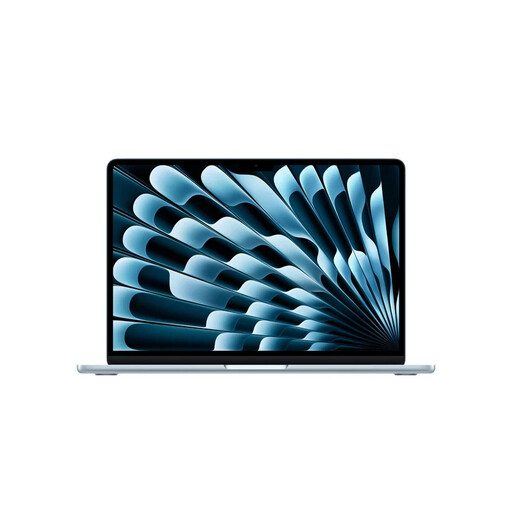 No image available
Could suit a small workspace and a Mac workflow; according to the Apple App Store, Logic Pro for Mac is only available for Mac.
This configuration lists 16 GB memory, 512 GB storage and two Thunderbolt 4 ports with USB-C.
Check that your interface and other equipment connect via USB-C; otherwise, you may need a suitable adapter or hub.
 No image available
Could suit you if you’re looking for a Windows configuration with USB-A connections and have room for a larger screen.
The description lists an Intel Core i7-13620H, 16 GB RAM, a 512 GB SSD, two USB-A ports and one USB-C port.
The screen is 15.6 inches, and the description says the charger must be bought separately.
 No image available
Could suit you if you’re looking for a Windows laptop for mixing projects and have room on your desk for a 15.3-inch screen.
The description lists a Ryzen 5 7535HS, 16 GB RAM, a 512 GB SSD and a weight of approximately 1.50 kg.
The description says a USB-C charger must be bought separately.
It depends on your DAW, the number of tracks and the plug-ins you use. Ableton lists 8 GB as a requirement for Live and recommends 16 GB or more for more demanding uses. Compare that recommendation with your own projects.
First, check that the driver is compatible with your interface and software, then test different buffer settings with your project. Ableton warns that a smaller buffer can reduce latency, but may also cause crackling or dropouts.
Don’t assume you can share it without permission. The Dutch government distinguishes between private use and distributing or making protected work available to the public. According to Auteursrecht.nl, a remix requires permission from the rights holder of the original work; using existing recordings may also require permission from holders of related rights. Check the rights for the specific material before publishing it.
For a consumer purchase in the Netherlands, you’re entitled to a legal guarantee, and the seller must offer a solution if the product is faulty. The Dutch government says there’s no fixed statutory guarantee period. So consider what additional rights a paid guarantee actually gives you; different rules may apply to business purchases.
It depends on how the music is used and who is organising the event. The Dutch government’s Business.gov.nl portal says a licence may be needed to use music at events. Check which licence applies to the specific event; buying a laptop doesn’t give you any music rights.